How can I make a subscription change immediately and pay later using the customer portal?
Problem Statement
My customers make subscription changes via the customer portal (e.g., add addon, change plan). How can I apply those changes immediately but collect payment at the next renewal instead of right away?
Solution
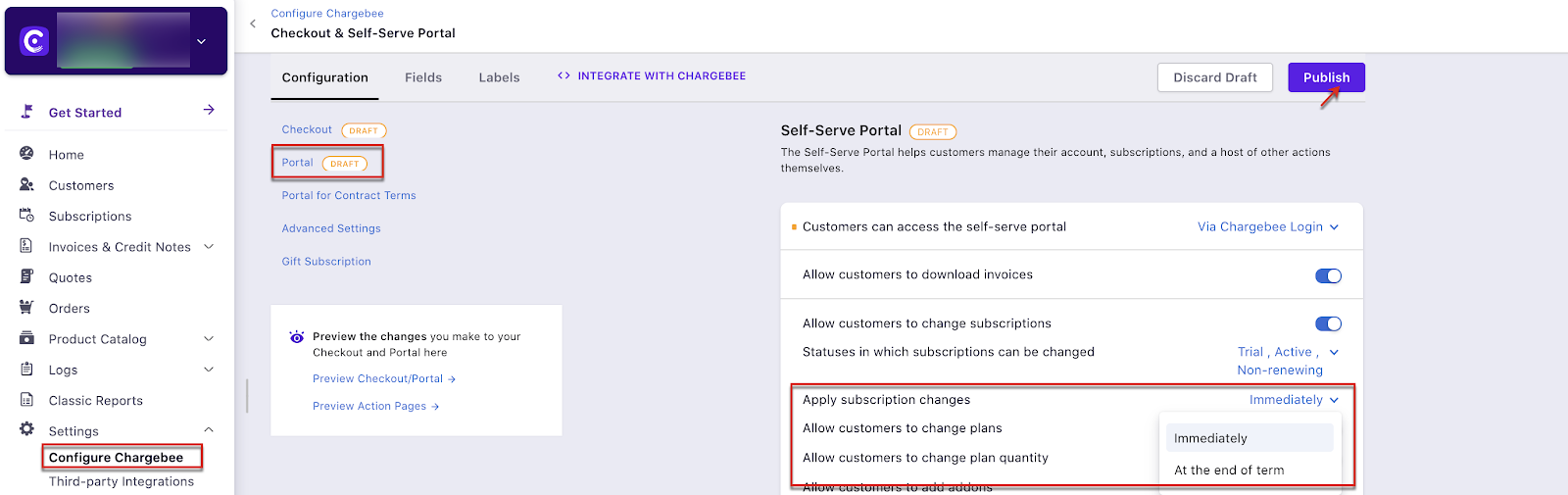
In Chargebee's Self-serve portal, subscription changes can be applied immediately or at term end, and customers are charged accordingly. It is not possible to apply changes immediately and charge at term end when using the portal alone. This behavior is supported when you implement the flow via API.
Steps to Set It Up (API)
- Provide a click-to-action page (e.g., Change subscription / Update subscription) on your site.
- List the customer's current subscriptions so they can choose what to change.
- Use the Update a subscription API and set changes to take effect immediately.
- Pass
invoice_immediatelyasfalseso the charge is collected only at renewal, not immediately.
Important Notes
Note
When using APIs, initiate the change subscription action from outside the Chargebee portal (e.g., a Change subscription button on your website).
Note
For resuming a paused subscription, the customer is charged immediately if reactivation occurs out of the current term.
Was this article helpful?