How can I preview subscription before creating?
Problem Statement
You want to know how can I preview subscription before creating.### Scope
If I create a subscription, can I just review it before creating a subscription?
Summary
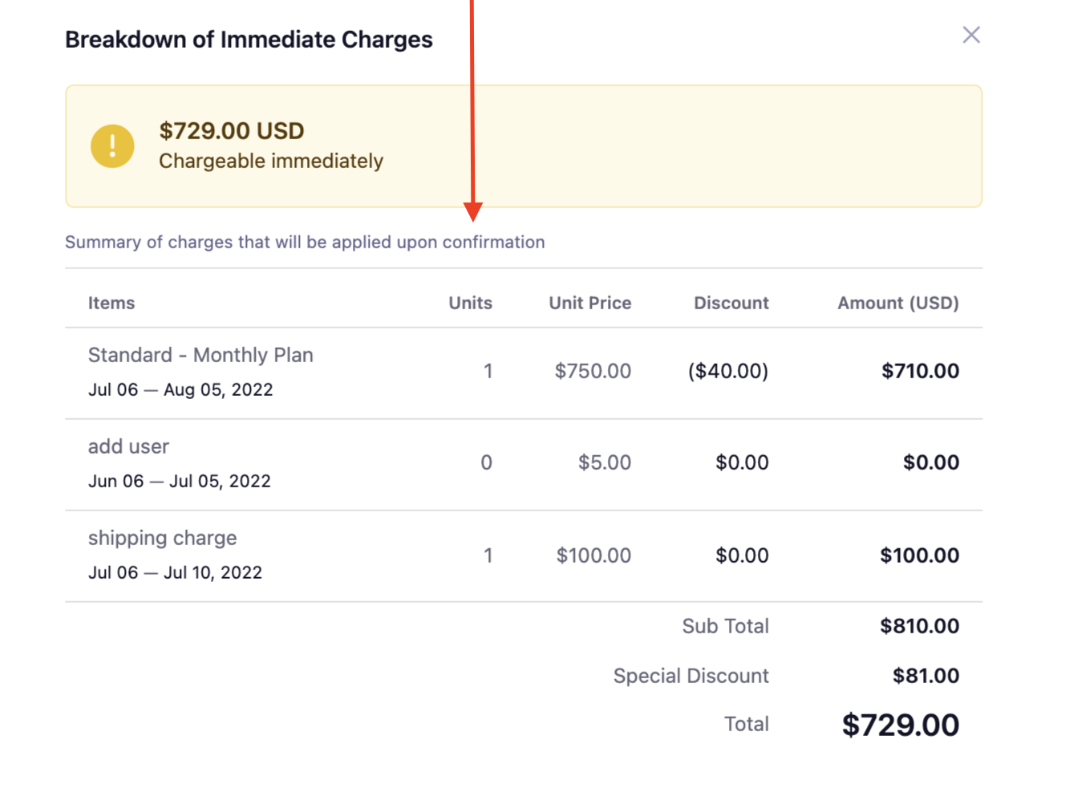
When you create a subscription via UI, a sneak peek of the immediate charges for the subscription gets displayed for your reference on the right side. You can click See breakdown to view the complete breakdown of immediate charges. This breakdown displays the immediate charges, discounts & coupons, tax (if configured), and unbilled charges. If you want to know the checkout process of a plan while creating a subscription, you can make use of the 'Preview/View' option in the plan section.
Solution
Preview subscription
When creating a subscription from the Chargebee app, you might require some glimpse of the immediate charges and a breakdown of those charges, and this feature helps you to have a quick review before creating a subscription.
Once you configure specifications such as currency, billing, plan, product family, and invoice status while creating a subscription, an overview of the immediate charges for the subscription gets displayed for your reference on the right side.
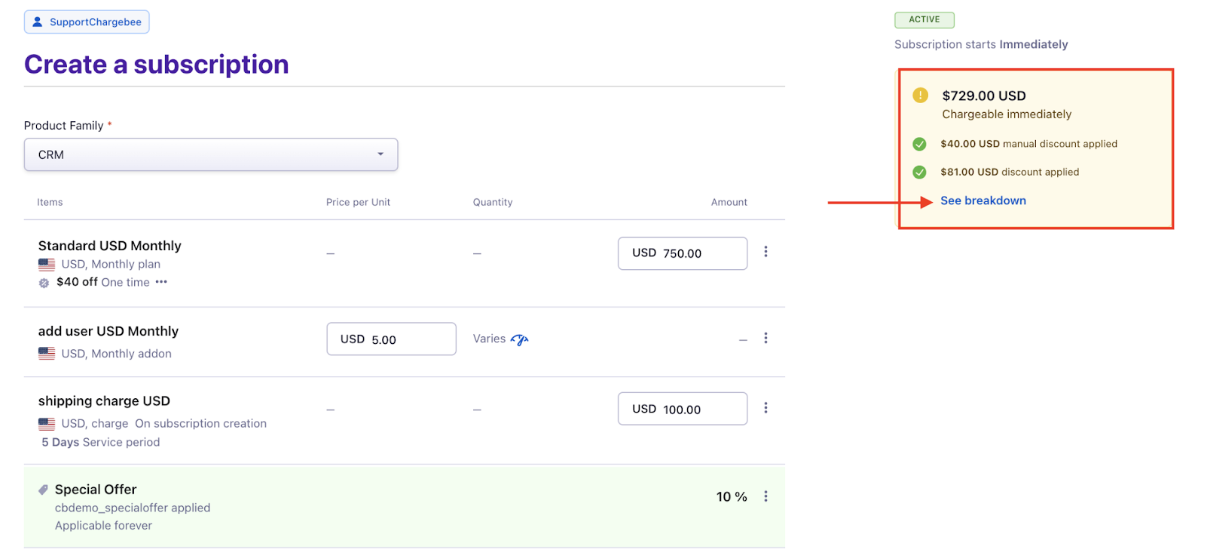
The breakdown of Manual Discounts & Coupons will be displayed on the breakdown summary page. You can click See breakdown to view the complete breakdown of immediate charges.
Preview of breakdown while creating a subscription with Invoice Immediately
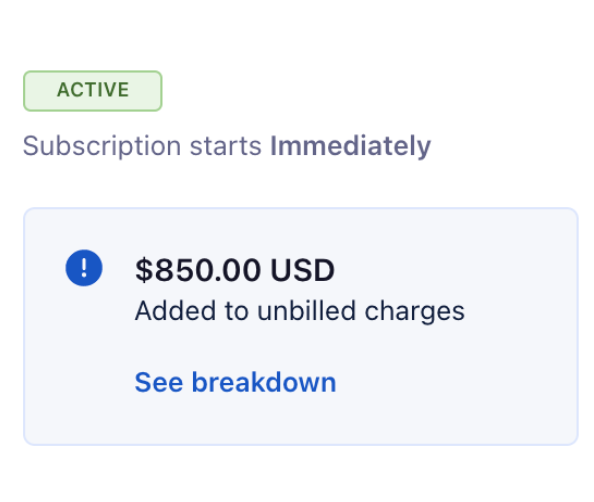
Preview of breakdown while creating subscriptions with Unbilled charges.
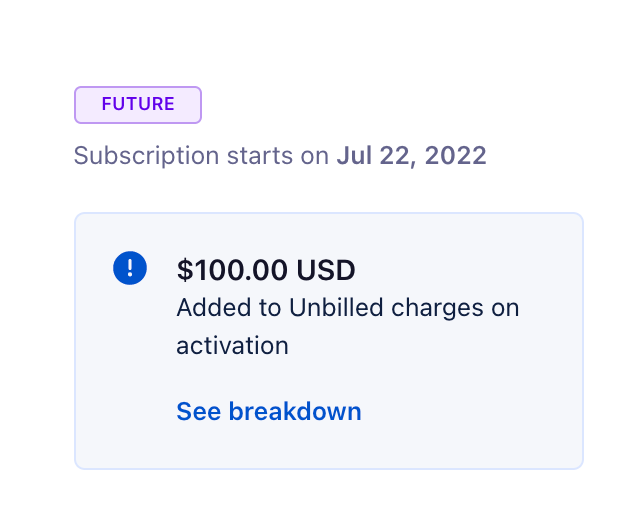
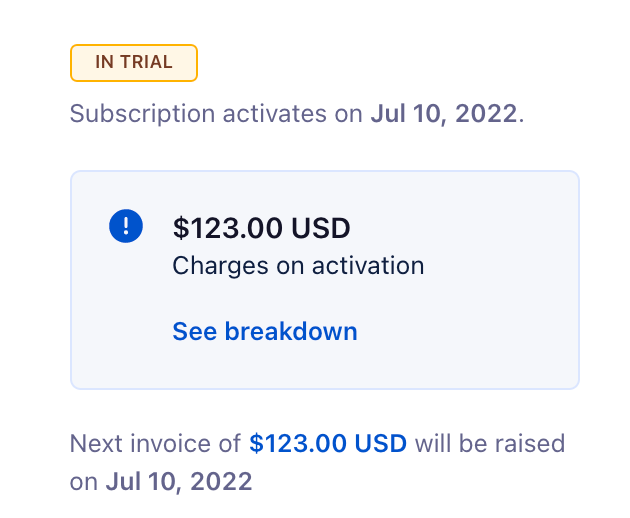
You can also see the subscription status above the breakdown.
Preview of subscription with subscription status
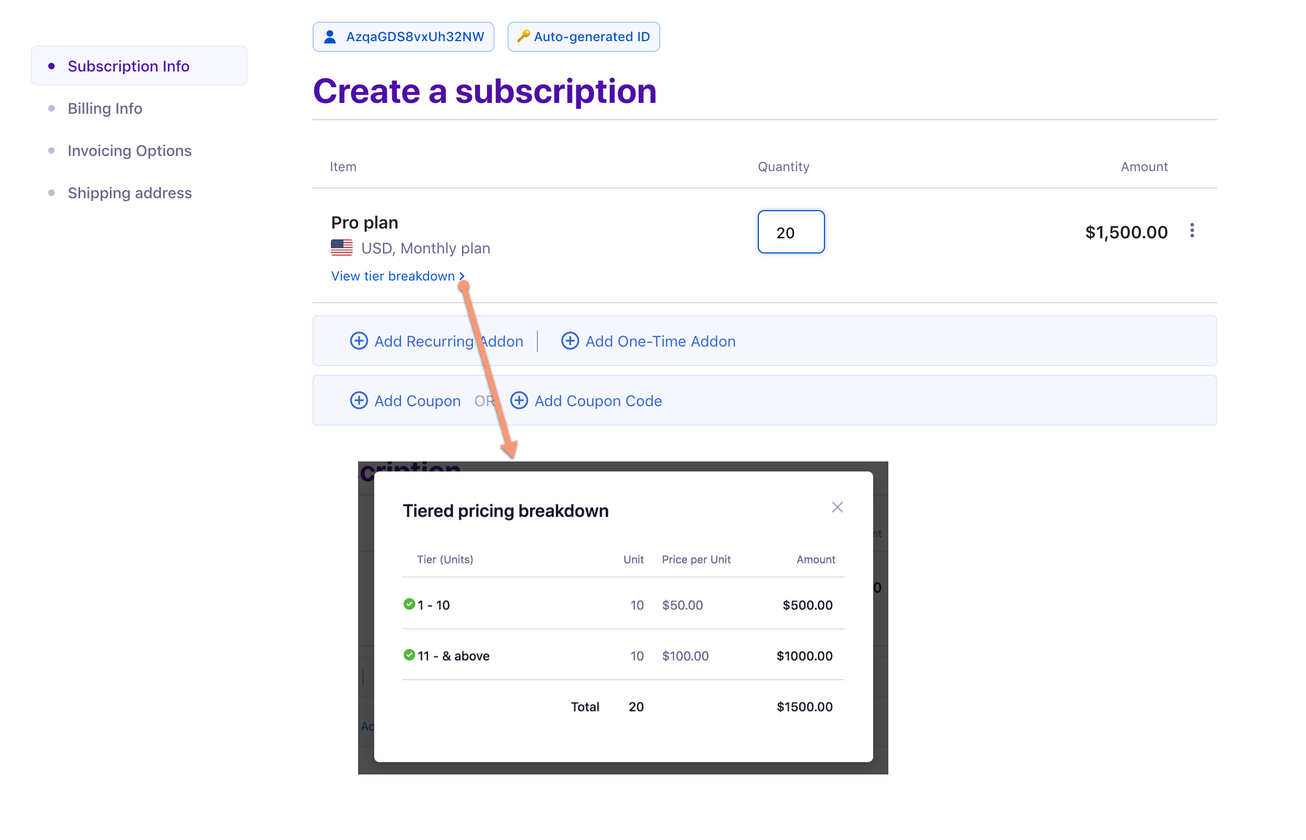
If you select a tiered/volume/stairstep priced plan or addon while creating/editing a subscription, you can see the price breakup by clicking view tier breakdown below the plan.
Was this article helpful?