How to change a cancelled subscription to a non-renewing subscription?
Problem Statement
You want to know how to change a cancelled subscription to a non-renewing subscription.## Scope
My customer cancelled his subscription but his prorated charges are not getting applied. What to do?
How to stop the subscription from renewing for another term?
How do I renew a subscription for 1 term?
Summary
To change a cancelled subscription to a non-renewing status you can reactivate the subscription to the billing cycles as 1 from the Subscription details page in two ways as mentioned below.
1. Edit/Change Subscription
**2. Reactivate Subscription Solution
To change the status of the scheduled cancelled subscription that is Active to Non-Renewing from the admin console, Go to Chargebee Dashboard
Subscriptions
Select the subscription
Change Subscription/Reactivate Subscription
Enter the No. of Billing Cycles as 1
Note:
If you make the billing cycle as 1, the term would be considered according to the plan's frequency. For example, if the subscription has a monthly plan then it is between 17 Jul 2020 - 17 Aug 2020.
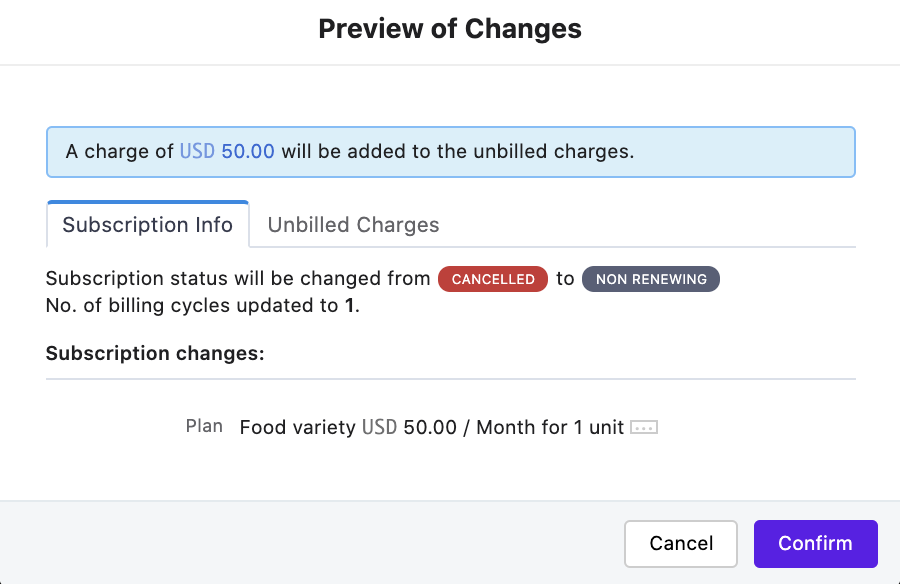
Here's a video explaining this use case.
If you allow your customers to answer their subscriptions via the portal, you can configure your portal settings to allow cancellations at term-end. This way all your customer cancellations will be scheduled at the end of the billing cycle.
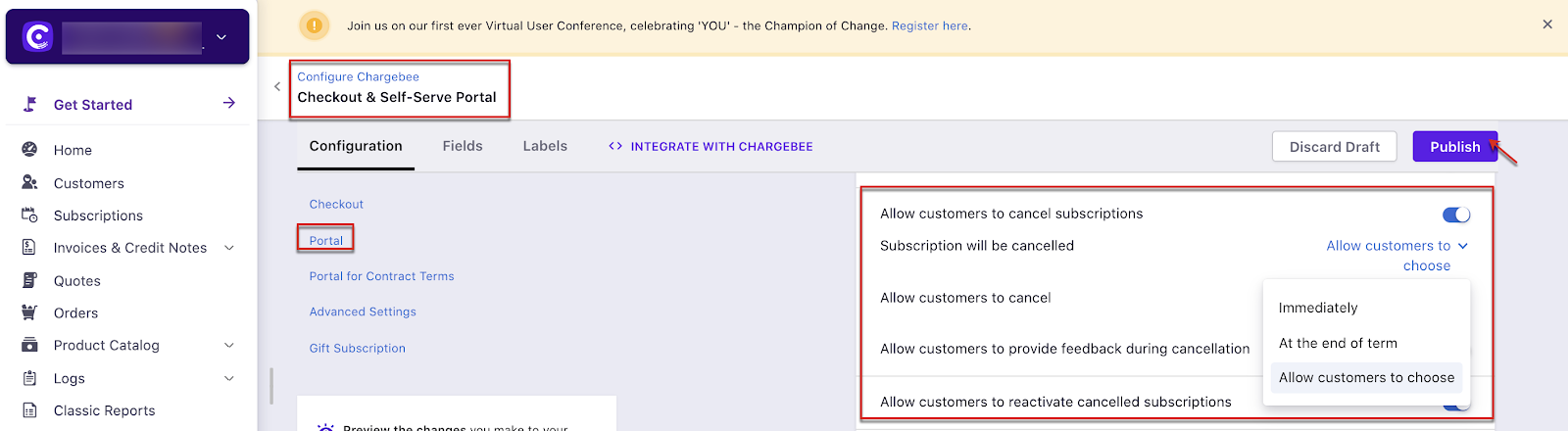
Note:
If you allow your customers to cancel during the term you can choose to set up refunds to your customers under the Cancellation settings.
Was this article helpful?