How to record offline or manual payments for an invoice?
Problem Statement
You received a payment outside Chargebee (e.g., bank transfer, cash) and need to record it against an invoice.
Solution
Offline payments are not synced automatically. Record them manually after you receive the payment.
Steps to Set It Up
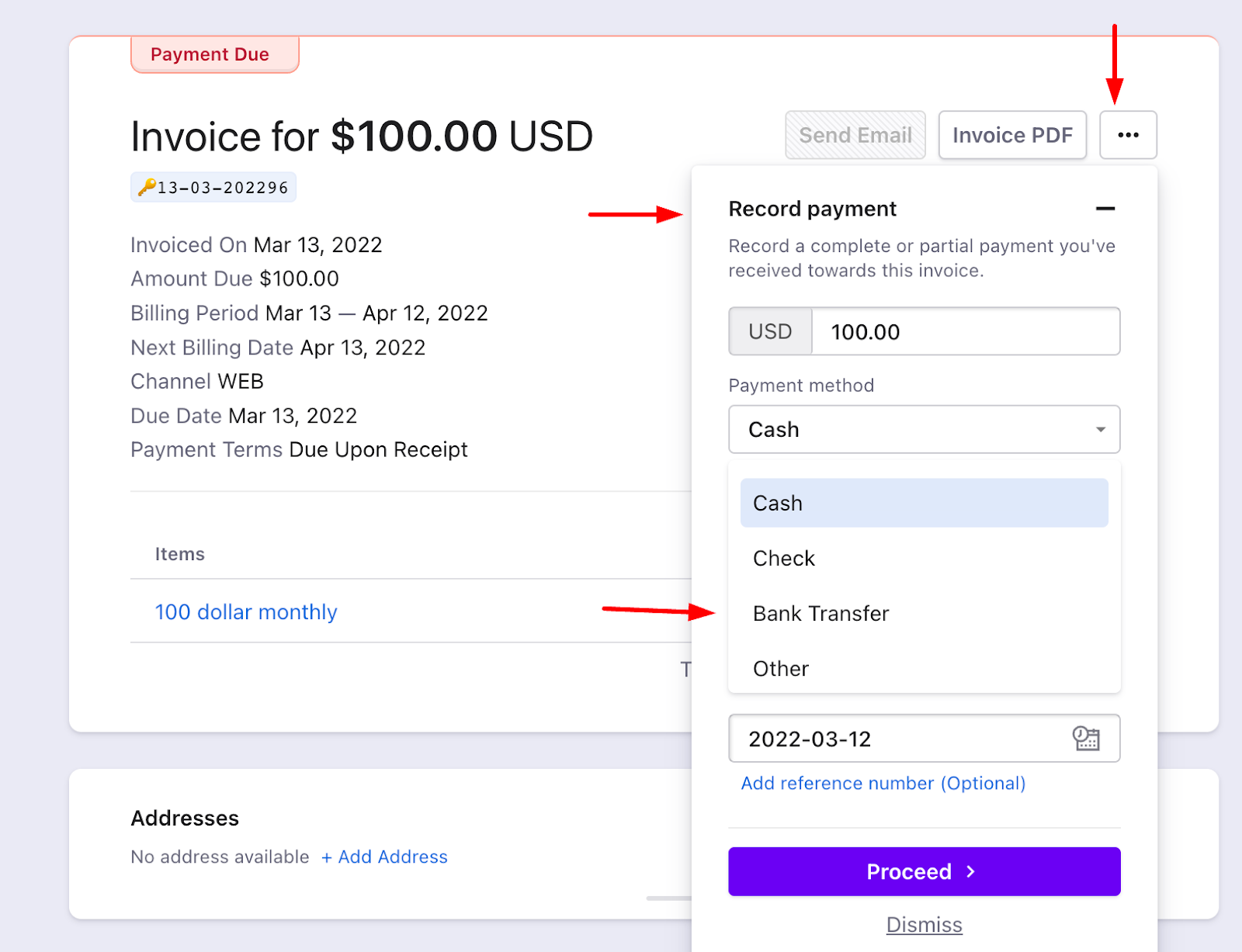
- Open the invoice in Chargebee and click the Ellipsis (⋯) icon.
- Select Record Payment, enter the amount, and choose the payment method (e.g., Bank Transfer, Cash). Add a reference number for bank transfers.
- Click Proceed to mark the invoice as Paid.
Was this article helpful?