You are viewing:
Product Catalog 2.0
The order has not been generated automatically while creating one invoice with a Quick charge only. Why?
This article covers
Can I create an Order for ad-hoc charges on my Chargebee site?
Summary
Order will not be generated for quick charges or ad-hoc charges because those cannot be marked as shippable items in Chargebee. You can only create orders for the items which you can mark as Shippable, like - plans, addons, non-recurring add-ons (PC 1.0), or charges (PC 2.0).
Solution
If you created the invoice by adding a quick charge or an ad-hoc charge by entering the amount manually, then the order will not be generated in your Chargebee site automatically. The order management will only work for the items which have been marked as Shippable items (like plans and add-ons). The ad-hoc charge or the quick charge is not a shippable item, hence there was no order placed after the invoice was generated.
If you need to create a one-time invoice and also need to create an order within your Chargebee site, you can use any non-recurring addon in the PC 1.0 version or charges in the PC 2.0 version which should be marked as Shippable. Then an order will be placed automatically with a one-time invoice generation.
Steps to configure the shippable option for Charge in PC 2.0
If you are on PC 1.0 version, refer to this link.
-
Click Product Catalog > Charge, select the charge to be configured for shipping, and select Edit Charge.
-
In the Shipping Preference section, select the box to mark the product as shippable.
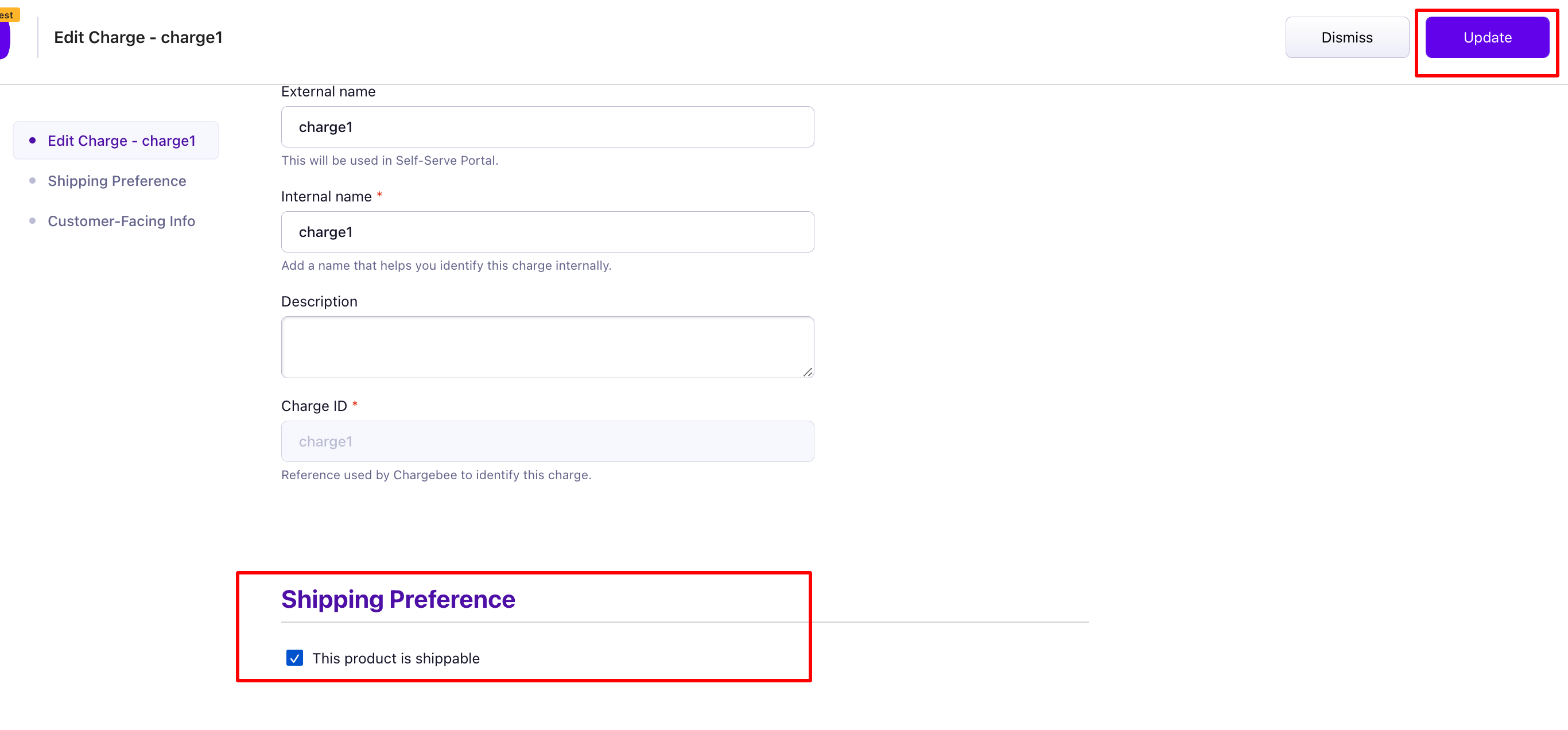
-
Click Save.
Click here to know more about configuring shipping preferences in PC 2.0
Was this article helpful?