How to filter the list the plans in cancelled state by source? Where can I view the source?
Problem Statement
You want to filter the list of canceled plans by source, or view the source of a subscription cancellation.
Related Scenarios
- Filtering canceled plans by source
- List of cancelled plans by source via API
- How to check the source of a subscription cancellation?
Solution
Event logs of your customers and subscriptions can be found in the Events section. You can filter canceled subscriptions by a source under the Events Index Page. You can also achieve this using API.
Chargebee UI
Navigate to Logs > Events, then:
Step 1: Add filter as Event Type > Subscription Cancelled.
Step 2: Add another Filter as Source > Choose a Source or a list of sources you want to filter.
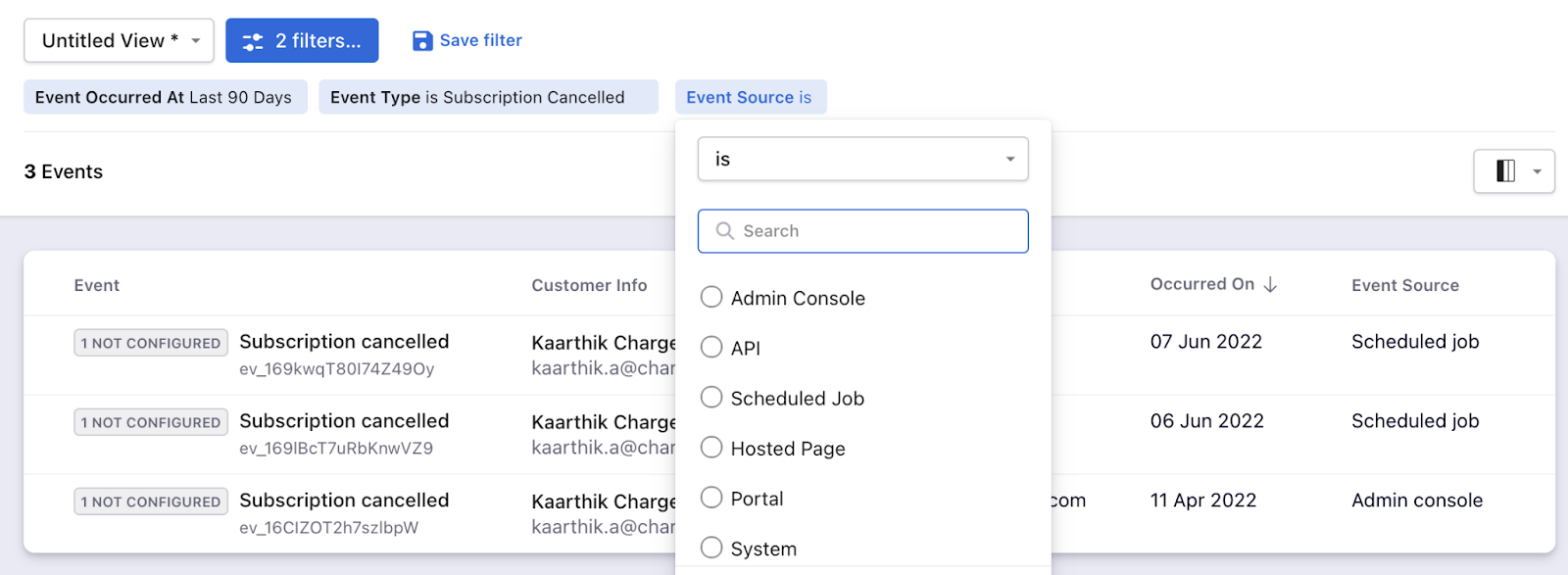
Note:
On the recent UI enhancement you can now scroll the index pages - Customers, Subscriptions, Invoices, and Credit Notes vertically. Earlier, the pages will be paginated which may prolong your search; however with the new enhancement, as you scroll down the list it will load all other data in a single page as highlighted below on the screenshot. Refer to this link for more information.
API
You can retrieve a list of events using the List Events API. Choose the Product Catalog version of your site to use the fetch the relevant API.
Note: Only events that are less than 90 days old will be retrieved
| Event parameter | Source Parameter |
|---|---|
event_type[is]= "subscription_cancelled" For multiple events: Supported operators : is, is_not, in, not_in event_type[in]="["subscription_cancelled", "subscription_cancellation_scheduled"]" | source[is] = "admin_console" Possible values are : admin_console, api, scheduled_job, hosted_page, portal, system, none, js_api, migration, bulk_operation, external_service. Supported operators : is, is_not, in, not_in |
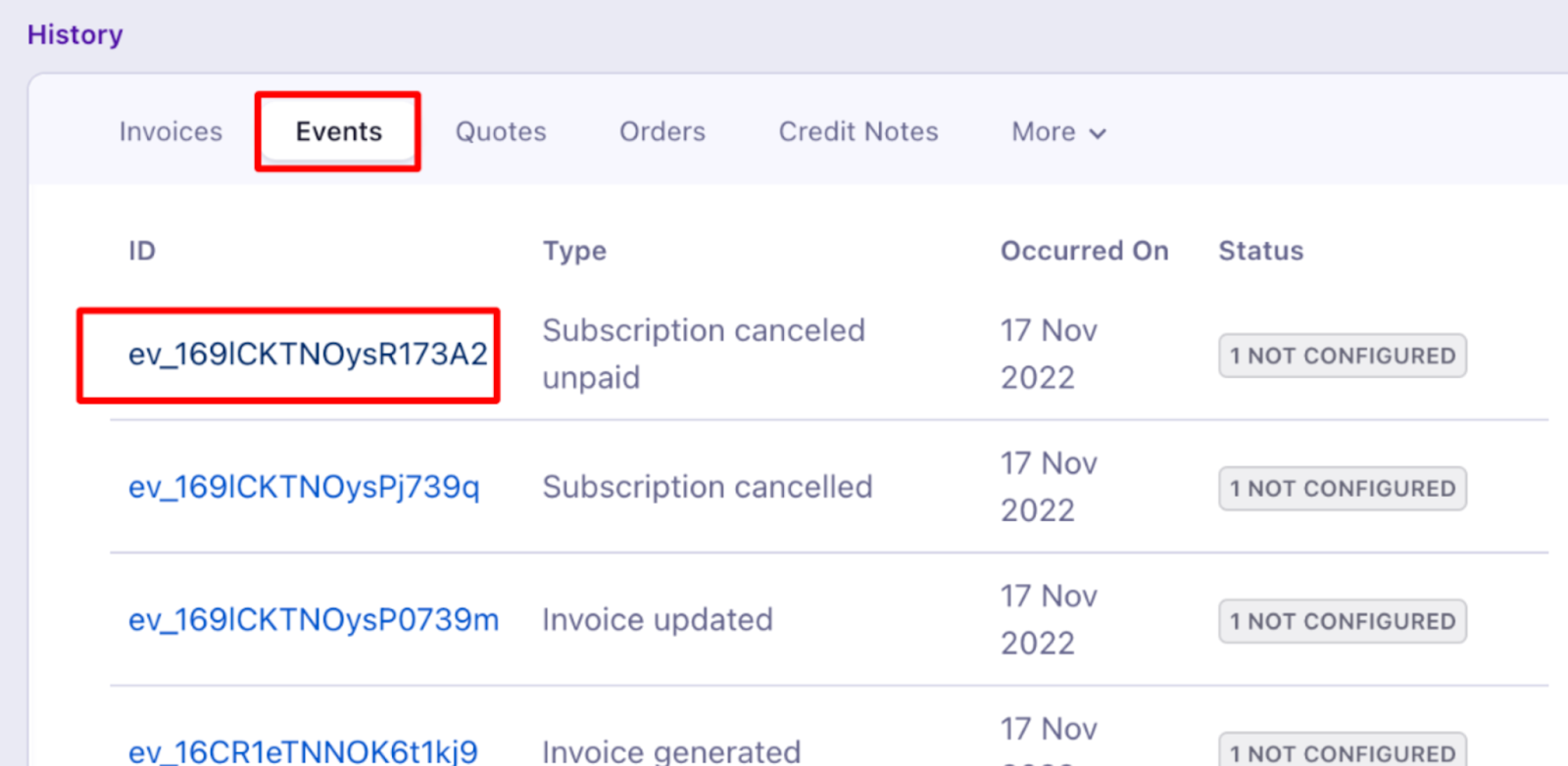
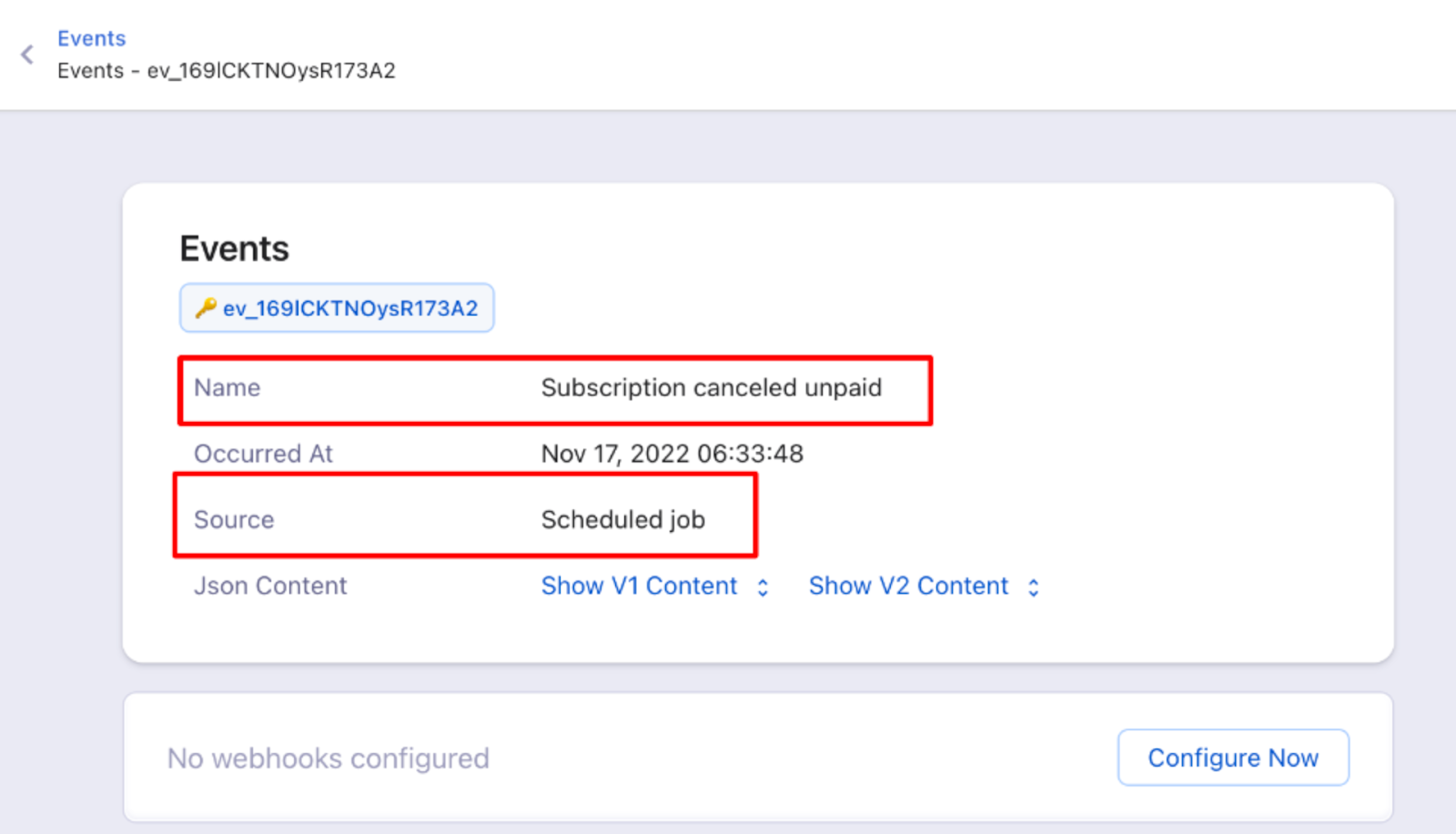
To view the events of a subscription, open the respective subscription and go to the History section.
Was this article helpful?