How to void a write-off invoice
Problem Statement
A write-off invoice creates a credit note as an adjustment against the invoice. To void an invoice that has been written off, you must remove the adjustment credit note linked to it before you can void it.
Solution
Configuration steps
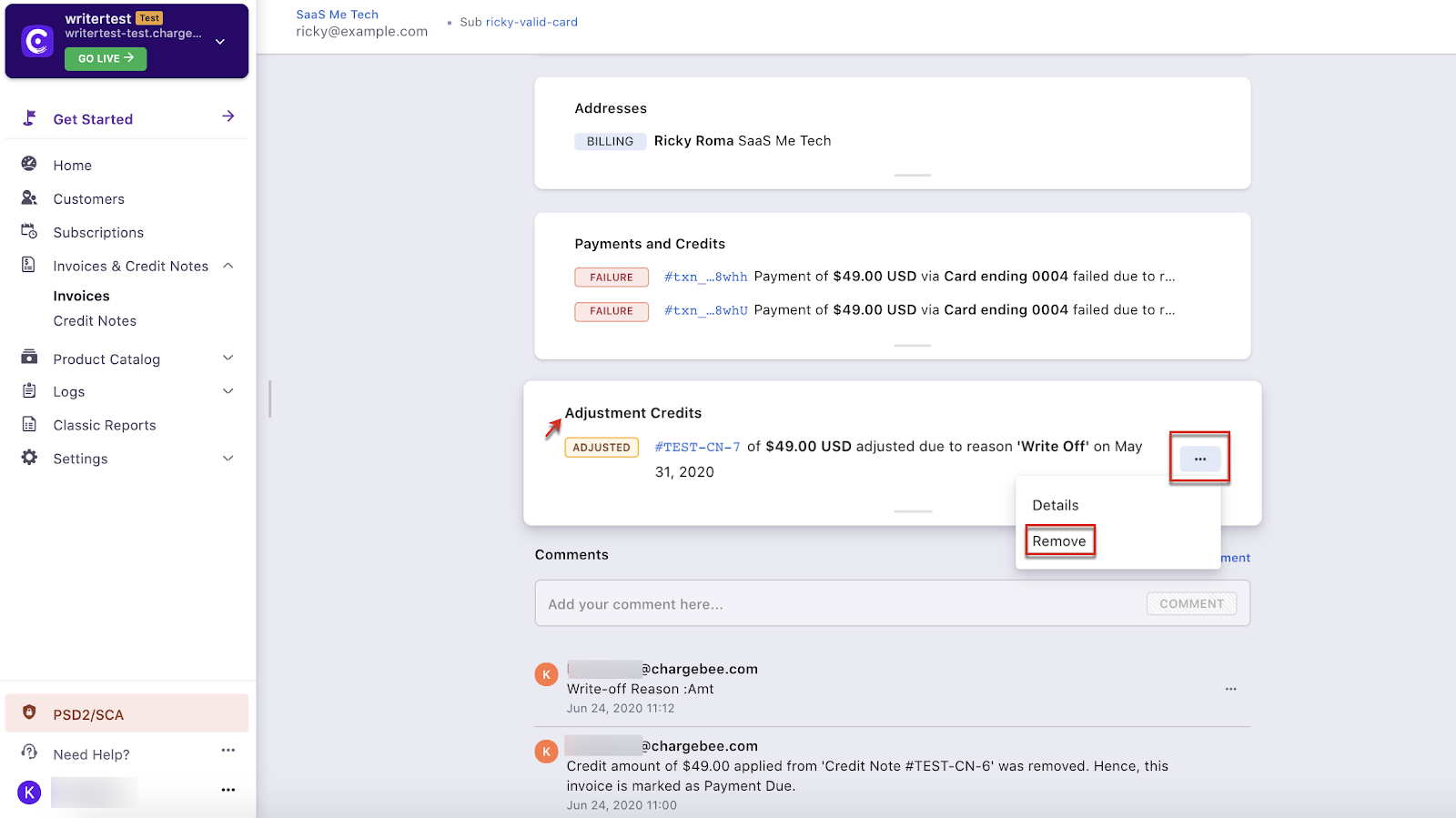
- Go to the Adjustment Credits section of the invoice that was written off.
- Click ... on the right and select Remove.
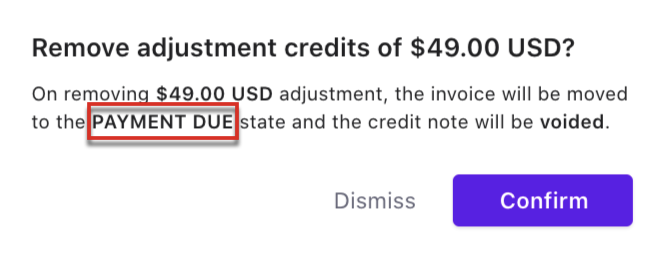
- Check the invoice status change and click Confirm.
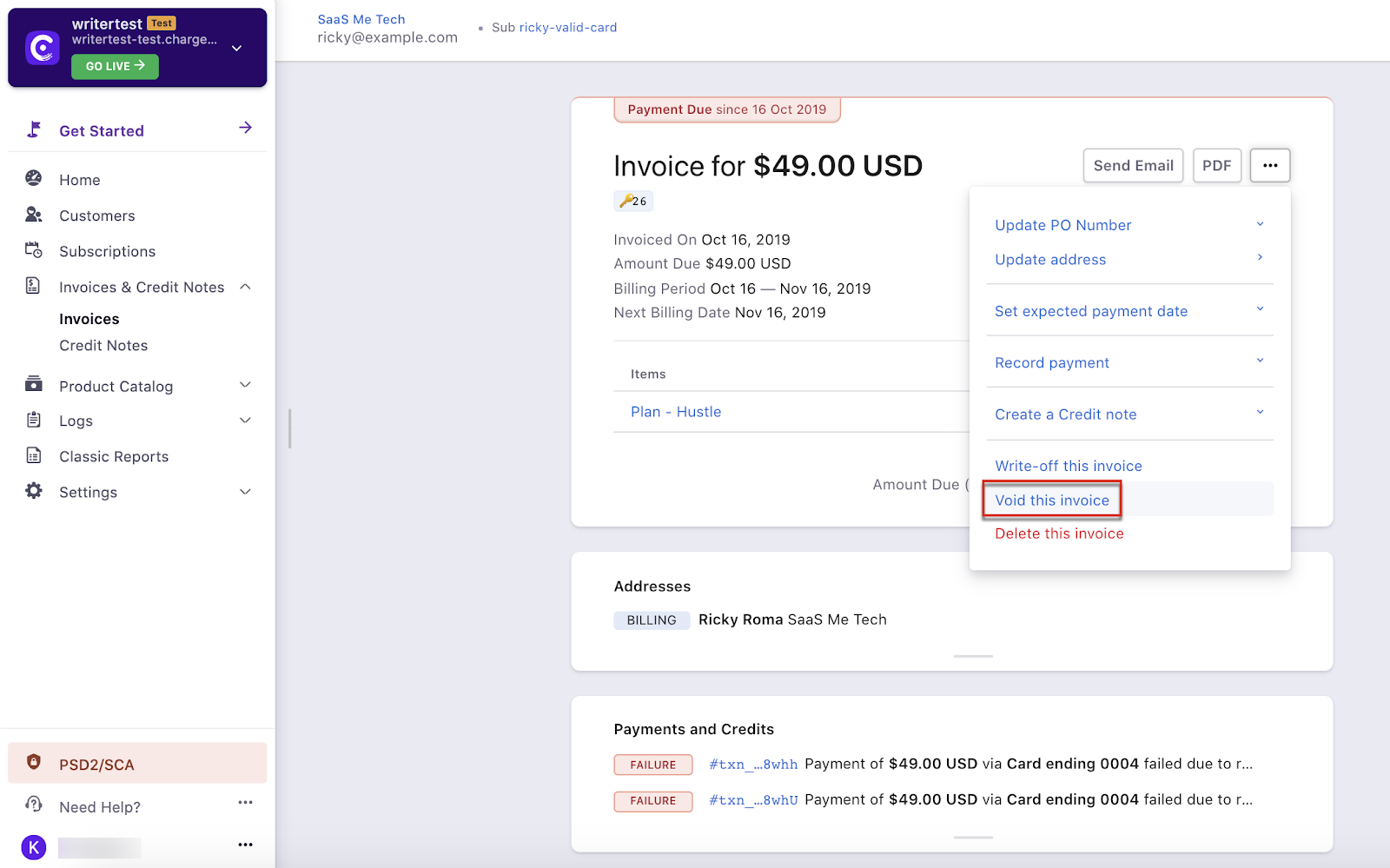
- Go to the Invoice section and select Void the invoice.
Additional Information
- Video walkthrough of the above steps.
Note
When an invoice is written off, an adjustment credit note is created for the invoice value, which appears under bad debt. Once you remove the adjustment credit note, the amount is reversed and recorded under the bad debt reversal column of the account summary report.
Was this article helpful?