How can we create Credit Note for a particular line item of an invoice?
Problem Statement
When creating a Refundable Credit Note, the credit is taken from all line items. I need a credit note for only the plan. How do I do that?
Solution
When creating a Credit Note, use Advanced > Edit line items in the pop-up to choose which line items to include. Use The line items' billing period on the invoice so the credit note line items match the billing periods on the invoice.
Steps to Set It Up
- Open the invoice and click Create Credit Note
- In the pop-up, click Advanced > Edit line items
- Select only the line items you want to credit
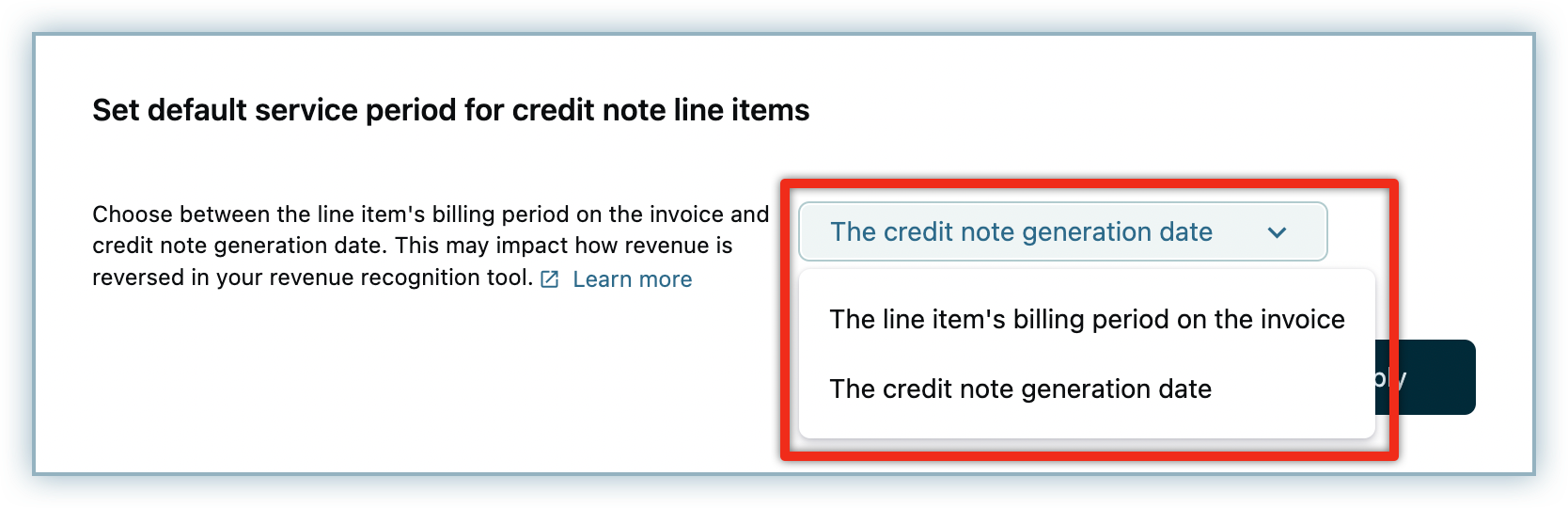
- To match service periods to the invoice: Settings > Configure Chargebee > Billing LogIQ > Billing & Invoices > Set default service period for credit note line items to "As on invoice billing period"
See How to update credit note line items service period for details.
Was this article helpful?