How does Payment Terms with Auto Collection "On" work?
Problem Statement
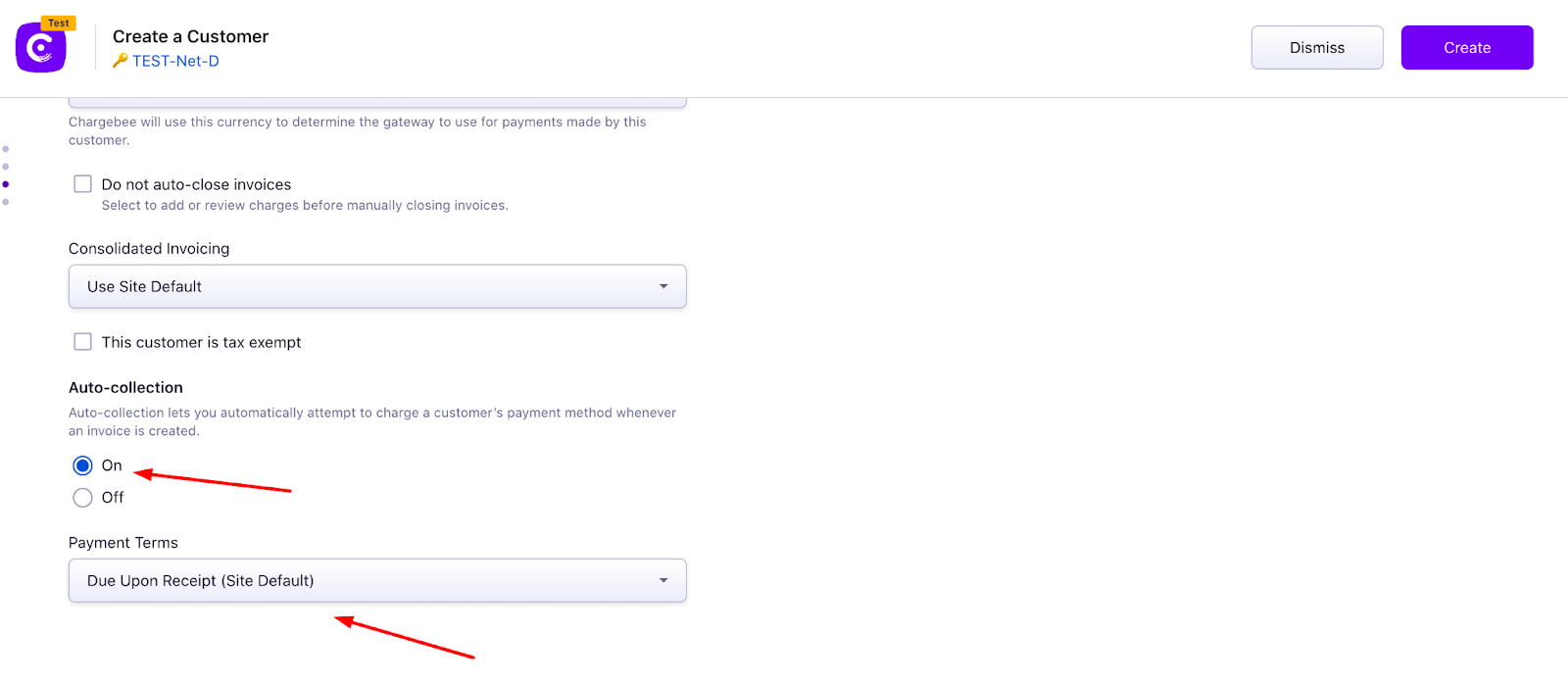
You want to use Payment Terms (Net D) with Auto Collection "On" or create subscriptions without a payment method while Auto Collection is On.
Solution
By default, Payment Terms apply only when Auto Collection is Off. Contact Chargebee support to enable Payment Terms with Auto Collection On. This feature is available on select plans; see Plans and pricing (Rise and above on previous plans).
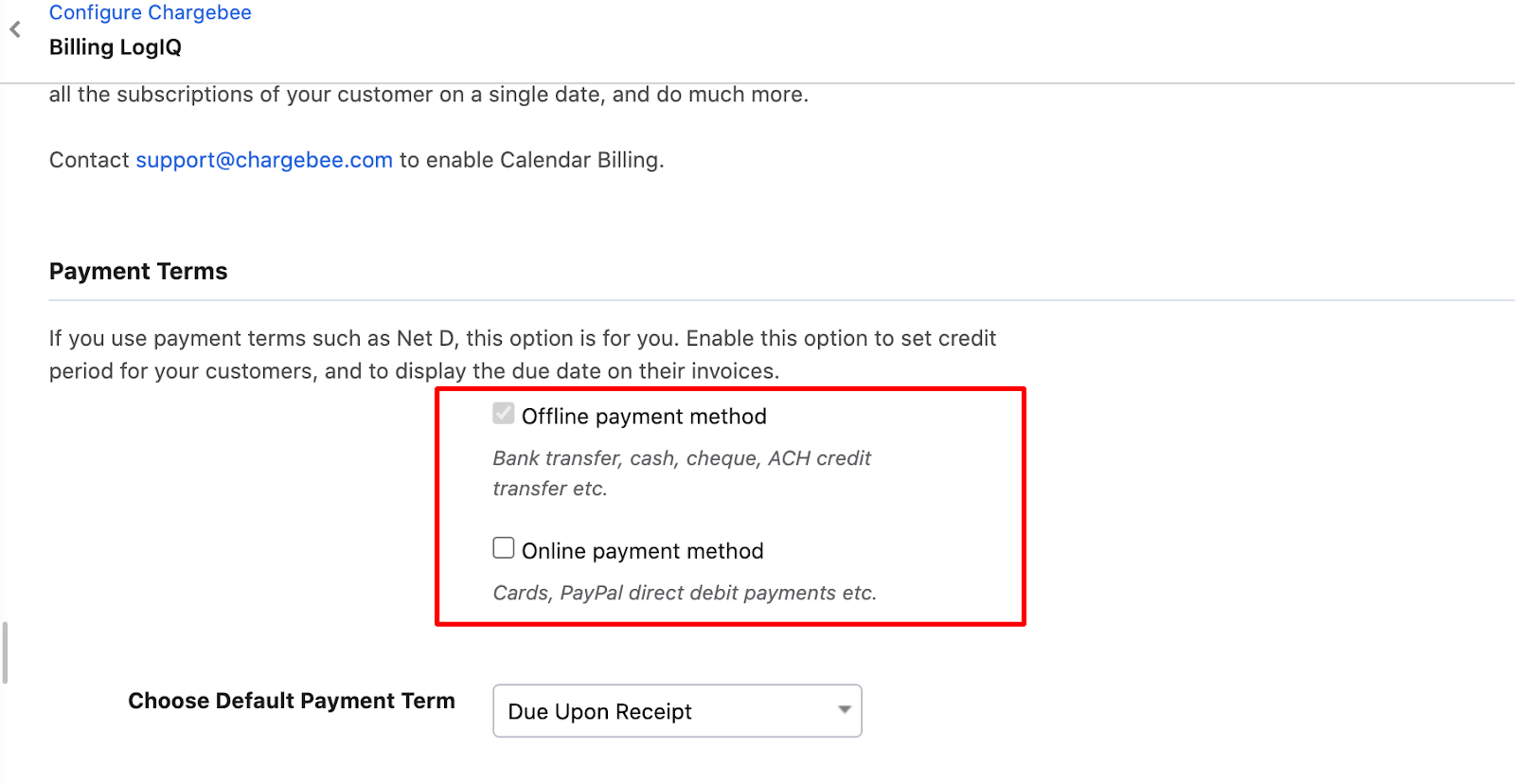
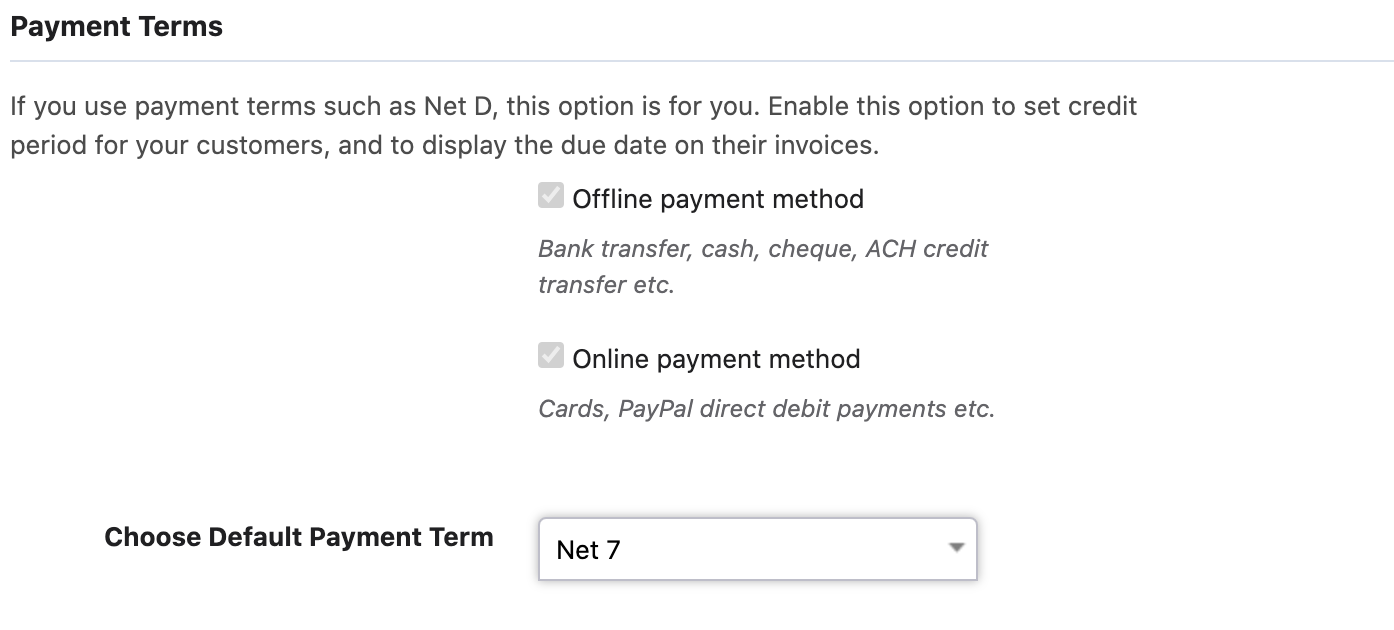
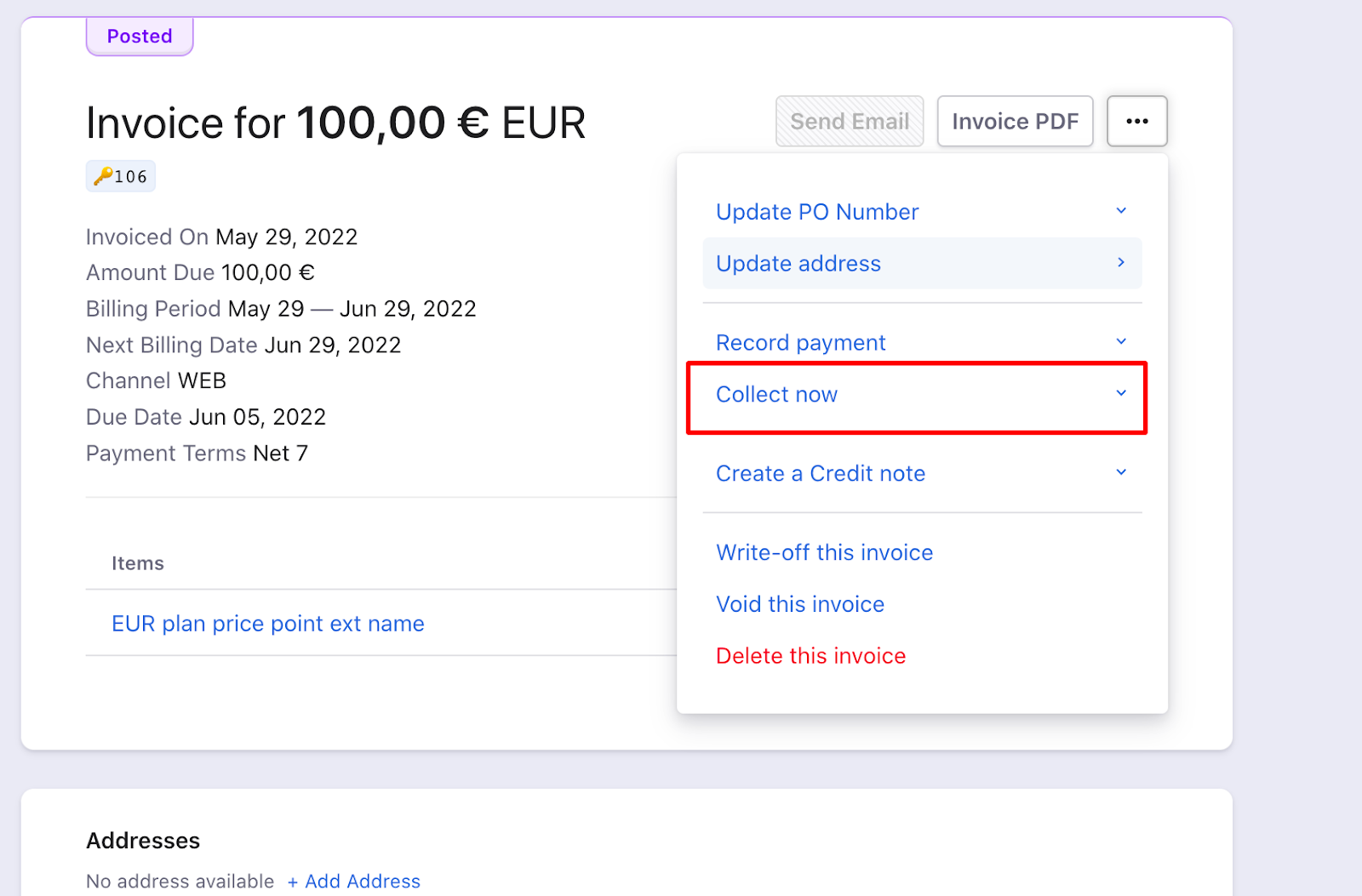
How it works: Once enabled, go to Settings > Configure Chargebee > Billing LogIQ and enable Payment terms for "Online Payment methods." Invoices are created in "POSTED" status and are charged after the Net D period or when you click Collect Now. You can set default site-level Net D days and override them at the customer level. This allows creating subscriptions without a payment method while Auto Collection is On.
Steps to Set It Up
- Have the feature enabled by support.
- Go to Settings > Configure Chargebee > Billing LogIQ.
- Enable Payment terms for Online Payment methods.
Important Notes
Note
Once enabled, this option cannot be disabled from the Chargebee UI. Invoices stay in POSTED until Net D days pass or you manually collect.
Was this article helpful?