How to apply coupon while creating a subscription?
Problem Statement
This article helps you understand apply a coupon when creating a subscription.
Solution
This article covers:
-
Adding a coupon/discount to a subscription
If you are an Enterprise customer using Latest Product Catalog then we have a new Manual Discounting feature. Reach out to support to know more.
Chargebee invoices automatically list all the subscription details as line items. This includes the plan, addons, and coupons that are included in the subscription.
In order to apply or show a discount on an invoice, you'd simply need to apply the coupon on the subscription before the invoice is generated. This is because once an invoice is generated, it cannot be modified.
For a new subscription(sign up), the coupon needs to be applied during the subscription creation or sign up the process. Depending on the method of subscription creation, here are a few ways to include a coupon :
Include the coupon in the checkout flow (e.g. drop-in product object). See Checkout portal docs – Product object for how to attach a coupon to the product before checkout.
Via API
When creating the subscription, pass the coupon_id (or equivalent) in the request. See the Subscriptions API – coupon_id for the correct parameter.
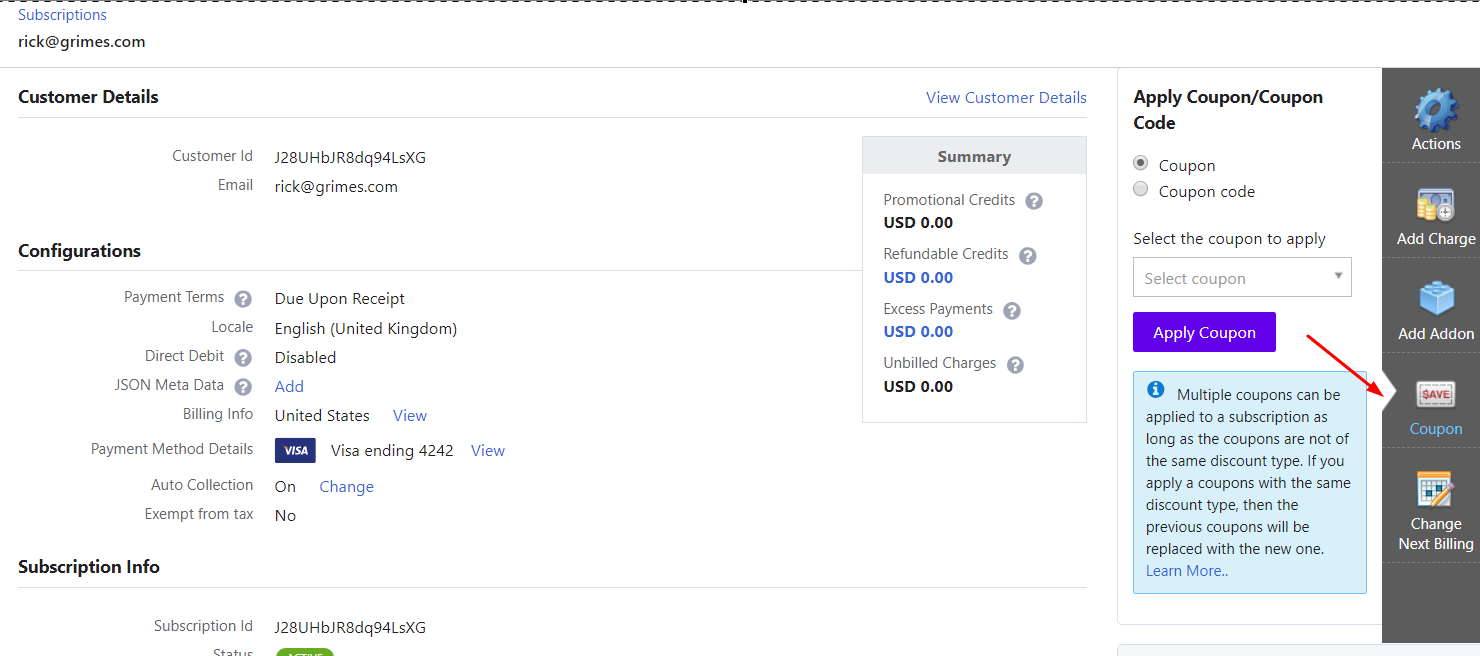
From the dashboard (existing subscription)
If you have any questions regarding this, please reach out to support.
- Open the subscription details.
- Add or select the coupon on the subscription.
- The coupon applies to the upcoming invoice when it is generated.
For more help, contact Chargebee support.
Was this article helpful?