How do I add or remove coupons in Subscriptions?
Problem Statement
You want to know how do I add or remove coupons in subscriptions.
Solution
There are two ways to do this, via Web interface or the API.
Using the Web interface:-
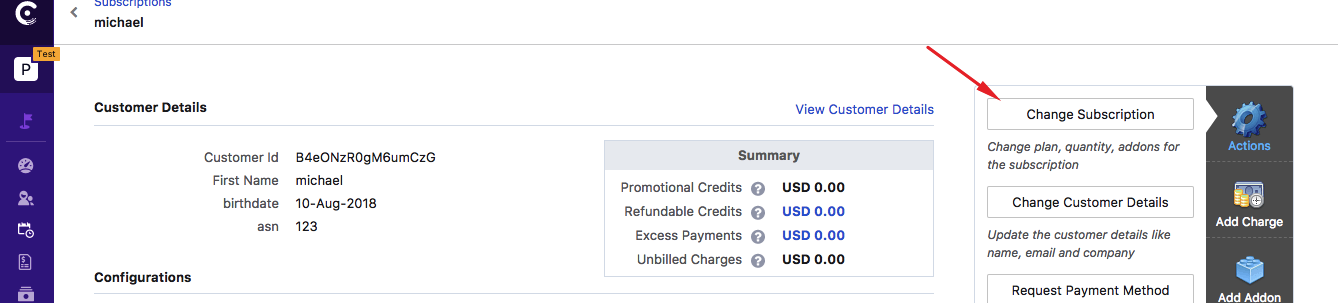
To update/remove a coupon using the Chargebee web interface, go to the subscription details page (Subscriptions>>Click the subscription ID on which the coupon has to be updated) and click the Change subscription option provided on the top right corner as shown in the screenshot below:-
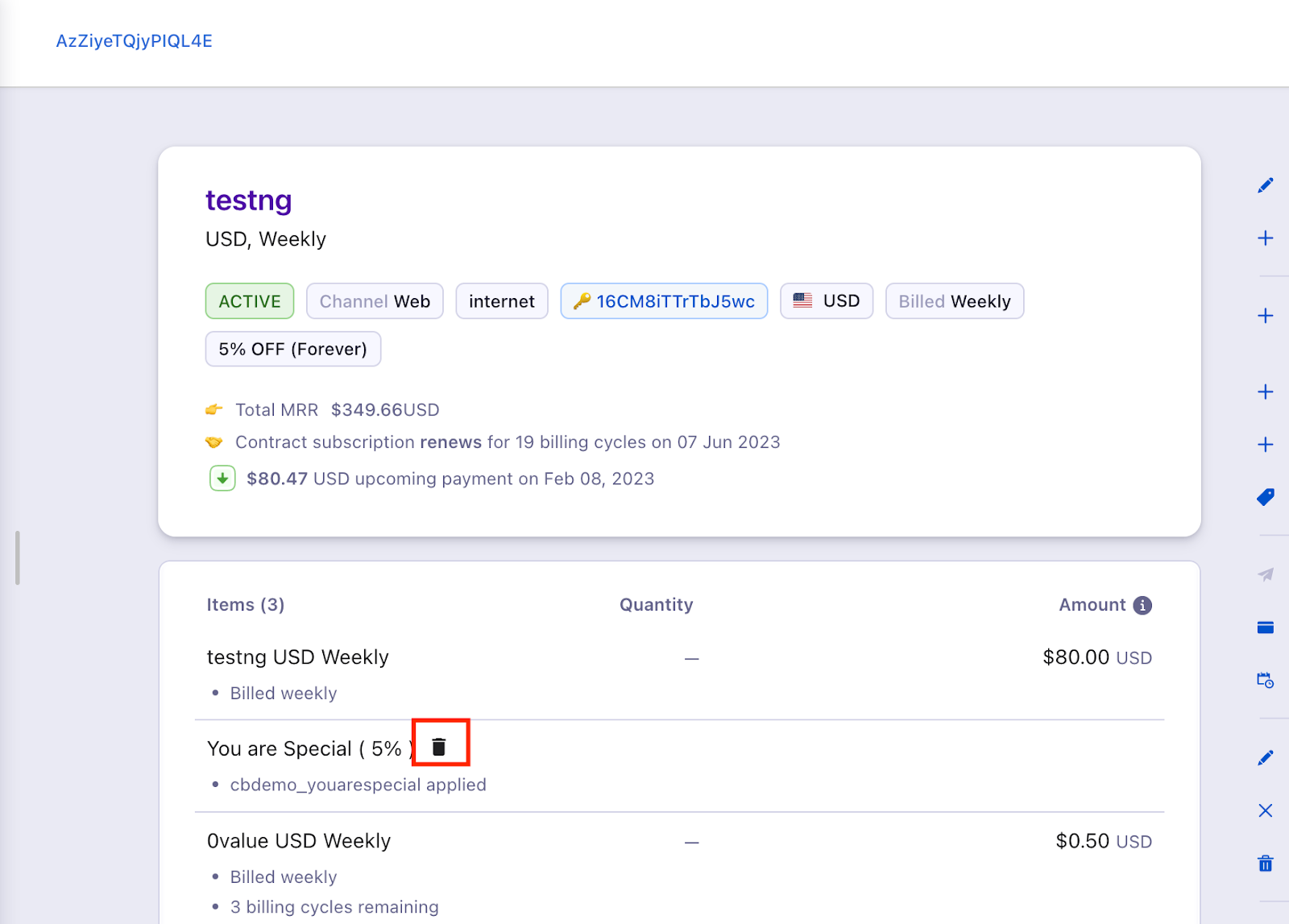
Leap UI
Click on the delete option next to the coupon.
Classic UI:
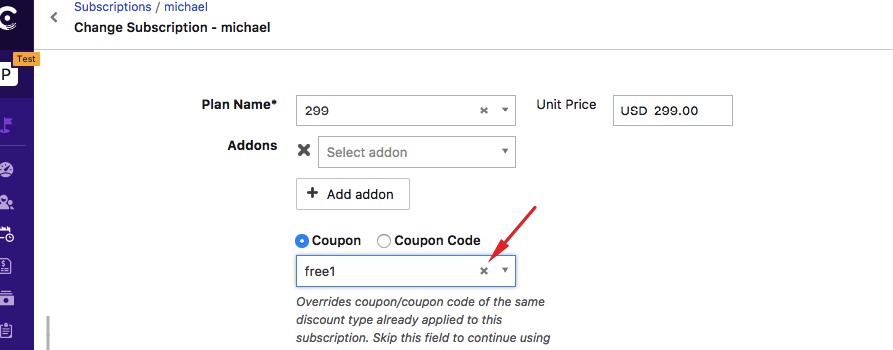
On the next page, you can simply x out the existing coupon if you want to remove it and if you want to apply a new coupon simply select a new coupon from the drop down and apply.
Using APIs:
To update an existing coupon via Chargebee APIs, you can use the Update subscription API call and pass the new coupon id with the parameter "coupon".
To remove coupons, you can use the Remove Coupons API call and list the coupons to remove with the parameter coupon_ids. If the parameter, coupon_ids is not specified all coupons associated with the subscription will be removed.
Related Articles
Show more
Was this article helpful?