How to restrict the customer from editing the email address from Portal?
Problem Statement
You want to know how to restrict the customer from editing the email address from portal.
Solution
Scope
Stop customer from editing email from portal
Restrict editing email from Portal
Summary
Once the customer subscribes to your site, you can restrict the customer from changing or updating their email address via the self-serve portal by setting the Email field as 'Read-Only'.
Solution
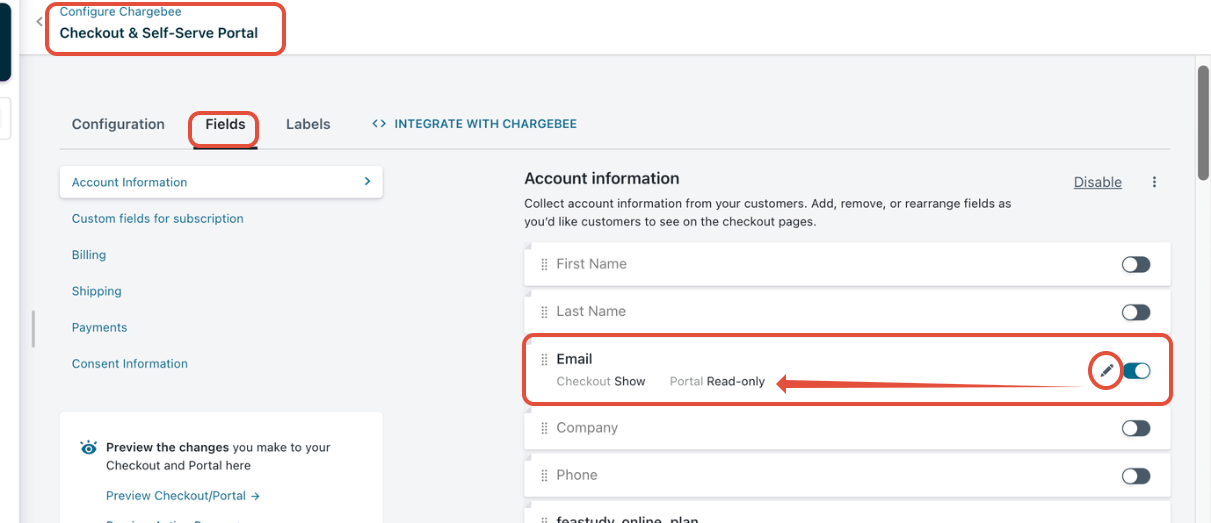
you could navigate to Settings > Configure Chargebee > Checkout & Self-Serve Portal >> Fields
You can set the email field to show as read-only for the portal by editing. Screenshot below for your reference.
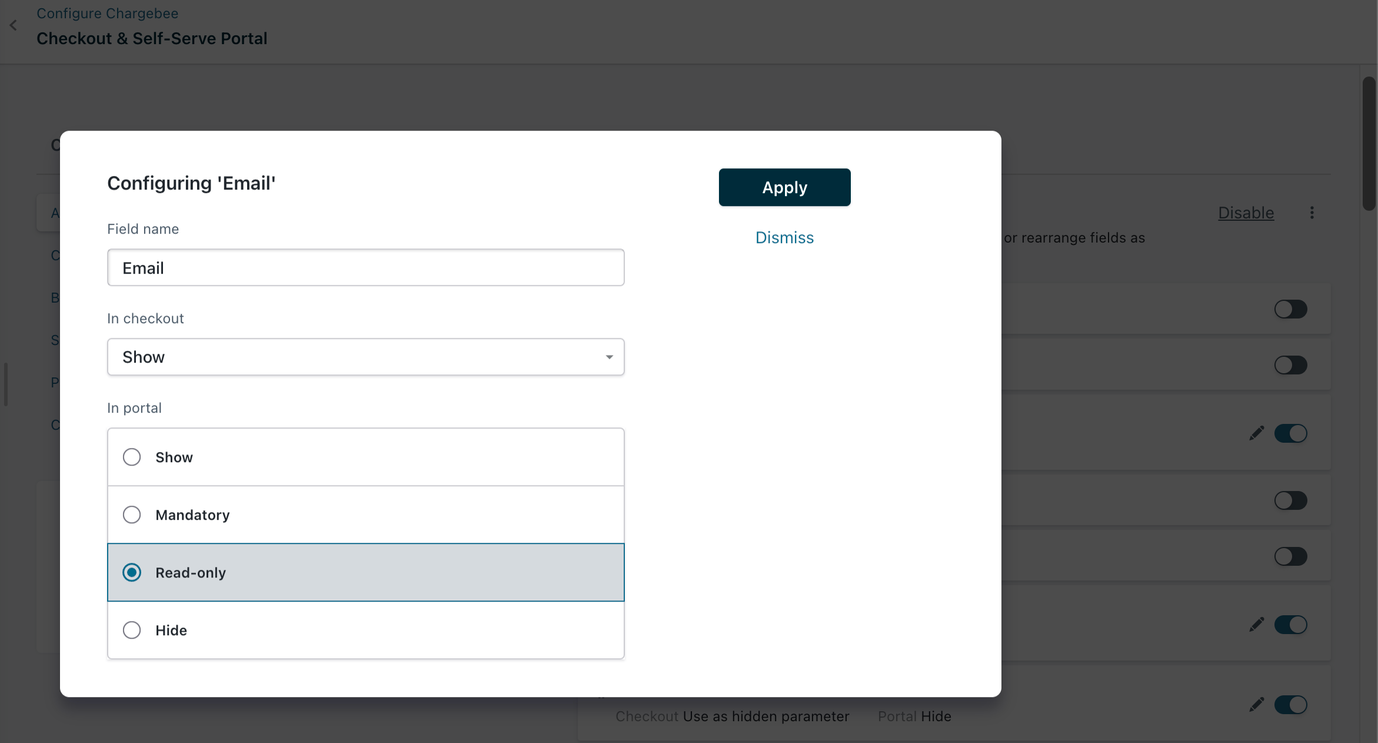
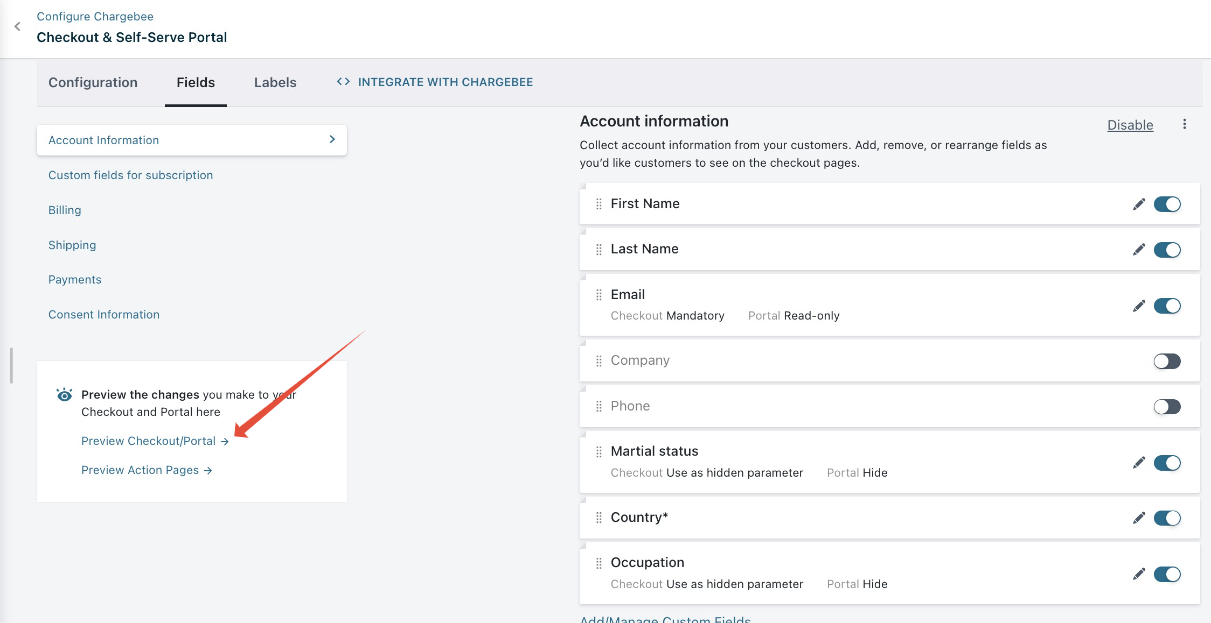
Once you set this field as read-only and Publish the changes, the customer will not have access to edit it at any time. You can preview the changes from Preview Checkout/Portal
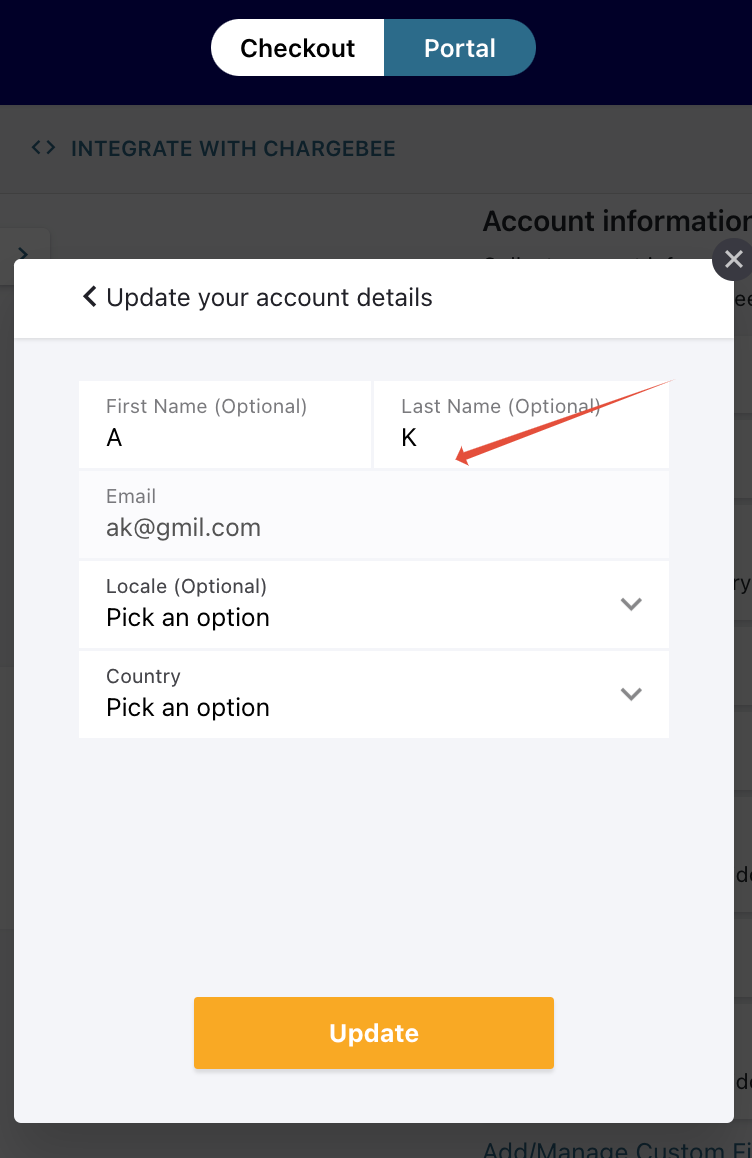
Screenshot with the Email section uneditable format (greyed out) on the Portal
Was this article helpful?