Chargebee Data Lookup MCP Server
Overview
The Chargebee Data Lookup MCP Server lets AI clients retrieve customer, subscription, invoice, quote, and payment data from your Chargebee site. For an overview of Chargebee MCP servers, see Chargebee MCP Servers.
Configure Data Lookup MCP server
You can configure MCP servers as follows:
- Log in to Chargebee Billing.
- Navigate to Settings > Configure Chargebee > Agentic AI > MCP Servers.
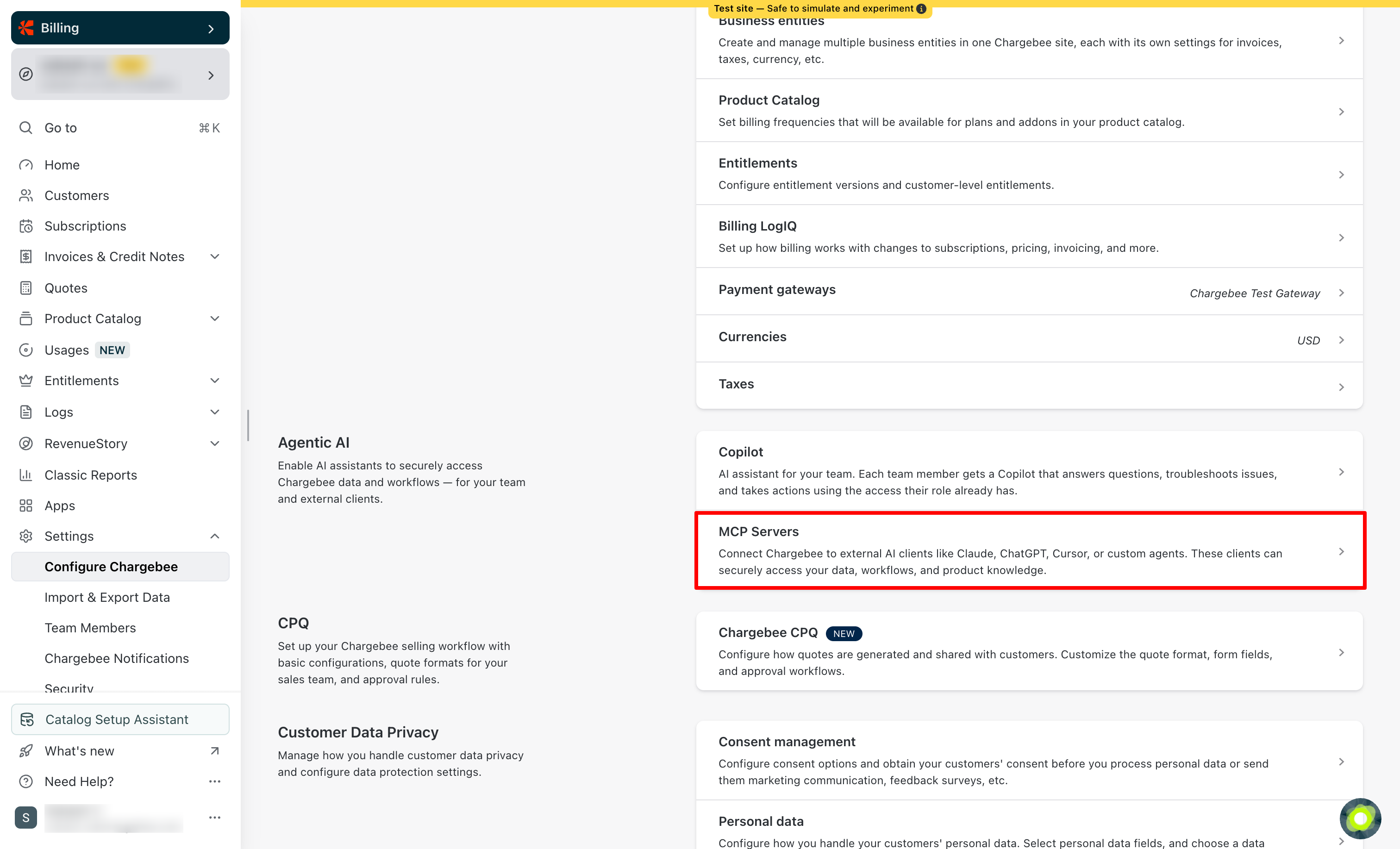
- Select the Chargebee Data Lookup MCP Server to open its configuration page.
Access and authentication
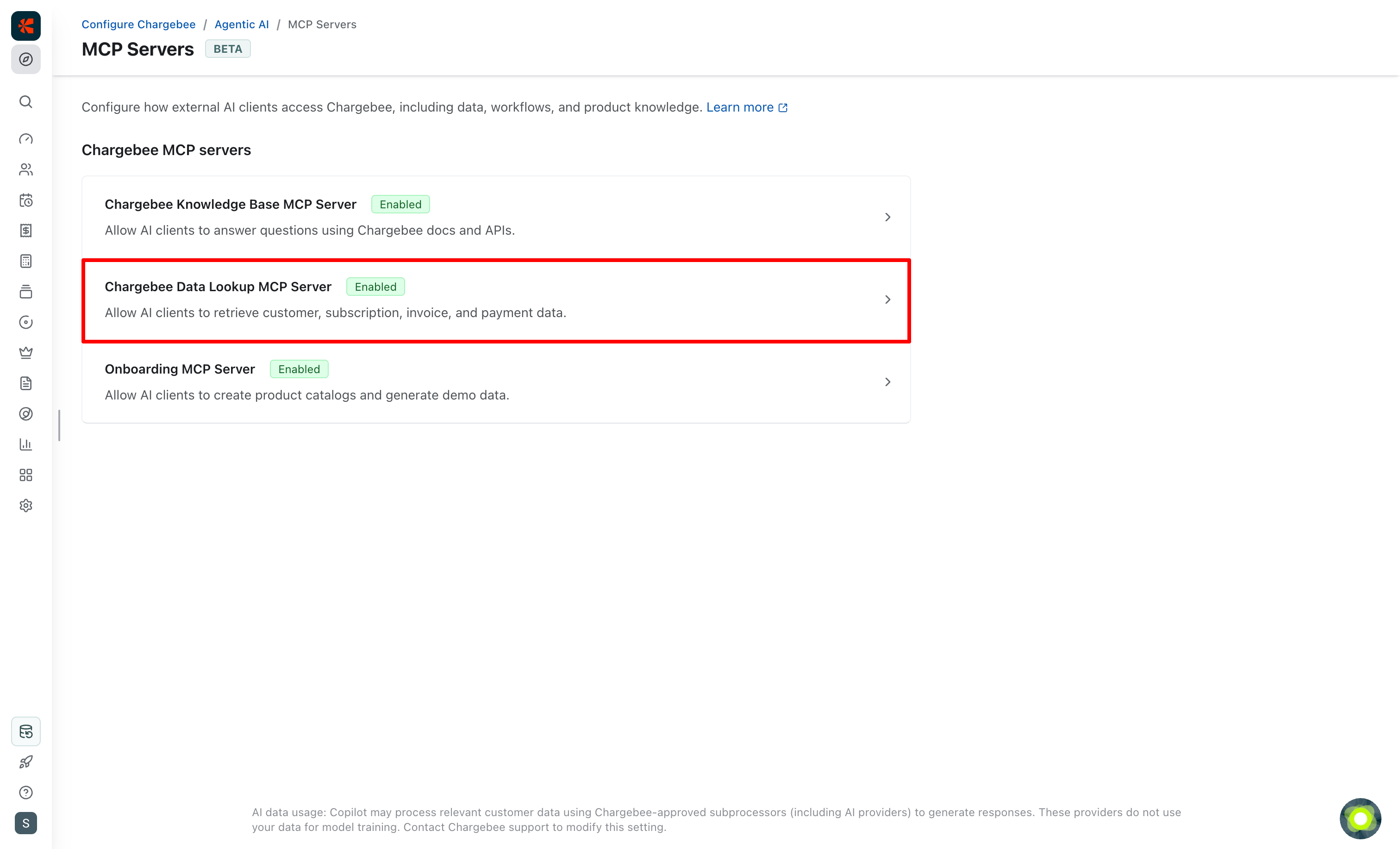
Under the Access & Authentication tab, turn on the MCP Access toggle to allow external AI clients to access this server via MCP.
Server URLs
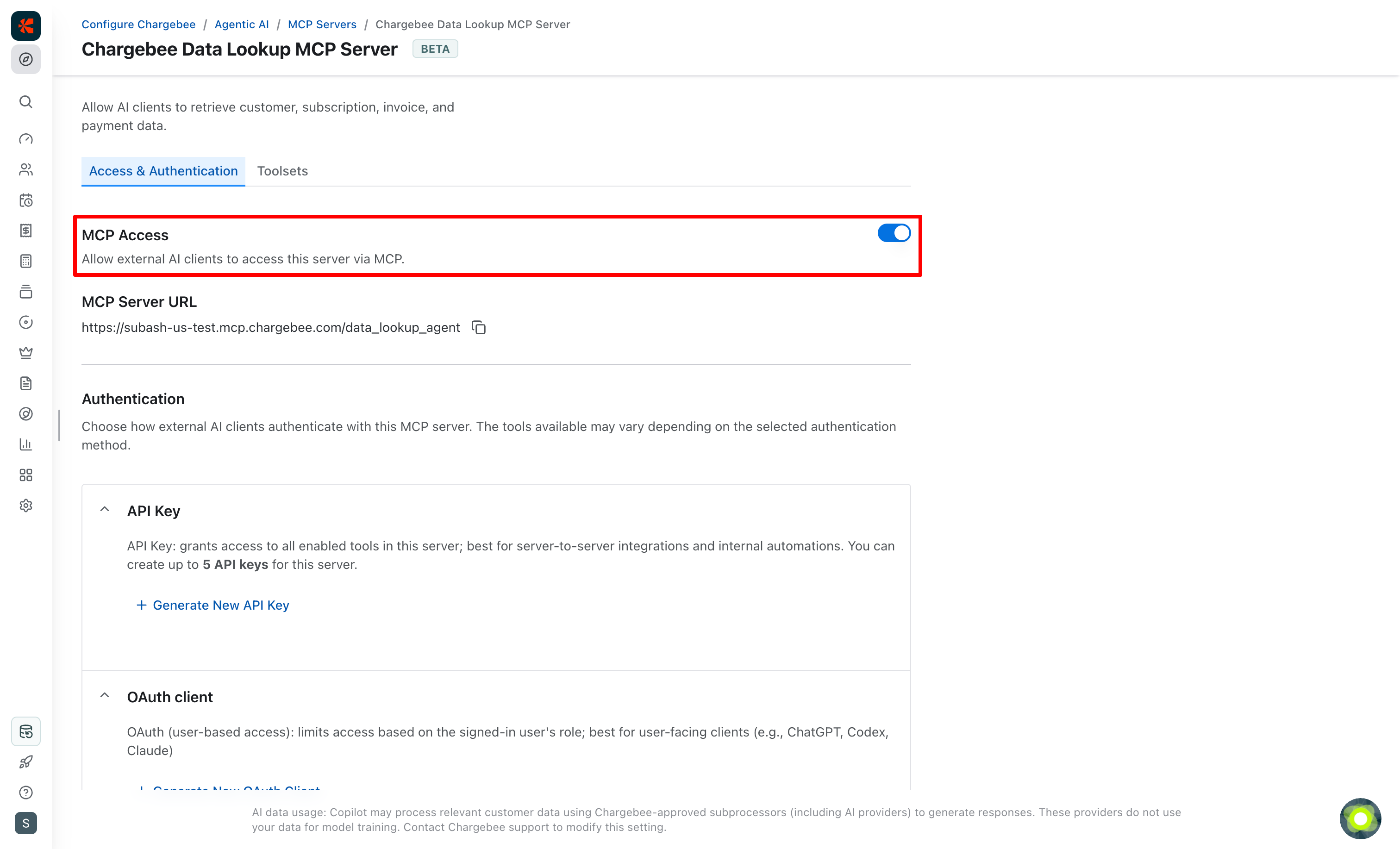
Under MCP Server URL, you'll find the server URL for this MCP server for your Chargebee site. Depending on your site's data center, you will see a URL in one of the following formats:
US data center
https://YOUR-CHARGEBEE-SUBDOMAIN.mcp.chargebee.com/data_lookup_agent
EU data center
https://YOUR-CHARGEBEE-SUBDOMAIN.mcp.eu.chargebee.com/data_lookup_agent
AU data center
https://YOUR-CHARGEBEE-SUBDOMAIN.mcp.au.chargebee.com/data_lookup_agent
Authentication
Choose how external AI clients authenticate with this MCP server. The tools available may vary depending on the selected authentication method.
Best practices
- Enable only the servers and toolsets your organization needs
- Rotate keys and OAuth credentials periodically
- Ensure that systems accessing the MCP servers have appropriate customer data protection measures in place
API Key
The API Key method grants access to all enabled tools in this server and is best suited for:
- Server-to-server integrations
- Internal automations
- Trusted development environments
You can create up to 5 API keys for this server.
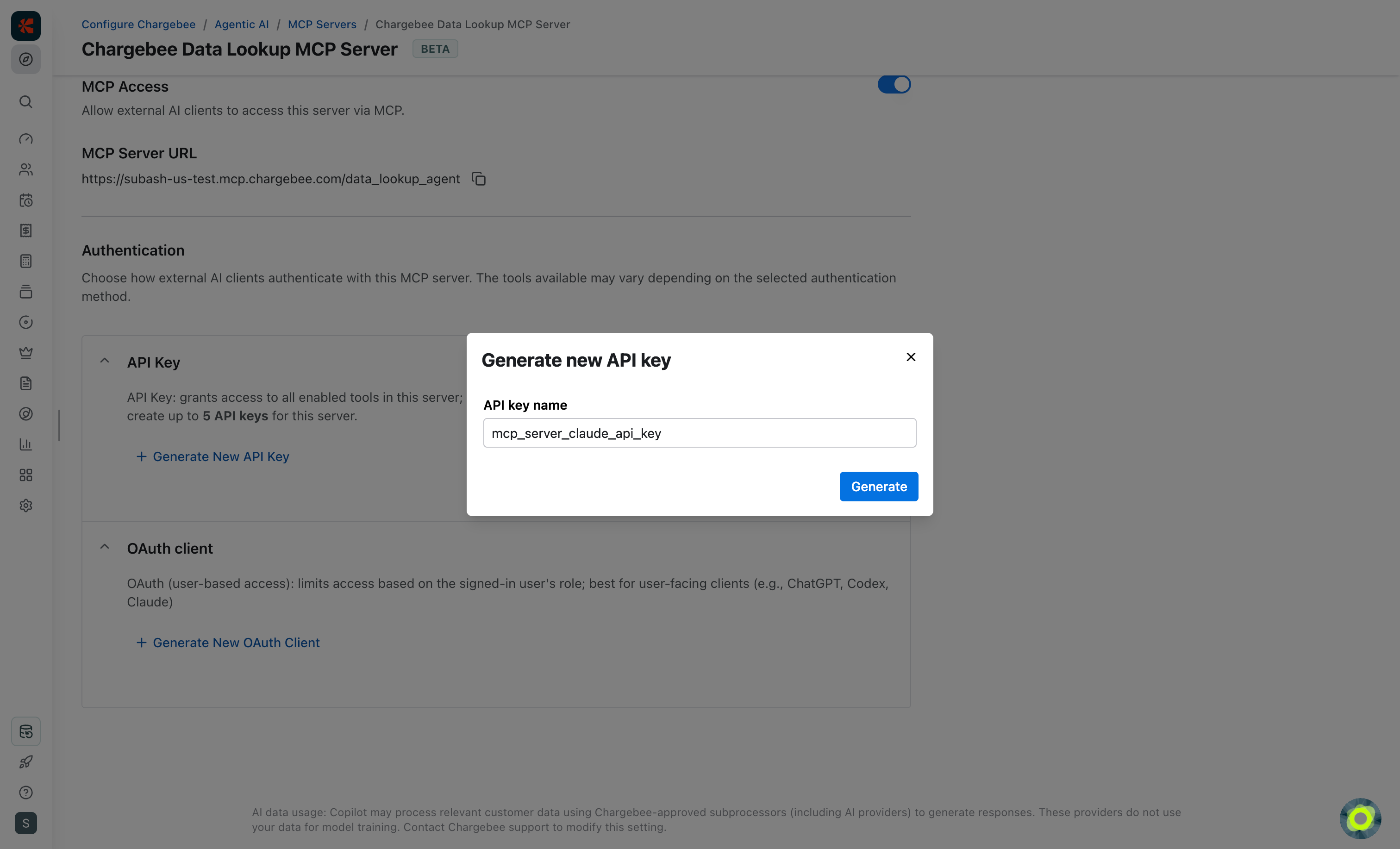
Clients authenticate by sending the API key in request headers:
Authorization: Bearer YOUR-API-KEY
Configuration code snippets for API key are available for some of the commonly used AI clients.
OAuth
The OAuth method provides user-based access. Among the enabled toolsets for the MCP server, the tool access is further limited by the signed-in Chargebee user's access level in Chargebee. OAuth is best suited for:
- User-facing AI clients
- Shared developer tools
- Integrations where access should reflect your user's access level in Chargebee
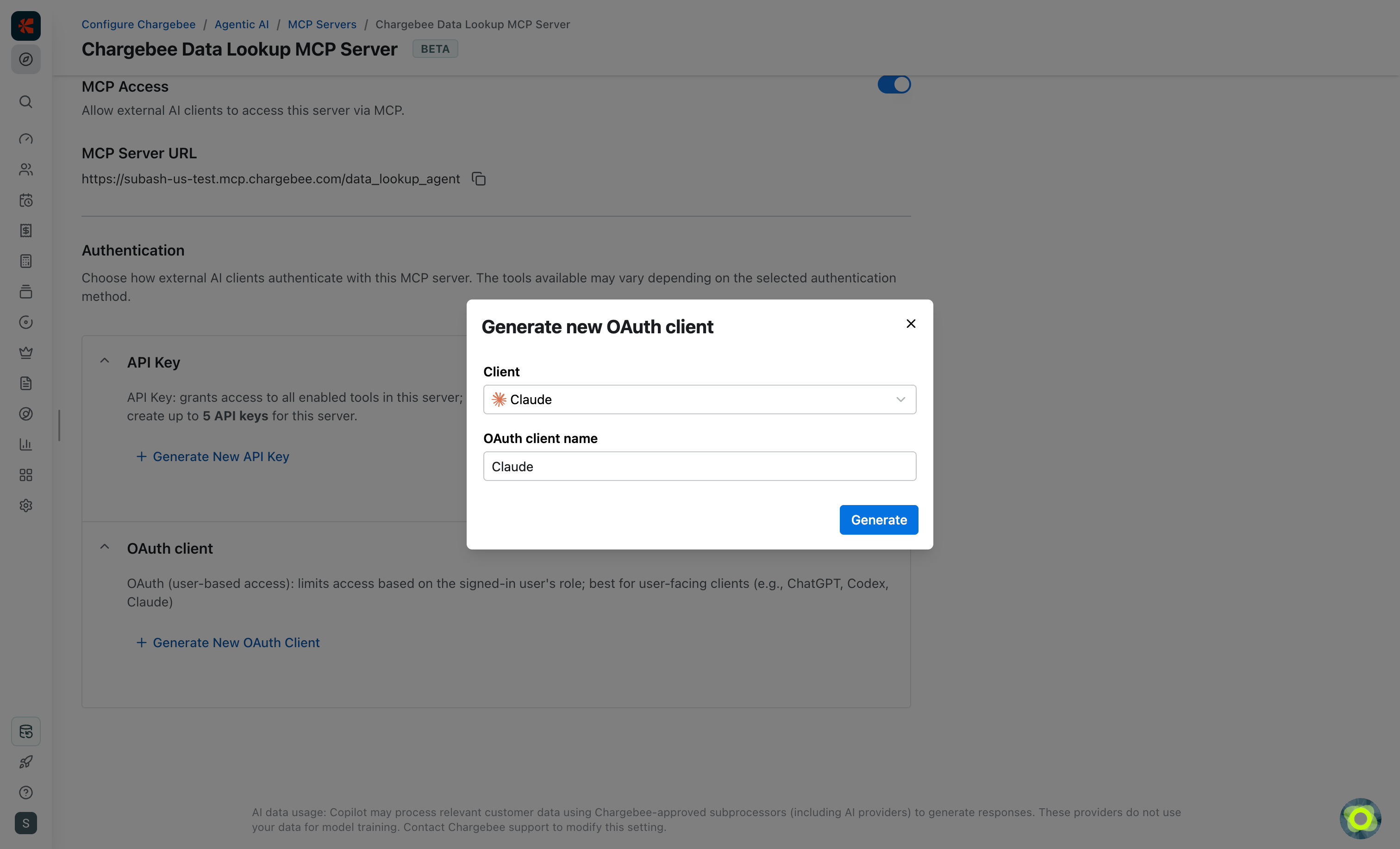
Configuration code snippets for OAuth are available for some of the commonly used AI clients.
Use the same OAuth client ID for users of the same MCP client. For example, if you have 100 Claude Code users, you can generate one OAuth client ID and share it with all 100 users. Claude Code (or any other MCP client) will then direct them to the Chargebee Billing login page. Once signed in, they will be redirected back to the MCP client, and their MCP access will be limited by their Chargebee user access level.
Toolsets
Under the Toolsets tab, you'll find the toolsets available for the Chargebee Data Lookup MCP server. The following toolsets are available and can be individually turned on or turned off.
Subscription Lookup
Access subscription data for customer lifecycle operations.
- List Subscription Ramps: Lists all subscription ramps for a subscription, including the ramp name, start date, end date, and status.
- Retrieve Subscription Data by Customer ID: Lists all subscriptions associated with a customer, along with their plan, status, and billing information.
- List Subscriptions: Lists subscriptions that match your criteria for broader plan, status, or billing-cycle searches.
- Retrieve Subscription Ramp Data by Ramp ID: Fetches detailed subscription ramp data, including the ramp name, start date, end date, and status.
- Retrieve Subscription Data by ID: Fetches detailed subscription data, including plan information, billing cycle, status, and add-ons.
Customer Lookup
Access customer data needed for support workflows.
- Retrieve Customer Data by Company: Fetches customers by company and displays their details instantly.
- Retrieve Customer Data by Email: Fetches customers by email and displays their details instantly.
- List Customers: Lists customer records in bulk and returns the matching accounts with the fields you need.
- Retrieve Customer Data by ID: Fetches complete customer details—contact info, billing address, and account status.
Product Lookup
Access product catalog data, including plans, addons, items, and pricing details.
- Retrieve Addon Details by ID: Fetches detailed addon information including id, name, price, currency, period, status, and description.
- Retrieve Plan Details by ID: Fetches detailed plan information including id, name, price, currency, period, status, and description.
- Search Addons: Searches addon by name and returns id, name, and currency.
Invoice Lookup
Access invoice data and invoice PDF links.
- Retrieve Invoice Data by Customer ID: Fetches all invoices for a specific customer, including amounts, status, and dates.
- Retrieve Invoice Data by Subscription ID: Fetches all invoices for a specific subscription, including amounts, status, and dates.
- List Invoices: Lists invoices that match your filters for broader invoice lookups.
- Get Invoice PDF Link: Generates a link to view or download the invoice as a PDF.
- Retrieve Invoice Data by ID: Fetches detailed invoice data, including amount, status, line items, and payment details.
Quote Lookup
Access quote data and quote PDF links.
- List Quotes: Lists quotes across your site based on the filters you provide.
- Get Quote PDF Link: Generates a link to view or download the quote as a PDF.
- Retrieve Quote Data by ID: Fetches detailed quote data, including amount, status, line items, and payment details.
Credit Note Lookup
Access credit note data and credit note PDF links.
- List Credit Notes: Lists credit notes across your site based on the filters you provide.
- Get Credit Note PDF Link: Generates a link to view or download the credit note as a PDF.
- Retrieve Credit Note Data by ID: Fetches complete credit note details—amount, status, and line items included.
Transaction Lookup
Access transaction data for payments and refunds.
- List Transactions by Customer ID: Lists all payment and refund transactions for a given customer ID, including amount, status, and payment method details.
- List Transactions by Invoice ID: Lists all payment and refund transactions for a given invoice ID, including amount, status, and payment method details.
- List Transactions: Lists payment and refund transactions in bulk for matching invoice or customer activity.
- Retrieve Transaction Data by ID: Retrieves detailed payment and refund transaction data, such as amount, status, and payment method details.
Event Lookup
Access event data by event type or customer.
- Retrieve Events by Customer ID: Lists all events associated with a specific customer. Returns the event type, source, and created at timestamp.
- List Events by Event Type: Lists all events of a particular type. Returns the event type, source, and created at timestamp.
- Retrieve Event by Id: Retrieves detailed information for a single specific Chargebee event using its unique ID. Returns the event type, occurred_at timestamp, and full event content.
Payment Intent Lookup
Access payment intent details for payment tracking.
- Retrieve Payment Intent by ID: Fetches detailed information about a specific payment intent, including the amount, its current status, and gateway-specific details.
Export Data
Create export jobs, retrieve download details for ZIP files, and analyze large datasets including customers, subscriptions, invoices, credit notes, and transactions.
- Export Credit Notes: Creates an export job for credit note data. Returns job details used for tracking the progress, downloading the resulting file, and performing analysis.
- Export Customers: Creates an export job for customer data. Returns job details used for tracking the progress, downloading the resulting file, and performing analysis.
- Export Invoices: Creates an export job for invoice data. Returns job details used for tracking the progress, downloading the resulting file, and performing analysis.
- Export Subscriptions: Creates an export job for subscription data. Returns job details used for tracking the progress, downloading the resulting file, and performing analysis.
- Export Transactions: Creates an export job for transaction data. Returns job details used for tracking the progress, downloading the resulting file, and performing analysis.
- Get Export Filter Conditions Metadata: Lists the supported filter structure for a selected resource before starting a filtered export.
- Retrieve Export Job Details: Retrieves the current status of an export job and returns zip download details when the export is ready for follow-up analysis.
Chargebee Data Lookup
Retrieve customer, subscription, invoice, and payment data.
- Get Filter Conditions Metadata: Lists the supported filter structure for a selected resource before running a filtered list lookup.
- Get Response Field Metadata: Lists the available response fields for a selected resource before choosing fields in a list lookup.
See also
- Chargebee Knowledge Base MCP Server: Answer questions using Chargebee docs and API references.
- Onboarding MCP Server: Create product catalogs and generate demo data for test and sandbox sites.
- Custom MCP Server: Combine Chargebee tools into a server tailored to your use case.
Was this article helpful?