SMTP Configuration
Email notifications can be sent to your customers using either Chargebee's SMTP server or your own SMTP server. Using your own SMTP server gives you full control over email delivery, removes Chargebee's email limits, and allows you to manage deliverability.
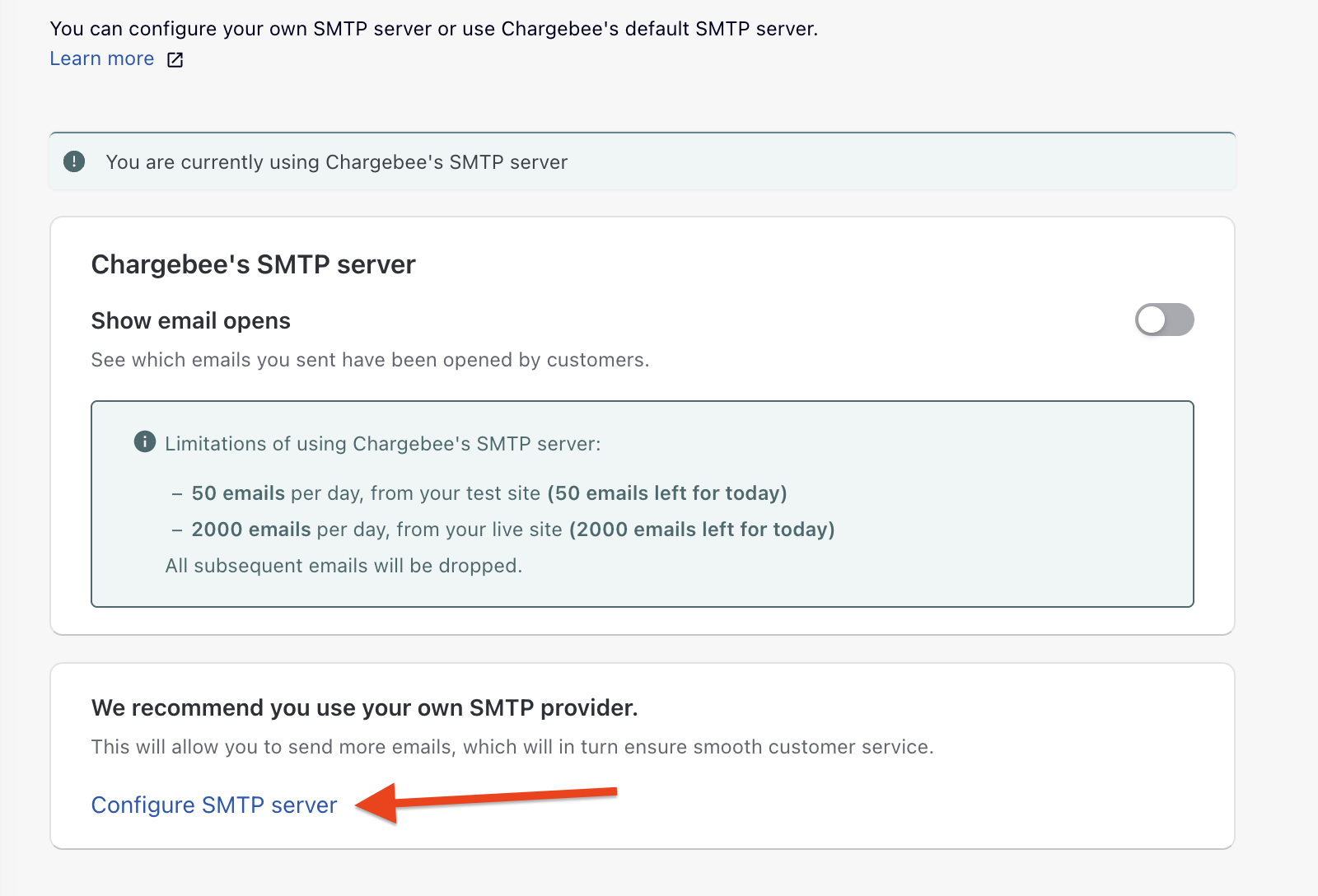
Chargebee's SMTP Server Limits
When using Chargebee's built-in SMTP server, email notifications are limited to:
- 50 per day for Test sites
- 2,000 per day for Live sites (varies by plan - see Plans and Pricing)
The notification limit resets every day at midnight UTC.
Note:
If you use your own SMTP server, these limits do not apply. You have full control over your emails and can check reports and deliverability.
Why use your own SMTP Server?
There are three primary reasons to use your own SMTP server:
- SPF & Bounce Management: You can manage your SPF records and handle email bounces yourself.
- No Email Limits: Notification limits used by Chargebee do not apply when using your own SMTP server.
- DMARC Compliance: DMARC policies will not affect your email delivery. Learn more about DMARC Regulation.
Authentication Methods
Chargebee supports two methods to authenticate with your SMTP server:
| Method | Description | Best For |
|---|---|---|
| Basic Authentication | Traditional username and password authentication | SendGrid, AWS SES, Mailgun, and other SMTP providers |
| OAuth Authentication | Secure token-based authentication without passwords | Microsoft 365, Google Workspace |
Getting Started
To configure your SMTP settings:
- Navigate to Settings > Configure Chargebee > Email Notifications
- Click Configure SMTP server
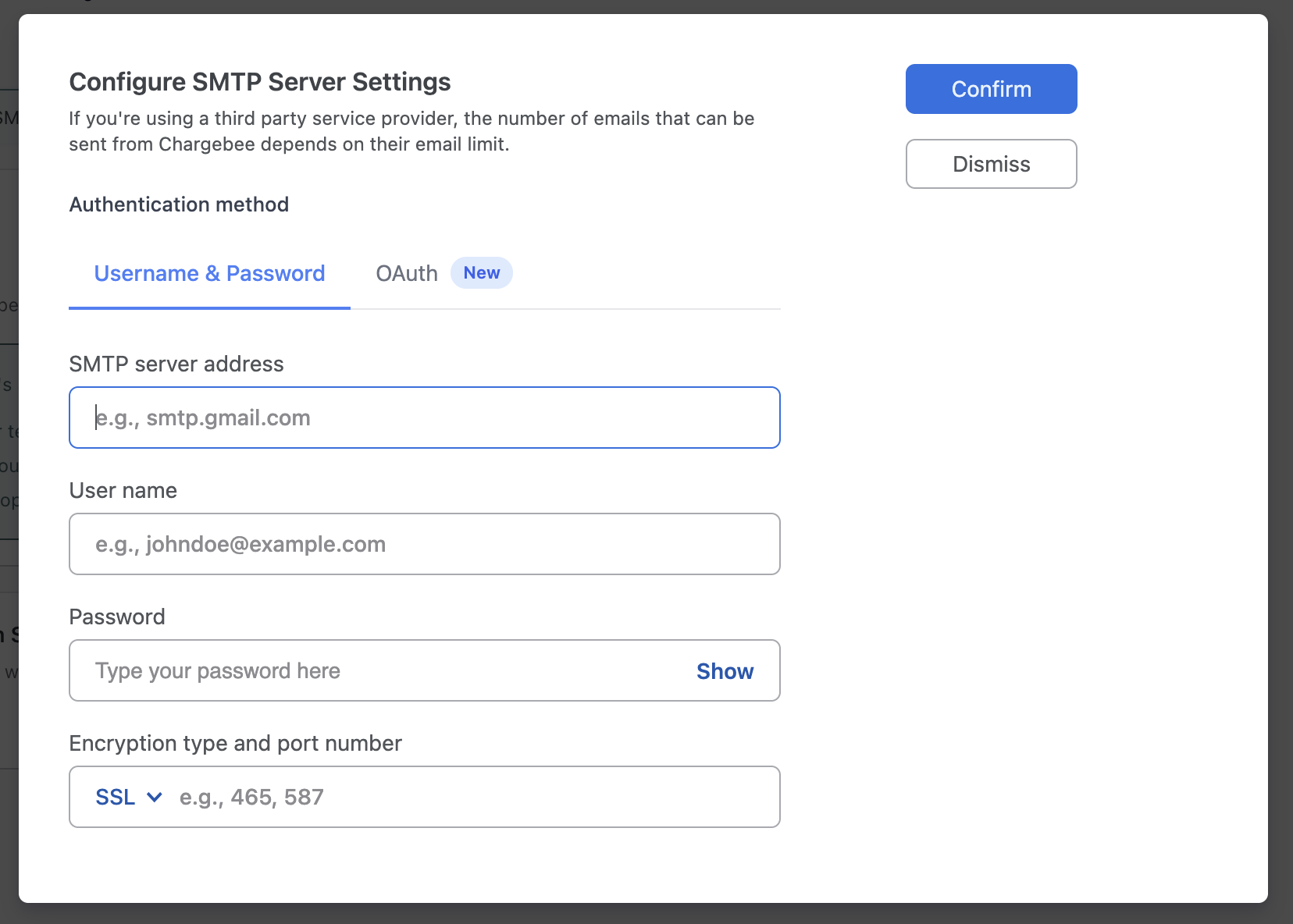
- Choose your authentication method:
- For username/password: See Basic Authentication
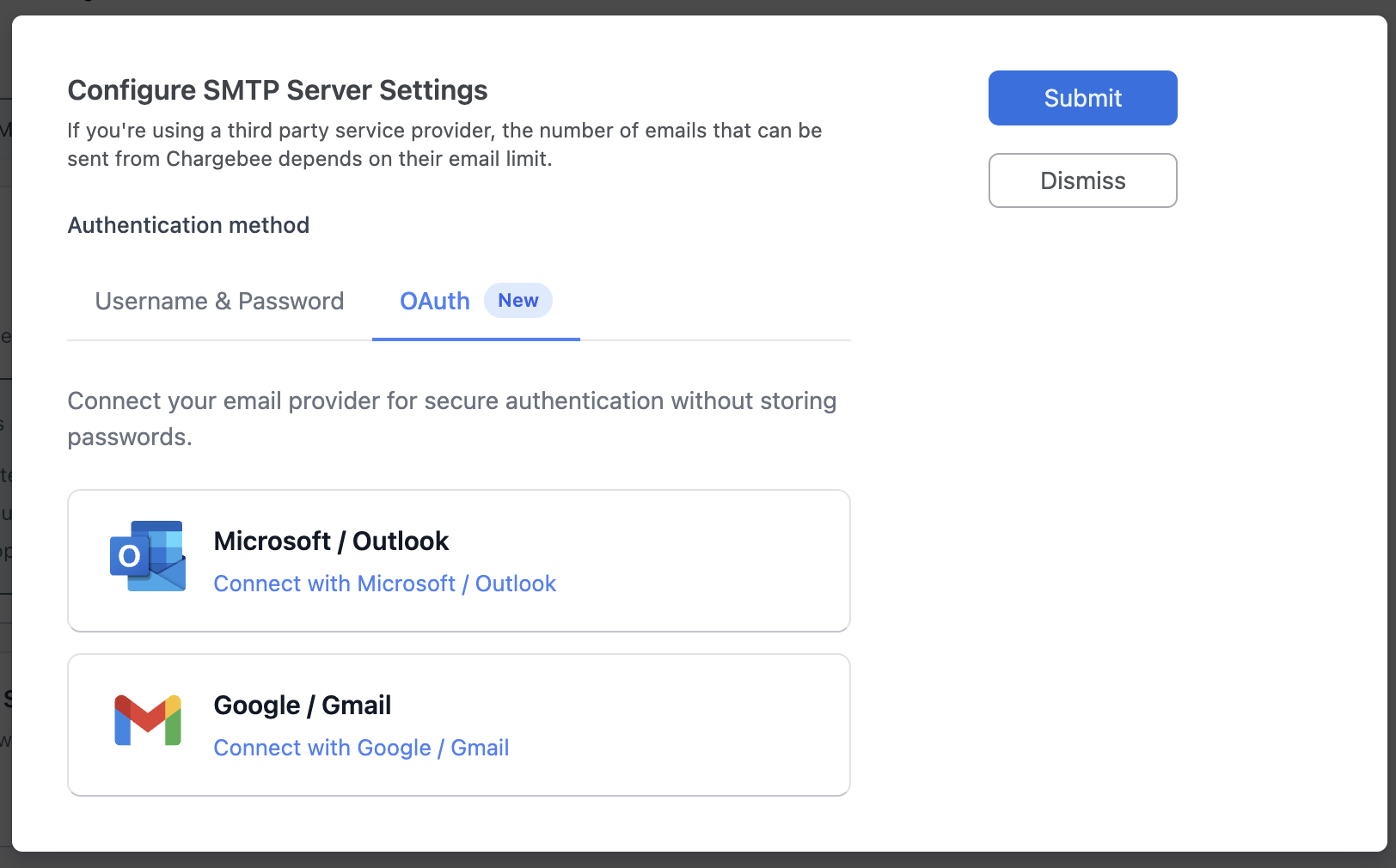
- For Microsoft 365 or Google: See OAuth Authentication
Related Articles
- Basic Authentication - Configure username/password SMTP
- OAuth Authentication - Configure OAuth for Microsoft 365 and Google
- Email Notifications - Learn about email notification types
- DMARC Regulation - Understand DMARC and email deliverability
- Email Logs - Monitor your email delivery
Was this article helpful?