New in Chargebee: Explore Reveal and understand your payment performance end-to-end.Try Now
Docschargebee docs
HomeBillingPaymentsRevRecGrowthReveal
Support

Product Updates


  • Release Notes

Getting Started


  • Overview
  • Chargebee Billing Data Centers
  • Object Relationship Model
  • Understanding Sites
  • Chargebee Tech Glossary
  • Articles and FAQ

Implementing Chargebee


  • Implementation Guide
  • Go-live Checklist
  • Articles and FAQ

AI in Chargebee


  • Chargebee Copilot
  • Chargebee Model Context Protocol (MCP) Server

Developer Resources


  • Developer Resources Overview
  • API Explorer
  • Articles and FAQ

Product Catalog


  • Product Catalog Overview
  • Coupons
  • Articles and FAQ

Subscriptions


  • Working with Subscriptions
  • Billing
  • Orders
  • Articles and FAQ

Customers


  • Managing Customers
  • Account Hierarchy
  • Email Notifications
  • Branding
  • Configure Multiple Languages
  • Articles and FAQ

Entitlements


  • Entitlements Overview
  • Features Overview
  • Feature Management
  • Managing Product Entitlements
  • Subscription Entitlements
  • Customer Entitlements
  • Grandfathering Entitlements
  • Articles and FAQ

Usage Based Billing


  • Understanding Usages
  • Setting up Usage Based Billing
  • Usage Alerts
  • Metered Billing
  • Articles and FAQ

Chargebee CPQ


  • Chargebee CPQ
  • Chargebee CPQ for Salesforce
  • Chargebee CPQ for HubSpot

Invoices, Credit Notes, and Quotes


  • Invoices
  • Credit Notes
  • Quotes [Legacy]
  • Transactions
  • Articles and FAQ

Taxes


  • Overview
  • Configuring Taxes
  • Country-specific Taxes
  • Articles and FAQ

Hosted Capabilities


  • Overview
  • Hosted Checkout
  • Hosted Self-Serve Portal
  • Hosted Pages Features
  • Additional Hosted Pages
  • Payment Components
  • Pricing Table
  • Managing Payments with Chargebee.js
  • Mobile-Optimized Hosted Pages
  • Articles and FAQ

Site Configuration


  • Users & Roles
  • Custom Fields & Metadata
  • Approvals
  • Mandatory Fields
  • File Attachments & Comments
  • Advanced Filter Options
  • Multicurrency Pricing
  • Multi-decimal Support
  • Configuring Reason Codes
  • Events and Webhooks
  • API Keys
  • Time Zone
  • Time Machine
  • Transfer Configurations
  • Articles and FAQ

Multi Business Entity


  • Multi Business Entity Overview
  • Customer Transfer Overview
  • Articles and FAQ

Mobile Subscriptions


  • Overview
  • Omnichannel Subscriptions
  • Omnichannel One-Time Orders
  • Mobile Subscriptions (Legacy)

Reports and Analytics


  • RevenueStory
  • Home Dashboard
  • Frequently Asked Questions
  • FAQs for Classic Reports Sunset
  • Articles and FAQ

Integrations


  • Sales
  • Customer Support and Success
  • Finance
  • Tax
  • eInvoicing
  • Marketing
  • Stitch
  • Collaboration
  • Contract Management
  • Ecommerce Management
  • Articles and FAQ

Data Privacy & Security


  • Two Factor Authentication
  • SAML Single Sign-On
  • System for Cross-Domain Identity Management (SCIM)
  • EU-GDPR
  • Consent Management
  • Personal Data Management
  • Compliance Certificates
  • HIPAA Guidelines
  • PCI Recommendations and Integration Types
  • Articles and FAQ

Data Operations


  • Bulk Operations
  • Migration
  • Articles and FAQ

How can I import existing Braintree customers from a CSV?

Problem Statement

You want to know how can I import existing braintree customers from a csv.

Solution

Scope

I want import existing Braintree customers into Chargebee.

Summary

You can import existing Braintree customers by performing a bulk operation to import customers using Import & Export Data.

While importing Braintree customers, on the payment source section, there are 4 parameters that need to be updated, they are:

  • payment_source[customer_id]

  • payment_source[type]

  • payment_source[gateway_account_id]

  • payment_source[reference_id]

Solution

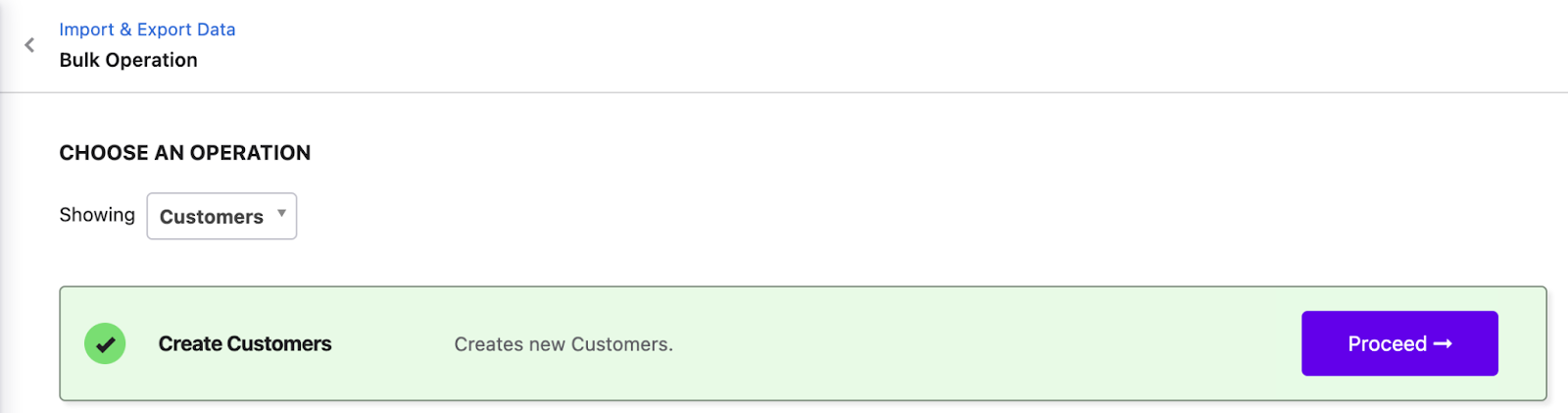
Step 1: You can perform this action from Settings > Configure Chargebee > Import & Export Data > Choose a Bulk Operation > Customers > Create Customers
image

Step 2: Download the sample CSV file

image

Step 3: Upon downloading the CSV 'create_customers_sample_data.csv'. You can update the Braintree customer records on this file. Note that the data that needs to be added to the sheet should be in the same format as the sample data.

Note

  • Your CSV data file should contain all the columns specific to the operation you are performing. The sample CSV file has most of the columns required for the operation
    • Do not edit the column labels in the sample file and make sure the file extension is .csv. Click here to read more
    • You can update this sheet with the data exported from the Customer Index Page

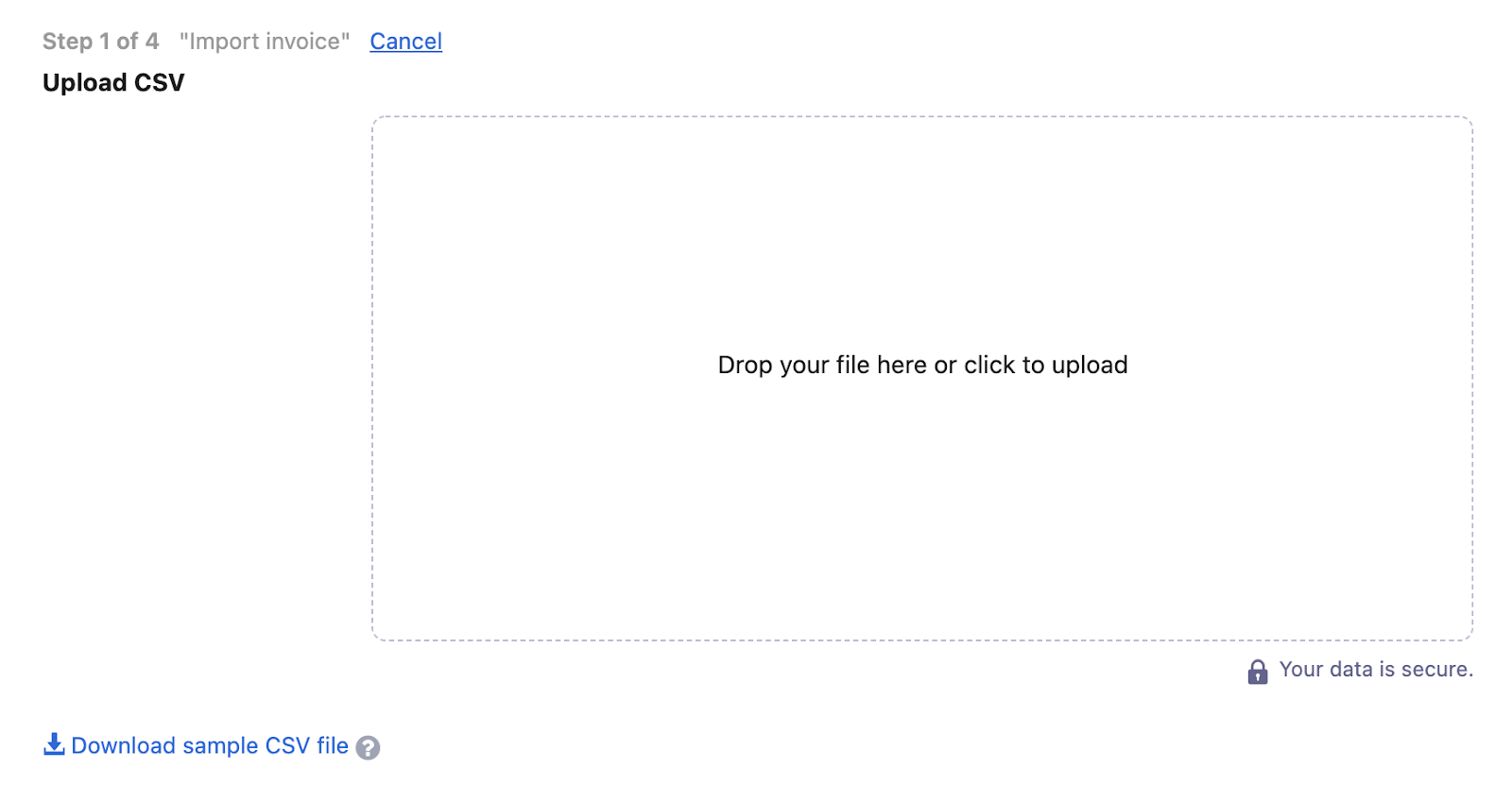
Step 5: Drag and drop your data file into the web interface or upload it:

image

Once you've added all the information and the data file is ready, upload it.

Exclusive for Braintree customers:

While importing Braintree customers, on the payment source section, there are 4 parameters that need to be updated on Chargebee, they are:

  • payment_source[customer_id]

  • payment_source[type]

  • payment_source[gateway_account_id]

  • payment_source[reference_id]

Specific to payment_source[reference_id] the reference_id consists of a combination of Braintree Customer ID and Braintree Payment Method Token separated by the forward-slash (e.g. cus_63MnDn0t6kfDW7/card_6WjCF20vT9WN1G ). If you are passing Braintree Customer ID alone, then Chargebee will store the card marked as default for that customer in Braintree. Refer to this link Update payment method for a customer for more information.

Please refer to this link Bulk operations if you have received any errors while uploading the file.

Related Articles

'Error: 2046/2038 Declined/Processor Declined. What''s going on?'
Testing with Braintree sandbox.
'Error: 2000 Do Not Honor. What''s going on?'
'Transaction Error: Cannot Authorize at this time (Life cycle) / (Policy)'
'Error: 91517/91577 Payment instrument is not accepted by this merchant account/merchant account does not support payment instrument. What''s going on?'
'Error: 3000 Processor Network unavailable. What''s going on?'
'Error: 2057 Issuer/Cardholder has put a restriction on the card. What''s going on?'
'AVS/CVV: Configuration and error codes'
'Error: 2047/2053 Call Issuer. Pick up card/Card reported lost or stolen. What''s going on?'
Why I can't refund partial amount for certain transactions on same day?
'Error: 2005 Invalid credit card number. What''s going on?'
Can I view Processor Responses in my Braintree account?
Braintree error codes 2015 and 2099
How to configure Braintree with Chargebee?
How to integrate PayPal Via Braintree?
Error message when trying to process a refund in Chargebee

Show more

Was this article helpful?