Customer Sharing Overview
Customer Sharing is currently in Early Adopter Phase and not enabled on your site. You can request for access () to join the Early Adopter Program to learn more about this feature.
Overview
When a business operates with multiple legal entities like subsidiaries, regional offices, or product-specific business units, the same customer might interact with more than one of these entities. The Customer Sharing feature in Chargebee allows you to manage that customer as one unified profile, even if their purchases span across different entities in your setup.
Without customer sharing, businesses would need to create duplicate customer records for each entity the customer transacts with. This leads to:
- Fragmented customer history
- Siloed subscription management
- Complicated billing and reporting
With Customer Sharing enabled, you can:
-
Unified Customer profile: A customer is created once and shared across multiple entities in your organization.
-
Subscription Flexibility: A customer can have subscriptions managed by different business units (entities), giving your organization greater operational flexibility.
-
Central Access: Although a customer belongs to one primary entity, they are accessible across other entities for tasks like retrieving information or creating subscriptions.
-
Streamlined Operations: Reduces duplication of customer data and avoids friction between systems.
-
Improved Customer Experience: Enables smoother cross-sell scenarios by providing unified service across entities.
Here’s an example: AcmeFarms, a farm-tech company headquartered in Texas, USA, operates through independent entities in India, Singapore, and Australia using Chargebee's Multi-Business Entity setup. Each entity caters to its local market and complies with regional legal and tax regulations.
Now, consider that AcmeFarms has a customer, GrowMate Corp, a multinational agricultural retailer, with teams based in all three regions.
GrowMate Corp:
- Signs up with AcmeFarms India to buy smart irrigation equipment
- Later purchases soil analytics software from AcmeFarms Singapore
- Finally subscribes to support and maintenance services from AcmeFarms Australia
Without customer sharing, this would mean:
Three separate customer records across the three entities Fragmented subscription history and duplicated customer details Siloed communication and invoicing processes
With Customer Sharing enabled,
Chargebee allows AcmeFarms to create a unified and centralized customer profile for GrowMate Corp under an entity that AcmeFarms chooses, AcmeFarms India in this scenario.
From there:
-
Subscriptions from Singapore and Australia are linked to the same GrowMate customer profile, with AcmeFarms India serving as Growmate’s primary entity (first point of contact).
-
All entities can work together to serve the same customer using a single shared customer record, eliminating the need for duplication. Each entity retains its own subscription, billing, and tax logic, ensuring localized control. Billing is linked to a central customer profile, while shipping details are managed at the subscription (entity) level.
Getting Started
- Prerequisites
- Creating a Customer
- Managing Subscriptions
- Invoicing Options
- Payment Options
- Configuration Tips
- Best Practices
1. Prerequisites
To enable and use this feature:
- Your site should be part of a Multi-Business Entity (MBE) setup.
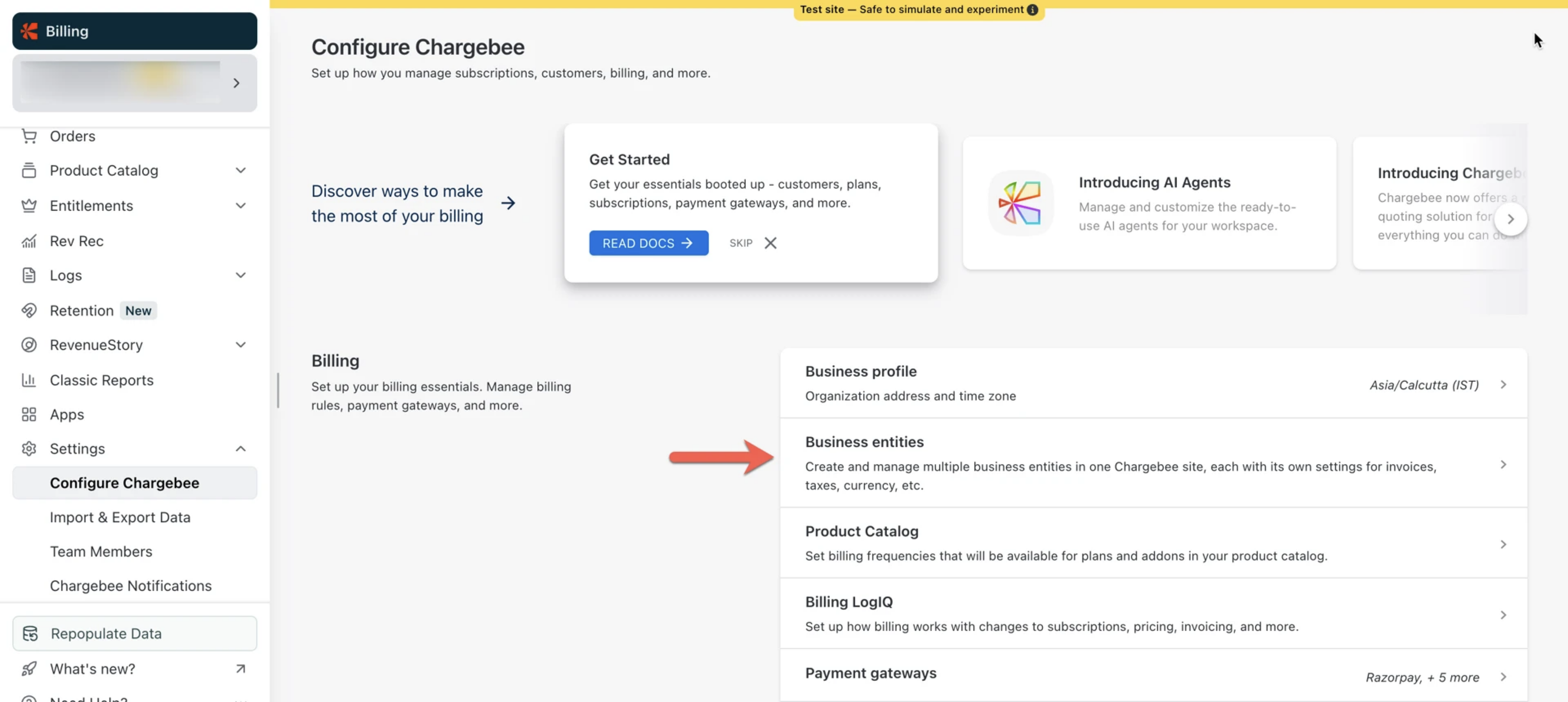
The setting for centralized customer profiles must be enabled. Request for accessContact eap@chargebee.com
2. Creating a Customer
When a new customer signs up:
- You select the entity (usually based on where the customer originated).
- The customer is created under this entity with a unique ID shared across entities.
3. Managing Subscriptions
- The customer can purchase subscriptions from the primary entity or any other entity in your setup.
- Subscriptions remain tied to the entity that offers them.
- The centralized customer profile displays all subscriptions created across entities. However this is possible only in the Site View. In the Entity View, only the subscriptions specific to that entity are shown.
4. Invoicing Options
Separate Invoices per Entity
- One invoice per entity, each with its own branding, tax, and payment setup.
- Best suited for customers who need clarity by legal/business unit.
5. Payment Methods
While Customer Sharing allows you to maintain a unified customer profile across entities, payment methods are not shared between entities.
Each entity independently collects and stores its own payment methods. This ensures that payment processing, gateway configurations, compliance requirements, and financial operations remain separate for each legal entity.
How it works
- When a customer purchases a subscription from a specific entity, they are prompted to enter their payment details for that entity.
- The payment method is saved only within that entity.
- Other entities can access the shared customer profile but cannot view or use payment methods saved under a different entity.
- Payment methods saved in one entity will not automatically apply to subscriptions in another entity.
This means that if a shared customer subscribes to products from multiple entities, they may need to provide payment details separately for each entity.
Smart Routing and Payment Method Storage
Payment methods are vaulted based on your Smart Routing configuration. However, regardless of routing setup, payment methods remain entity-specific.
Scenario 1: When Entity-Level Smart Routing Is Configured
If an entity overrides the site-level Smart Routing configuration:
- The new payment method is vaulted to a gateway based on that entity’s Smart Routing settings.
- The payment method is marked as Primary or Secondary within that entity.
- Only subscriptions under that entity can use the saved payment method.
Scenario 2: When Only Site-Level Smart Routing Is Configured
If Smart Routing is configured only at the site level:
- The payment method is vaulted according to the site-level Smart Routing rules.
- The payment method is still stored as Primary or Secondary within the entity where it was collected.
- Only subscriptions within that entity can use the payment method.
6. Configuration Tips
| Setting | Recommendation |
|---|---|
| Primary Entity | Assign during customer creation. Serves as the billing and communication anchor. |
| Product Catalog | Can be shared across entities or unique per entity. Decide based on your org’s structure. |
| Invoice Branding | Configure logos, from-addresses, and email templates for each entity. |
| Tax Rules | Set up per entity, especially if using manual tax configuration. |
7. Best Practices
- Use consolidated profiles to avoid duplication across entities.
- Communicate clearly with your customers on how they will be invoiced and who they’re billed by.
- Choose the invoice model (consolidated vs. separate) based on accounting or customer preference.
Customer Sharing - What works across Entities
This table outlines how customer-related actions work across different entities when Customer Sharing is enabled**.
| Action | What You Can Expect |
|---|---|
| Creating a Customer | Customers are created under a selected “primary” entity. Other entities can access the shared profile. |
| Viewing Subscriptions | Site View: All subscriptions across entities are listed. |
| Creating a Subscription | Subscriptions can be created under any entity. They are correctly mapped and billed by that specific entity. |
| Invoicing | Invoices are created per entity. |
| Credits & Payments | Credits and payments are entity-specific. A payment made under one entity won’t be used automatically for another. |
| Quick Charges & One-Time Charges | Can be processed per entity. Payments/credits from one entity won’t apply to another. |
| Editing Customer Info | Basic customer information like name, contact, and billing address can be edited and will reflect across entities. |
| Contacts & Cards | Contacts and saved payment methods are entity specific and cannot be shared across entities. |
| Invoice Notes | Site View: All invoices across entities are visible. |
| Comments | Site View: All comments across entities are visible. |
| Promotional Credits | Site View: Credits from all entities are visible. |
| Viewing Transactions & Events | Site View: Transactions from all entities are visible. |
| Merging Customers | If duplicate customer records exist across multiple entities for the same customer, you can merge them into a single record. |
| Self-Service Portals | Customer sharing across entities is currently not supported for customer portal. |
| Hosted Pages | Customer sharing across entities is currently not supported for Hosted Pages. |
| Hierarchy (Parent-Child Setup) | You can create parent-child customer relationships within the same entity. |
Key Benefits
Your Chargebee catalog may be shared across all entities or remain entity-specific.
Unified Customer Profile: Maintain one profile with visibility into all subscriptions, regardless of entity.
Streamlined Billing: Generate separate invoices for each entity, allowing flexibility based on your operational preferences.
Tax & Branding Support: Apply entity-specific tax rates, logos, and contact details in invoices and emails.
Entity-Specific Subscriptions: Let each entity create and manage its own subscriptions under a shared customer record.
Frictionless Cross-Sell: Offer products and services from multiple entities without duplicating customer data.
Payment methods are not shared across entities. At checkout, only the customer’s payment methods associated with the specific checkout entity will be displayed.
Was this article helpful?