Convert a Quote to Subscription
Once the customer accepts the quote, it can be converted into an active subscription. Follow the process of converting a quote into a subscription.
Prerequisites
- A quote must already exist and contain all the required details.
- The quote should be reviewed and approved by your customer prior to conversion.
Convert a Quote into a Subscription
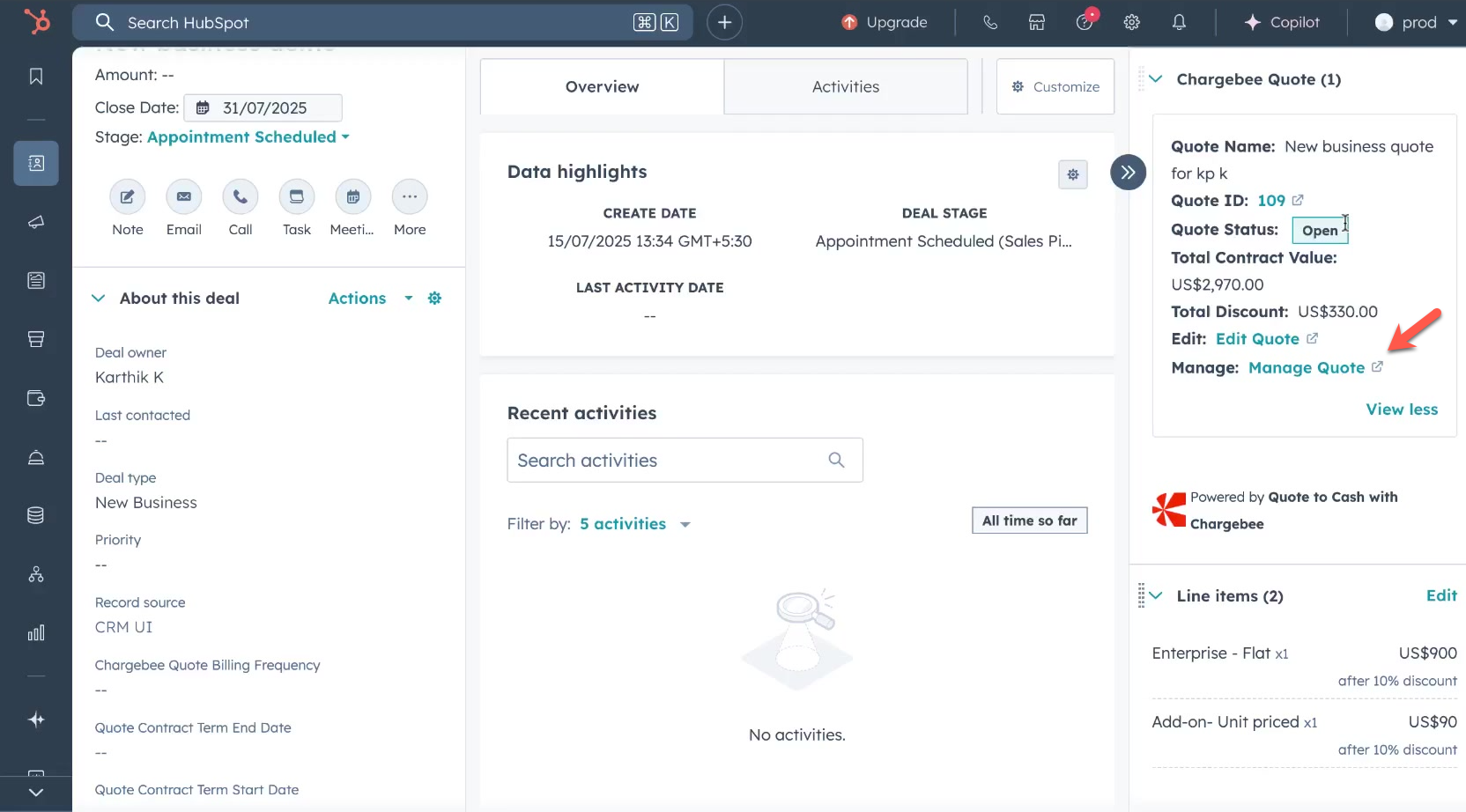
- In your HubSpot Deal, click Manage Quote. It will redirect you to the specific Quote details page in Chargebee.
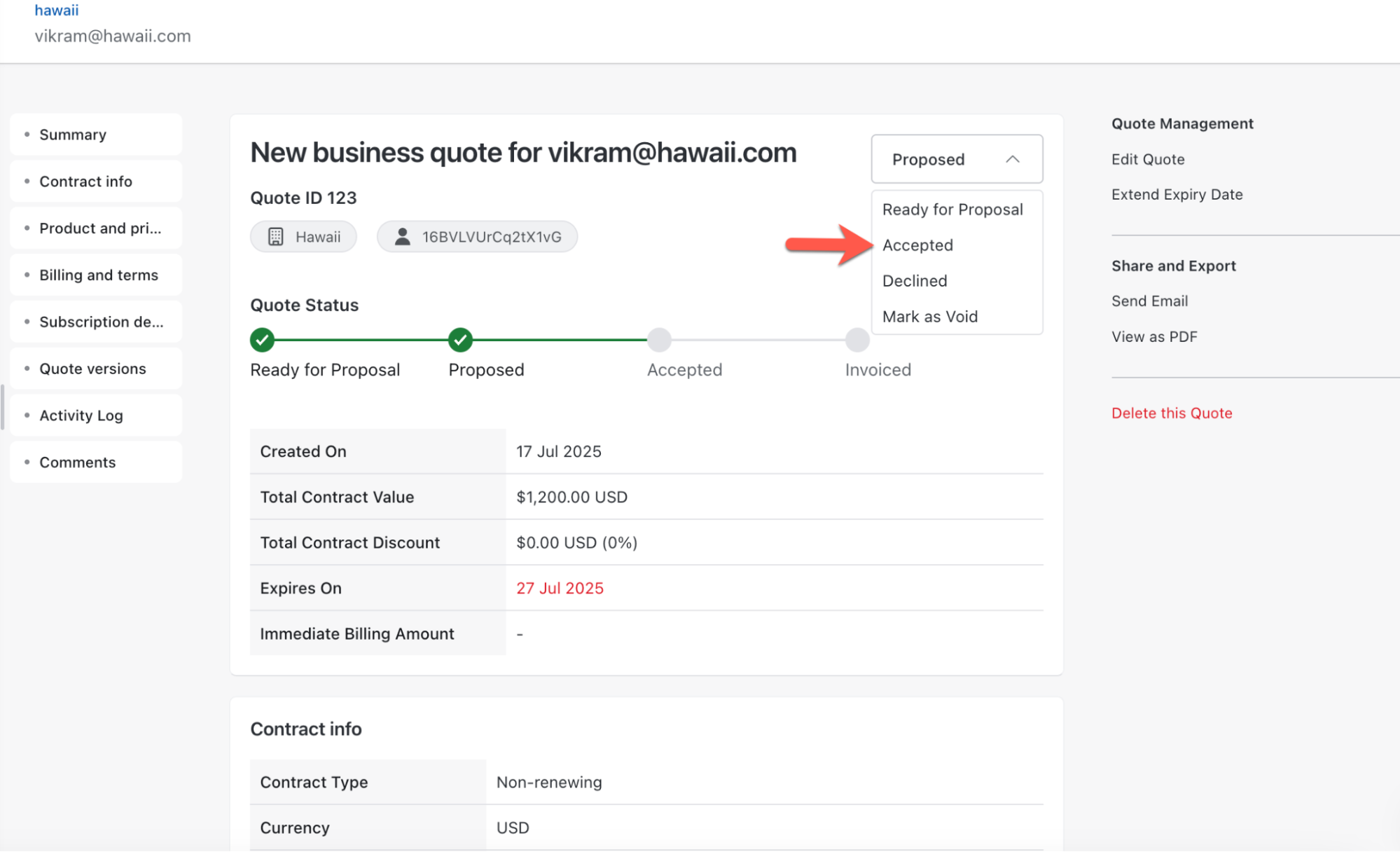
- Select the quote status as Accepted from the dropdown.
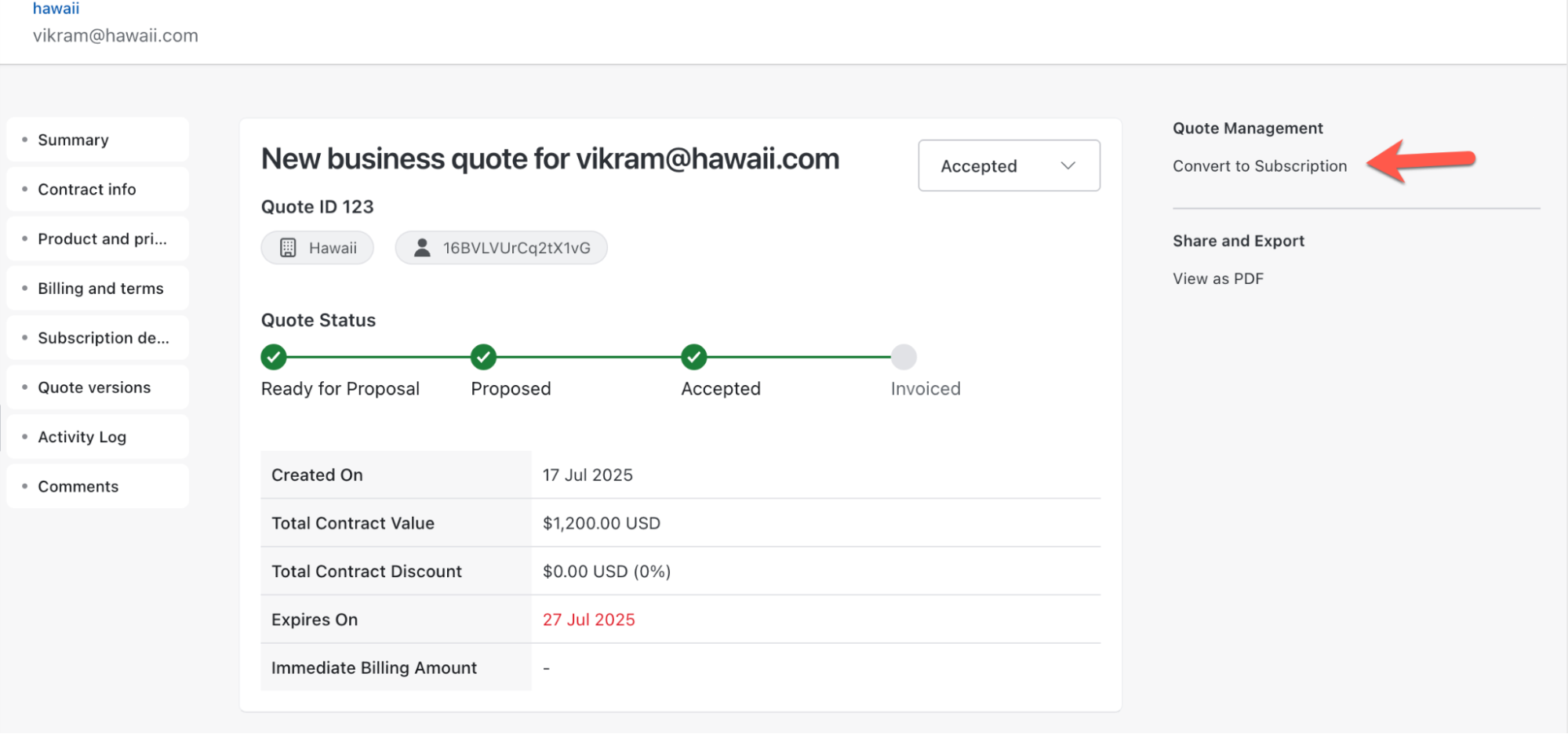
- Under Quote Management, click Convert to Subscription to convert the quote and create a subscription record from the quote.
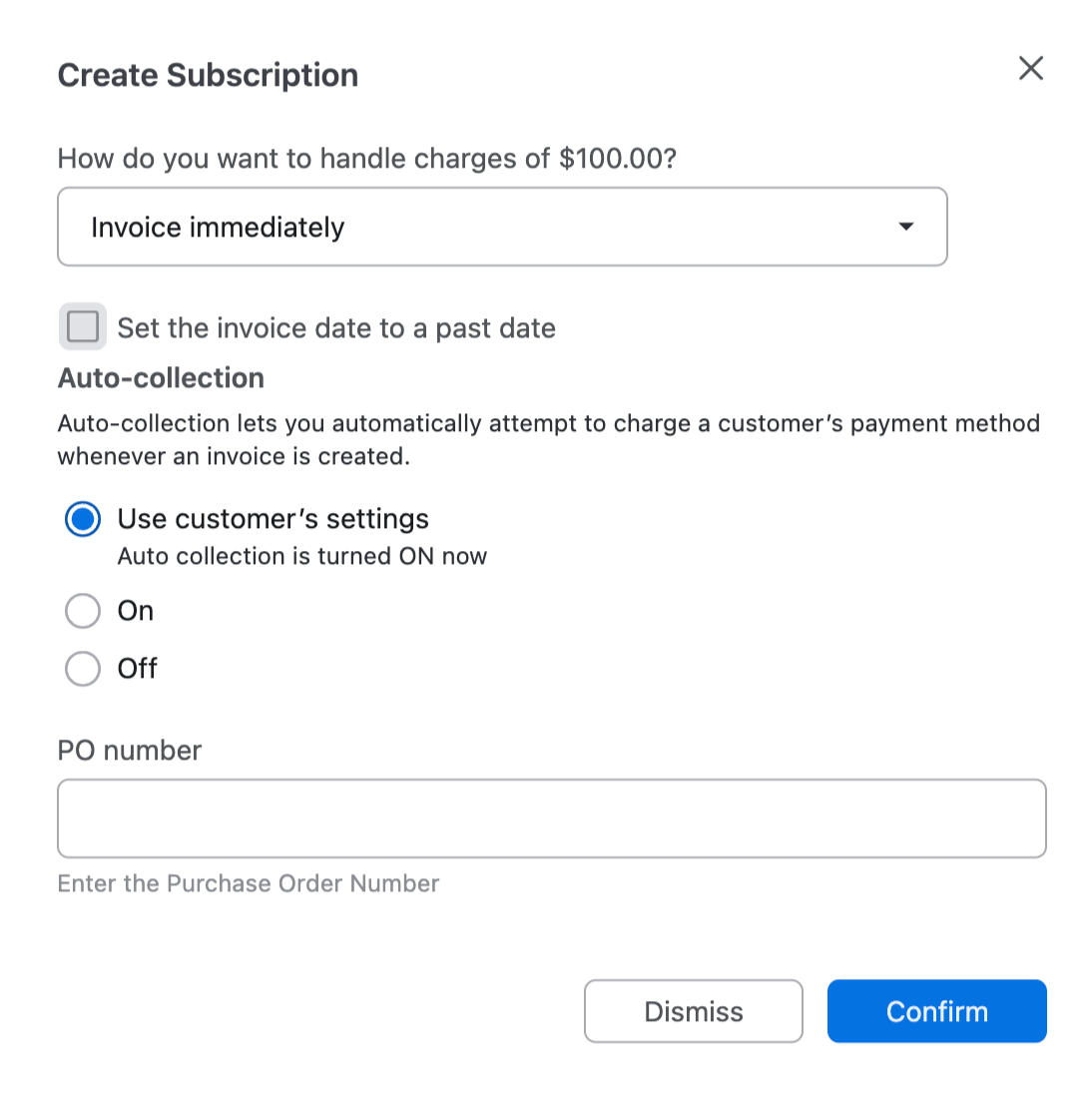
- On the Create Subscription pop-up, select your preferred settings for the subscription and click Confirm.
- Verify the charges and click Create.
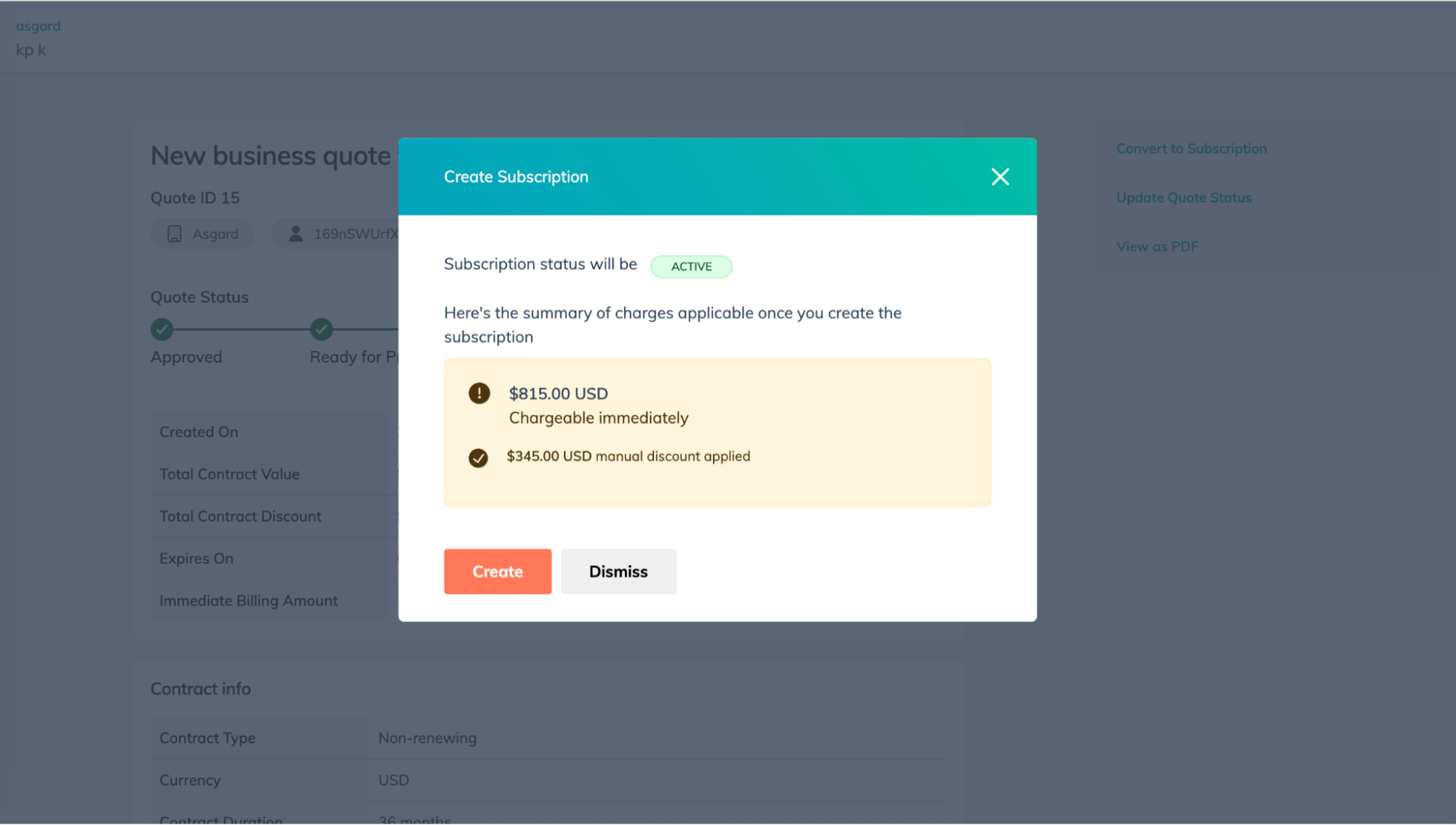
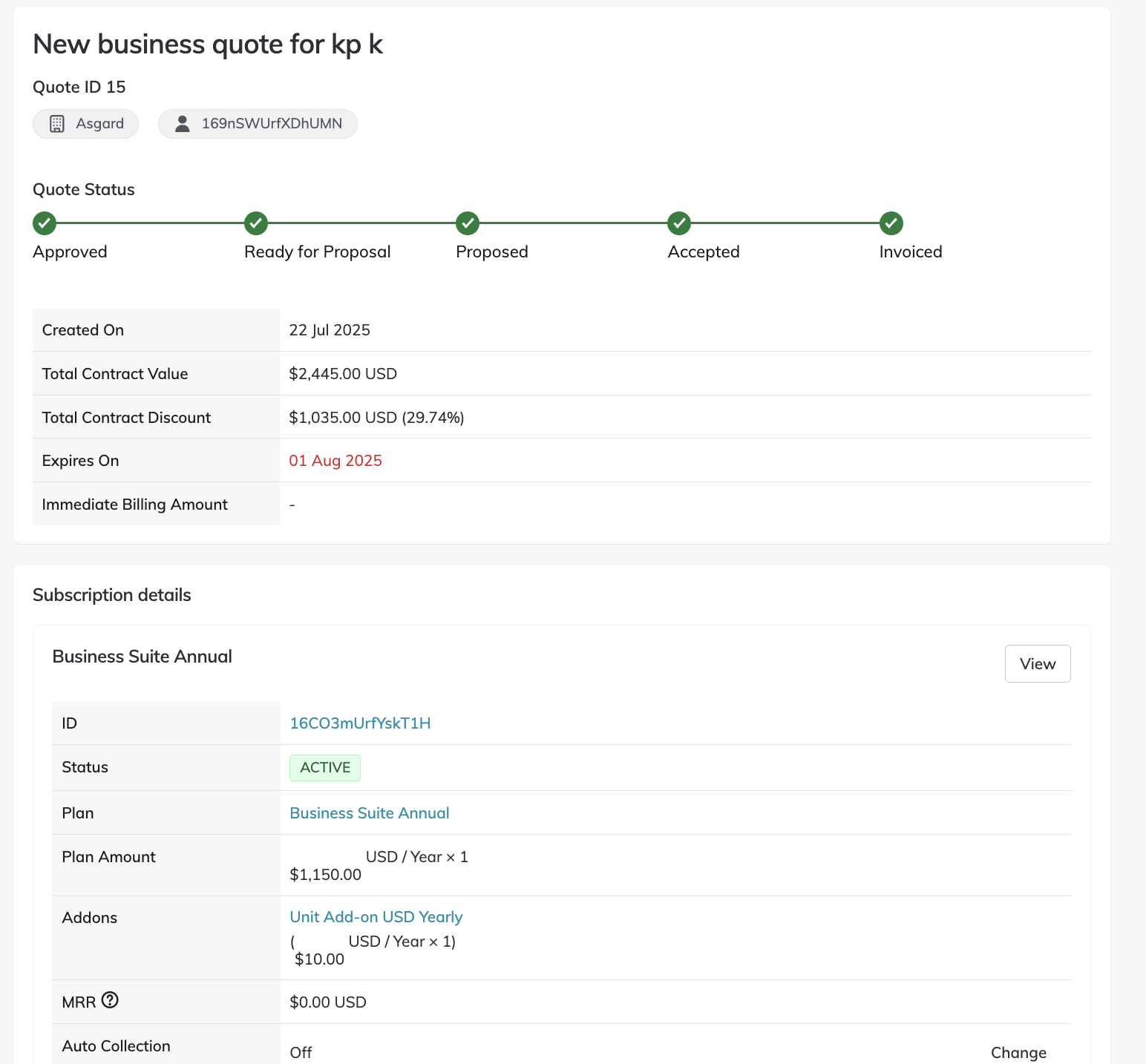
- A new subscription from quote is created.
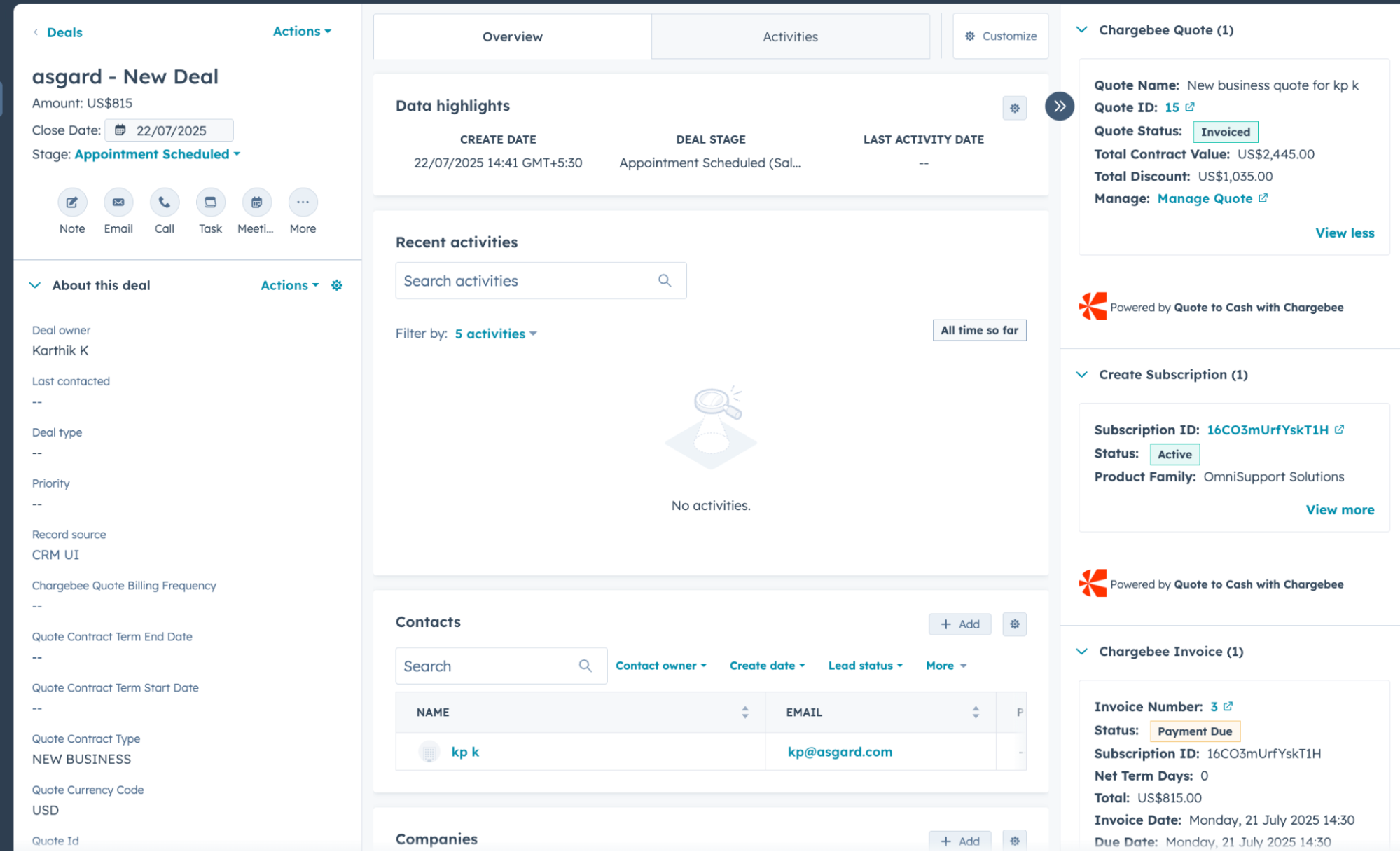
- Go to your HubSpot Deal and review the recently created subscription details.
Was this article helpful?