Update or make changes to a canceled subscription
Problem Statement
I need to let customers choose a plan when reactivating their canceled subscriptions. How can I do this via API?
Solution
You can reactivate a canceled subscription with changes (e.g., plan or plan price) via the Admin Console or via API. Changes take effect immediately; scheduling reactivation for a future date is not supported.
Steps to Set It Up
Via Admin Console
- Open the canceled subscription details
- Click Edit subscription
- Make the changes (e.g., change Plan or Plan price)
- Click Update
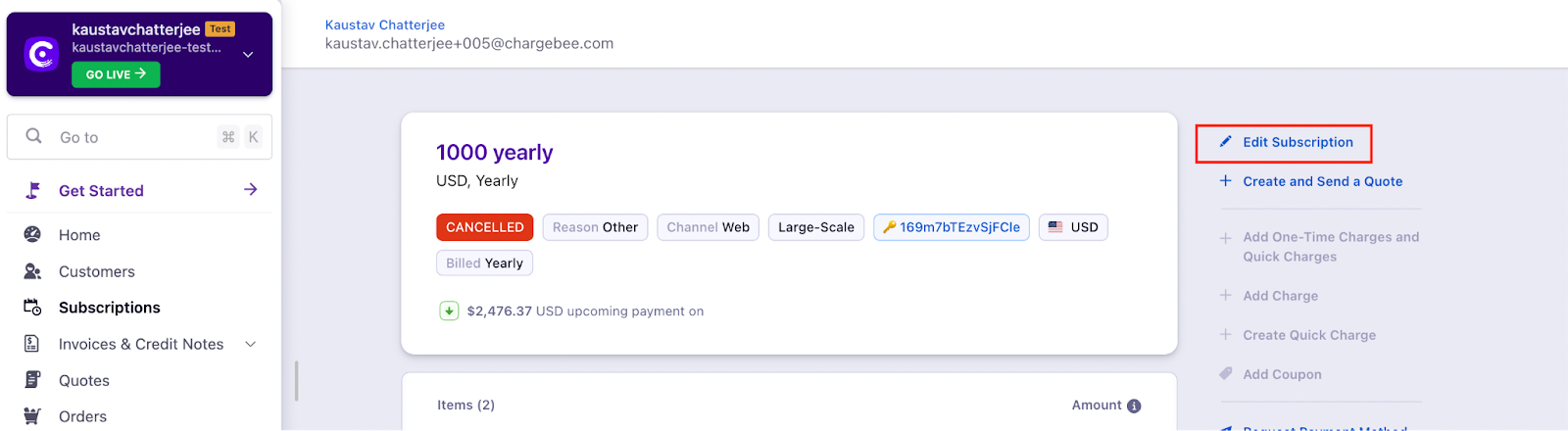
The subscription is reactivated immediately with the changes.
Via API (Latest Product Catalog)
Use the update_subscription_for_items API while the subscription is in a canceled state. The subscription will be reactivated with the changes immediately.
If the customer chooses the same plan: Pass the [reactivate](https://apidocs.chargebee.com/docs/api/subscriptions/update-subscription-for-items#reactivate) parameter as "true" in the API call; otherwise the subscription will not reactivate.
Important Notes
Note:
You cannot schedule reactivation for a future date. You can only reactivate on past dates if the Backdated Subscription feature is enabled on your site.
Was this article helpful?