New in Chargebee: Explore Reveal and understand your payment performance end-to-end.Try Now
Docschargebee docs
HomeBillingPaymentsRevRecGrowthReveal
Support

Product Updates


  • Release Notes

Getting Started


  • Overview
  • Chargebee Billing Data Centers
  • Object Relationship Model
  • Understanding Sites
  • Chargebee Tech Glossary
  • Articles and FAQ

Implementing Chargebee


  • Implementation Guide
  • Go-live Checklist
  • Articles and FAQ

AI in Chargebee


  • Chargebee Agents
  • Chargebee Copilot
  • Chargebee MCP Server (Model Context Protocol)

Developer Resources


  • Developer Resources Overview
  • Articles and FAQ

Product Catalog


  • Product Catalog Overview
    • Benefits of Product Catalog 2.0
    • Product Families
    • Plans
    • Addons
    • Charges
    • Applicable Addons and Charges
    • Product Bundling
    • Variant Pricing
    • Differential Pricing
    • Package Pricing
    • Percentage Based Pricing
  • Coupons
  • Articles and FAQ

Subscriptions


  • Working with Subscriptions
  • Billing
  • Orders
  • Articles and FAQ

Customers


  • Managing Customers
  • Account Hierarchy
  • Email Notifications
  • Branding
  • Configure Multiple Languages
  • Articles and FAQ

Entitlements


  • Entitlements Overview
  • Features Overview
  • Feature Management
  • Managing Product Entitlements
  • Subscription Entitlements
  • Customer Entitlements
  • Grandfathering Entitlements
  • Articles and FAQ

Usage Based Billing


  • Understanding Usages
  • Setting up Usage Based Billing
  • Usage Alerts
  • Metered Billing
  • Articles and FAQ

Chargebee CPQ


  • Chargebee CPQ
  • Chargebee CPQ for Salesforce
  • Chargebee CPQ for HubSpot

Invoices, Credit Notes, and Quotes


  • Invoices
  • Credit Notes
  • Quotes [Legacy]
  • Transactions
  • Articles and FAQ

Taxes


  • Overview
  • Configuring Taxes
  • Country-specific Taxes
  • Articles and FAQ

Hosted Capabilities


  • Overview
  • Hosted Checkout
  • Hosted Self-Serve Portal
  • Hosted Pages Features
  • Additional Hosted Pages
  • Payment Components
  • Pricing Table
  • Managing Payments with Chargebee.js
  • Mobile-Optimized Hosted Pages
  • Articles and FAQ

Site Configuration


  • Users & Roles
  • Custom Fields & Metadata
  • Approvals
  • Mandatory Fields
  • File Attachments & Comments
  • Advanced Filter Options
  • Multicurrency Pricing
  • Multi-decimal Support
  • Configuring Reason Codes
  • Events and Webhooks
  • API Keys
  • Time Zone
  • Time Machine
  • Transfer Configurations
  • Articles and FAQ

Multi Business Entity


  • Multi Business Entity Overview
  • Customer Transfer Overview
  • Articles and FAQ

Mobile Subscriptions


  • Overview
  • Omnichannel Subscriptions
  • Omnichannel One-Time Orders
  • Mobile Subscriptions (Legacy)

Reports and Analytics


  • RevenueStory
  • Home Dashboard
  • Frequently Asked Questions
  • FAQs for Classic Reports Sunset
  • Articles and FAQ

Integrations


  • Sales
  • Customer Support and Success
  • Finance
  • Tax
  • Marketing
  • Stitch
  • Collaboration
  • Contract Management
  • Ecommerce Management
  • Articles and FAQ

Data Privacy & Security


  • Two Factor Authentication
  • SAML Single Sign-On
  • System for Cross-Domain Identity Management (SCIM)
  • EU-GDPR
  • Consent Management
  • Personal Data Management
  • Compliance Certificates
  • HIPAA Guidelines
  • PCI Recommendations and Integration Types
  • Articles and FAQ

Data Operations


  • Bulk Operations
  • Migration
  • Articles and FAQ
  1. Billing
  2. Product Catalog
  3. Product Catalog Overview
  4. Percentage Based Pricing
  1. Billing
  2. Product Catalog
  3. Product Catalog Overview
  4. Percentage Based Pricing

Percentage Based Pricing

Many SaaS, FinTech, and platform-based companies use usage-based or revenue-share pricing models (for example, 2.9% of card fees or 5% of monthly revenue). This feature lets you clearly communicate such pricing models on financial documents. You can now display a currency amount as a percentage on customer-facing essentials, such as Quotes and Invoices PDFs, to provide better clarity on your pricing offerings.

Eliminates Perceived Ambiguity: If customers see only a dollar amount for a percentage-based charge, it may seem unclear or misleading. By explicitly displaying the percentage, your business appears more transparent and trustworthy.

Prevents Disputes and Inquiries: Clearer invoices mean fewer clarifying questions from customers, reducing support overhead and enhancing the customer experience.

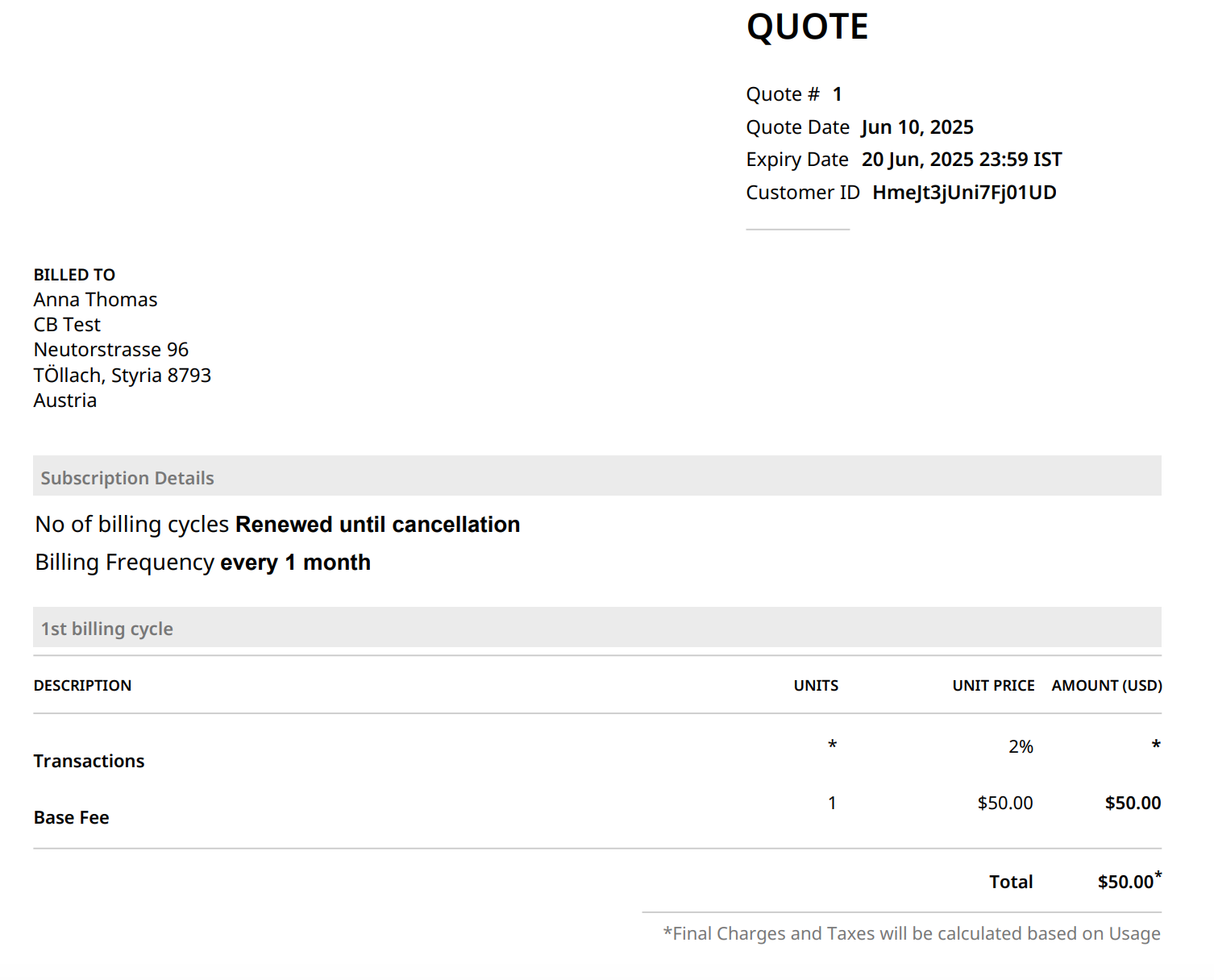
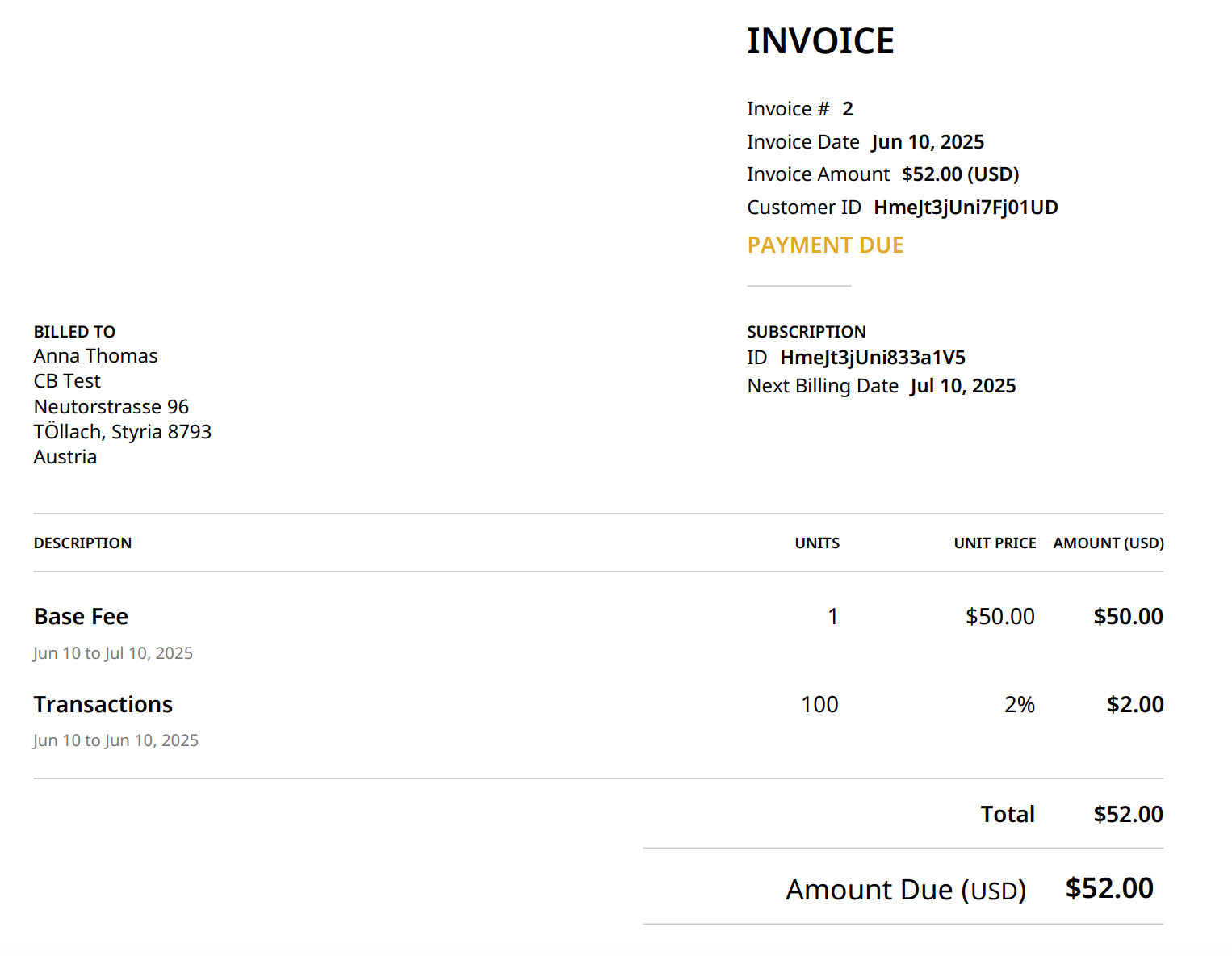
Let's consider an example: Company A has two elements in its pricing. One is the base fee, which is a flat fee rate, and the other is a metered percentage component, such as 2% of the total transactions completed.

To set up the above scenario in Chargebee, follow these steps:

  1. Create a plan for the Base Fee pricing component and set its price.
  2. Create a metered addon for the second component.
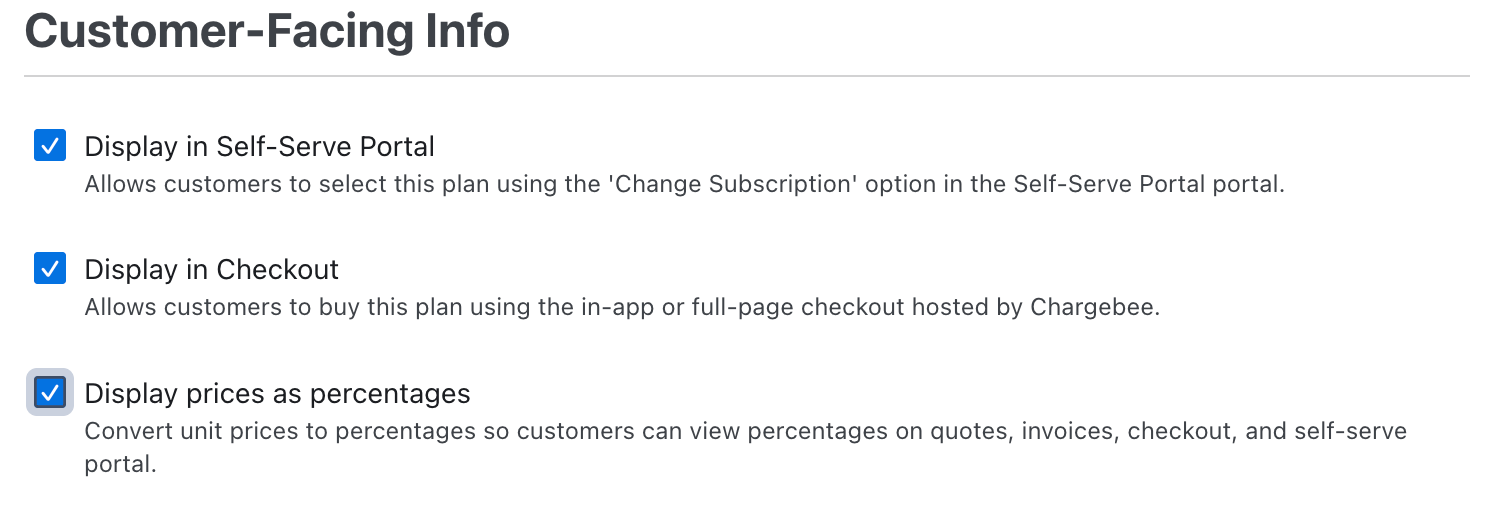
  3. Select the checkbox Display prices as percentages under the Customer-Facing Info.
  4. Click Set Percentage to set up the prices.
  5. Select Per Unit as the Pricing model and enter the Percentage as 2%.
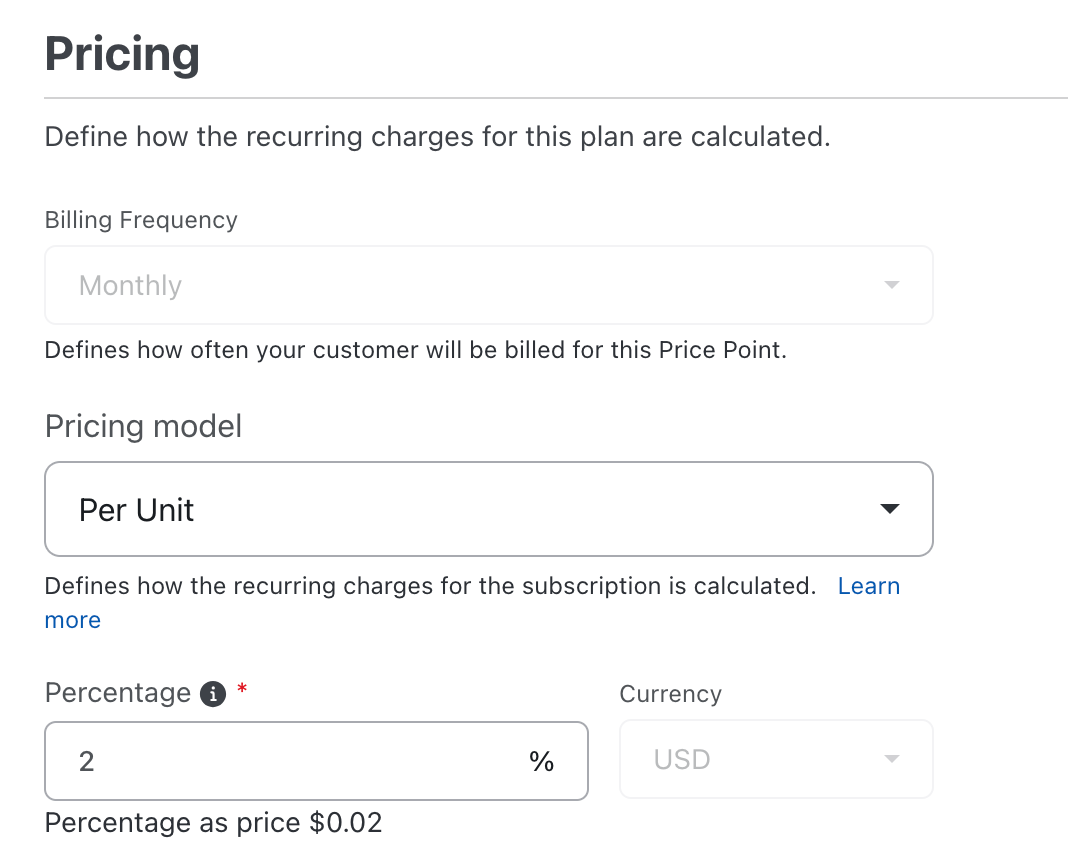
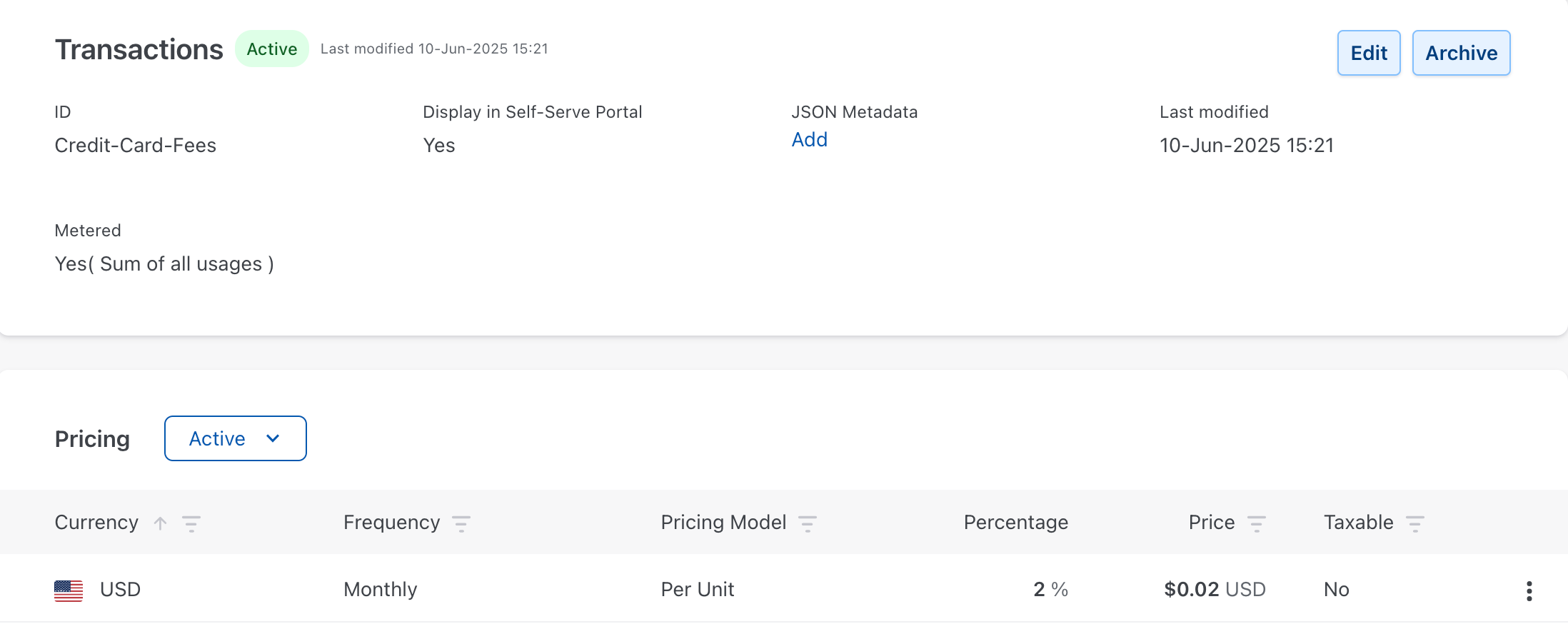
  6. Click Create. You will see the Percentage and its relevant Price on the addon details page.
Note

  • Percentage-based pricing applies only to Per Unit, Volume, or Tiered-based metered plans and addons.
  • For percentage inputs that convert to currency amounts with more than 2 decimal places, please ensure that multi-decimal support is enabled so that the correct currency amount is used for computations.

Impact on Quotes and Invoices

The currency amount will be used within Chargebee to perform computations. However, the invoice and quote PDF line item will showcase the percentage value. The following is an example of a detailed Quote PDF.
The following is an example of a detailed Invoice PDF.
Limitation

Although percentage pricing representation is not supported on Chargebee's hosted pages, the currency amount will continue to be displayed.

Was this article helpful?