Creating custom user roles/privileges in Chargebee
Scope
- How to add custom user roles in Chargebee?
- How to restrict access for the users/employee(s) to the Chargebee site?
Summary
Chargebee allows you to add multiple users to your account for performing different tasks such as members from finance, sales, or support teams. Different user roles that you can assign to the users provide different access levels to your account.
Although predefined roles come with fixed privileges, you may need a custom combination of actions for certain users. To add/delete or modify users of your Chargebee account, navigate to Settings > Team Members. Here's more on the list of roles that are available by default.
When to use Custom Roles
If the predefined roles in Chargebee don't grant the privileges you want to assign to a user, you can create a Custom Role and define the privileges that you require. The custom role allows you to configure privileges in the following modules:
- Customers
- Subscriptions (Invoices/ Credit Notes/ Orders/ Transactions/ Email Logs/ Events)
- Product Catalog (Plans/ Addons/ Coupons)
How to Define a Custom Role
To define a custom user role in Chargebee:
- First, download this sample CSV file.. The file contains the structure required to specify module-level privileges.
- Add new columns in the CSV for your custom roles. Review the “Action Name” column to identify the specific permissions available across modules.
- Mark the relevant actions for your custom role by placing a check (✓) or Yes in the corresponding cells under your newly added column.
- Send the completed CSV to us by logging in to your Chargebee site, then navigating to the bottom-left corner and selecting Need Help? > Write to us.
- We will validate your entries and apply the custom role configuration to your site.
Note
Each custom role must have a unique name. You can create up to 18 custom roles per site.
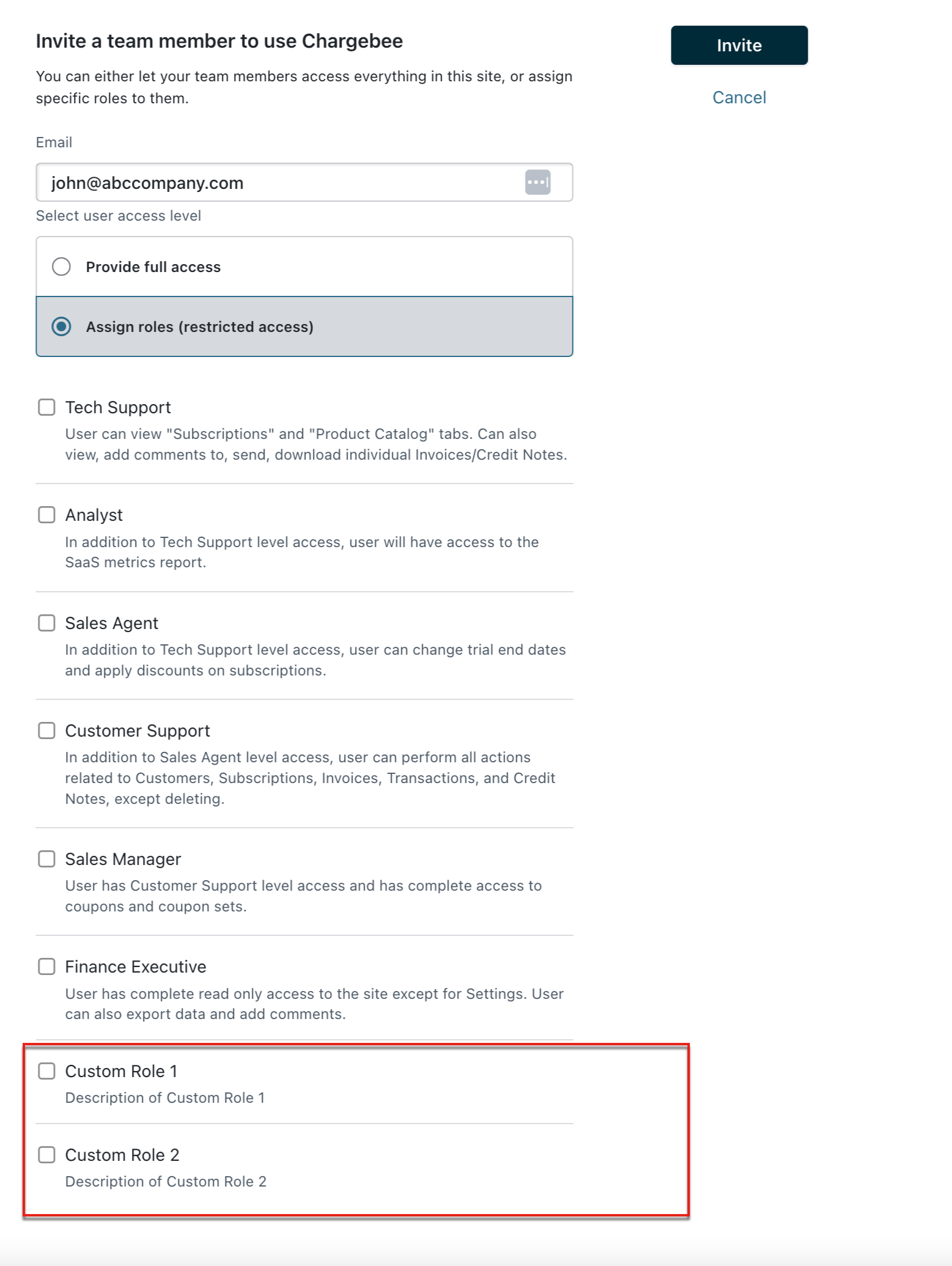
The new custom roles will be added along with Chargebee's predefined user roles. To assign a Customized user role to a user, navigate to Settings > Team Members and assign the new Role created to the user.
You can assign more than one custom role to a user. If a user receives a permission error for an action, an explicit denial in any assigned role takes precedence over the same action being allowed in another role. See Why is a user blocked from an action when multiple custom roles are assigned?.
Note
- Custom roles are only available from specific plans. Refer to the plans and pricing page for more details.
- Permissions related to Settings are not yet configurable. This feature is planned for a future release.
Was this article helpful?