Chargebee's site name was renamed but why does this still show a different name?
Problem Statement
The domain name was changed but the UI still shows the old name. Why is the new name not updated on my dashboard?
Solution
After Chargebee support updates the domain name, it will appear in your site URLs. The dashboard UI, however, continues to show the old name until you update it in the Business Profile.
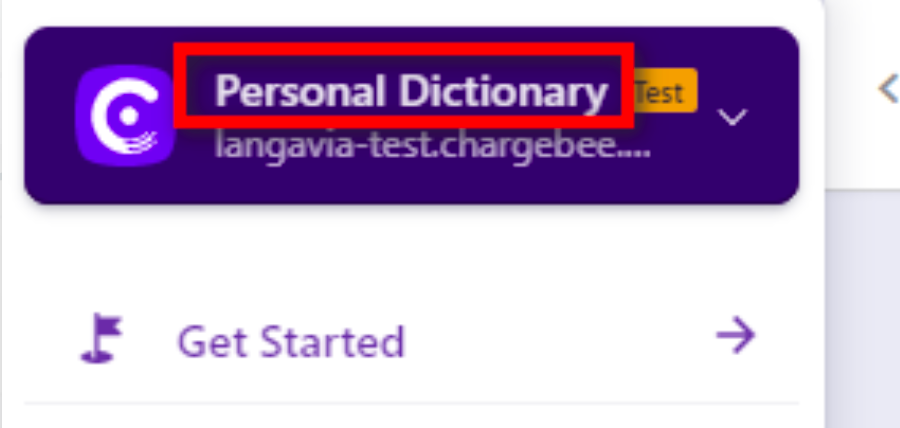
In the screenshot above, the domain was changed to "langavia" but the UI still shows "Personal Dictionary".
Steps to Set It Up
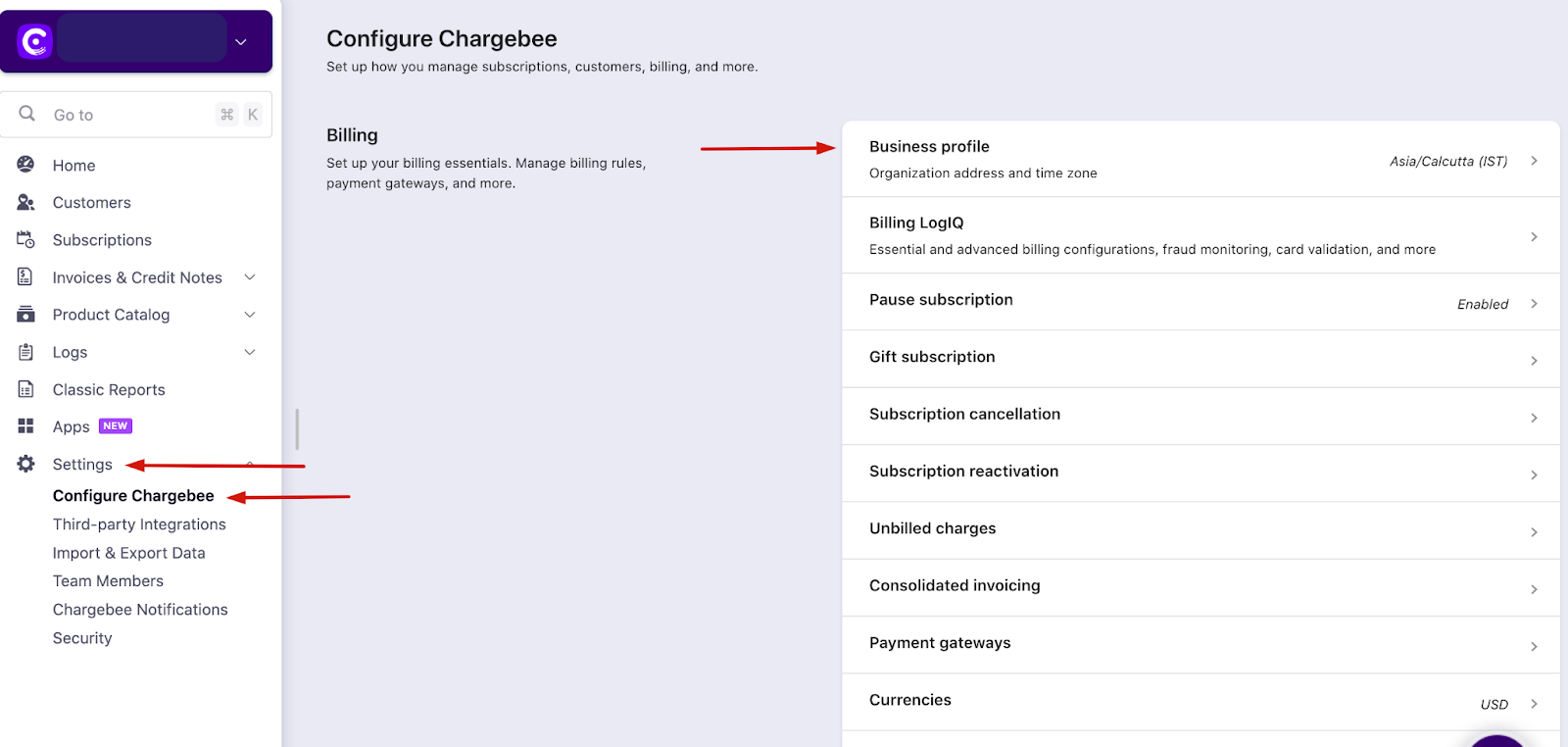
- Go to Settings > Configure Chargebee > Business Profile > Update Organization Address
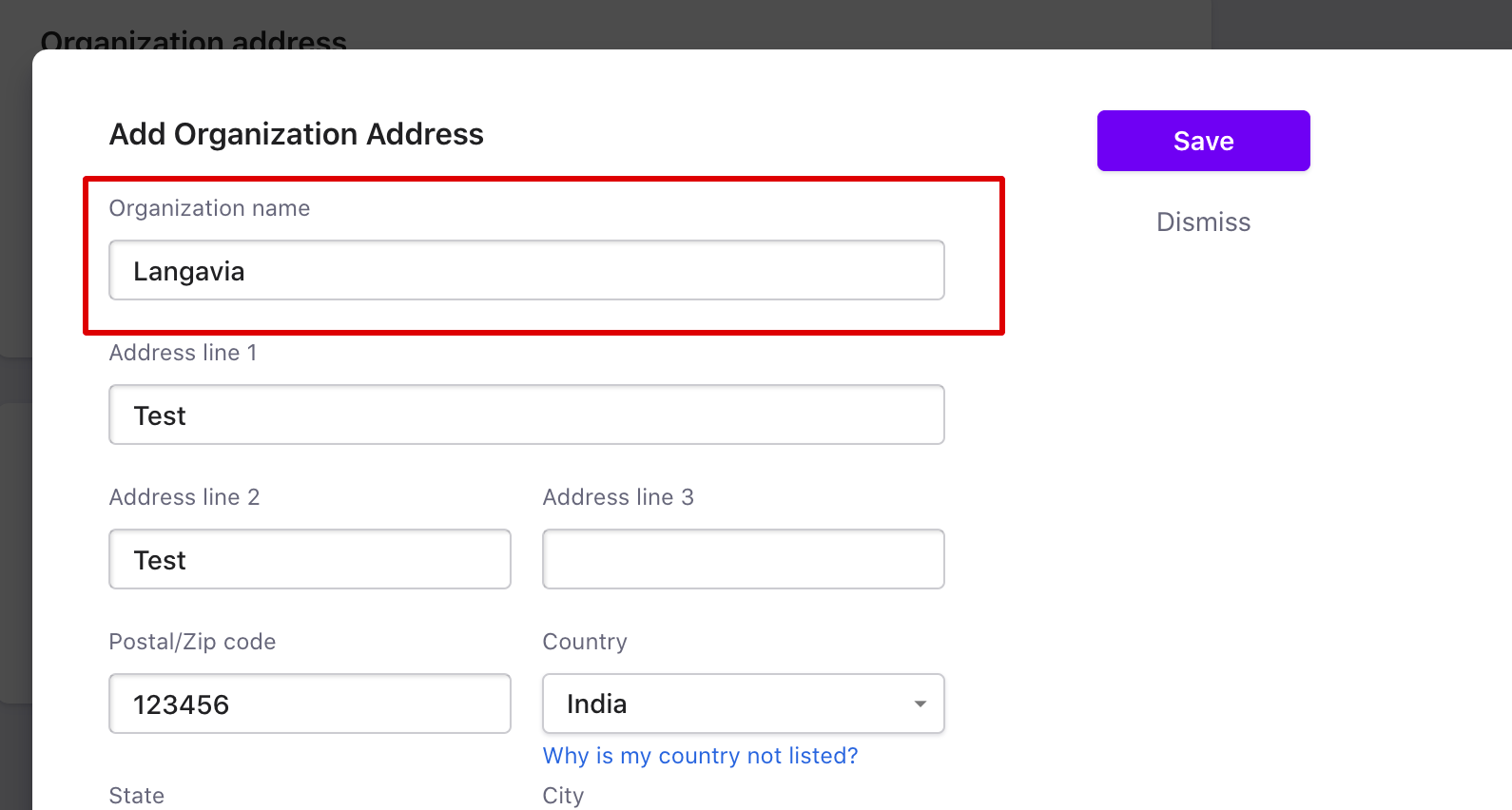
- Update the organization address/name with the new details
Note
This change must be made by the owner from the Live site.
Related Articles
Show more
Was this article helpful?