Can I let my customers set the Auto collection status at the self-serve portal?
Problem Statement
Can I let customers control the Auto collection status at the portal or checkout? Can I default the site-wide Auto collection status to OFF? How do I change the Auto collection status of a subscription manually?
Solution
Customers cannot control Auto collection status at the portal or checkout. Only merchants can change it via the UI, bulk operations, or API.
Steps to Set It Up
Option 1 – Via UI
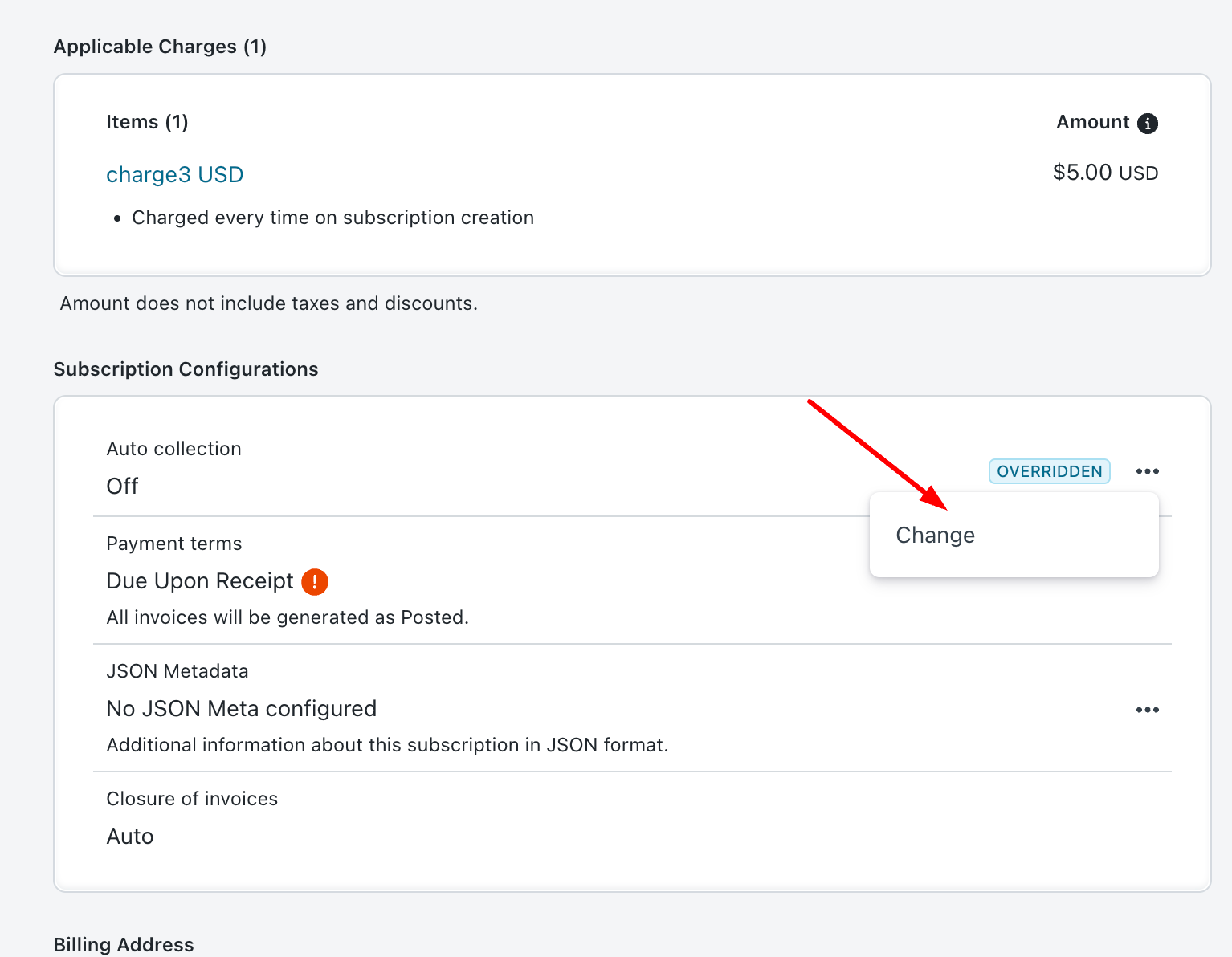
- Open the subscription
- Click Change next to Auto Collection status
Option 2 – Via Bulk Operation
- Export subscriptions with Auto collection = On and customers who have a payment method
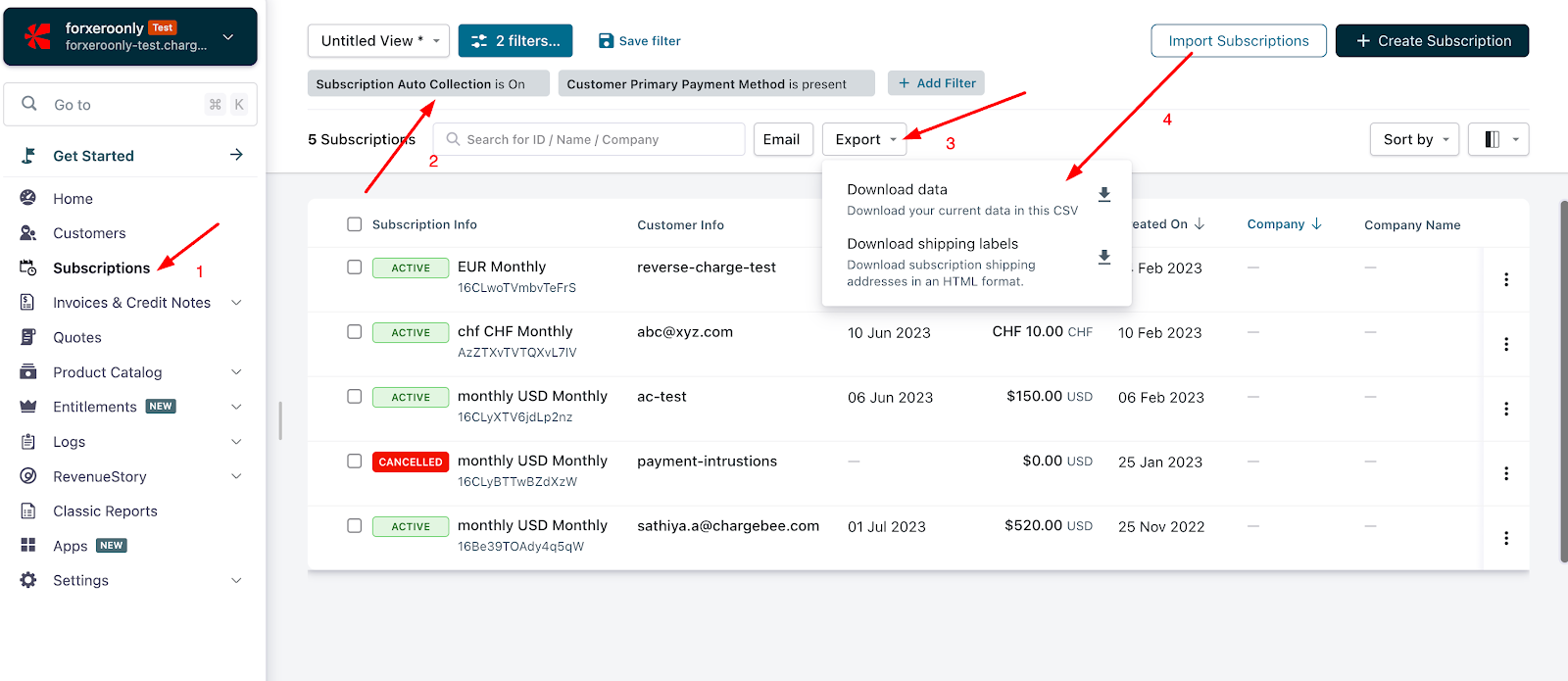
- Copy the
subscription_idcolumn from the subscriptions.csv file - Go to Settings > Import & Export Data > Choose a Bulk Operation > Update Subscription for Items
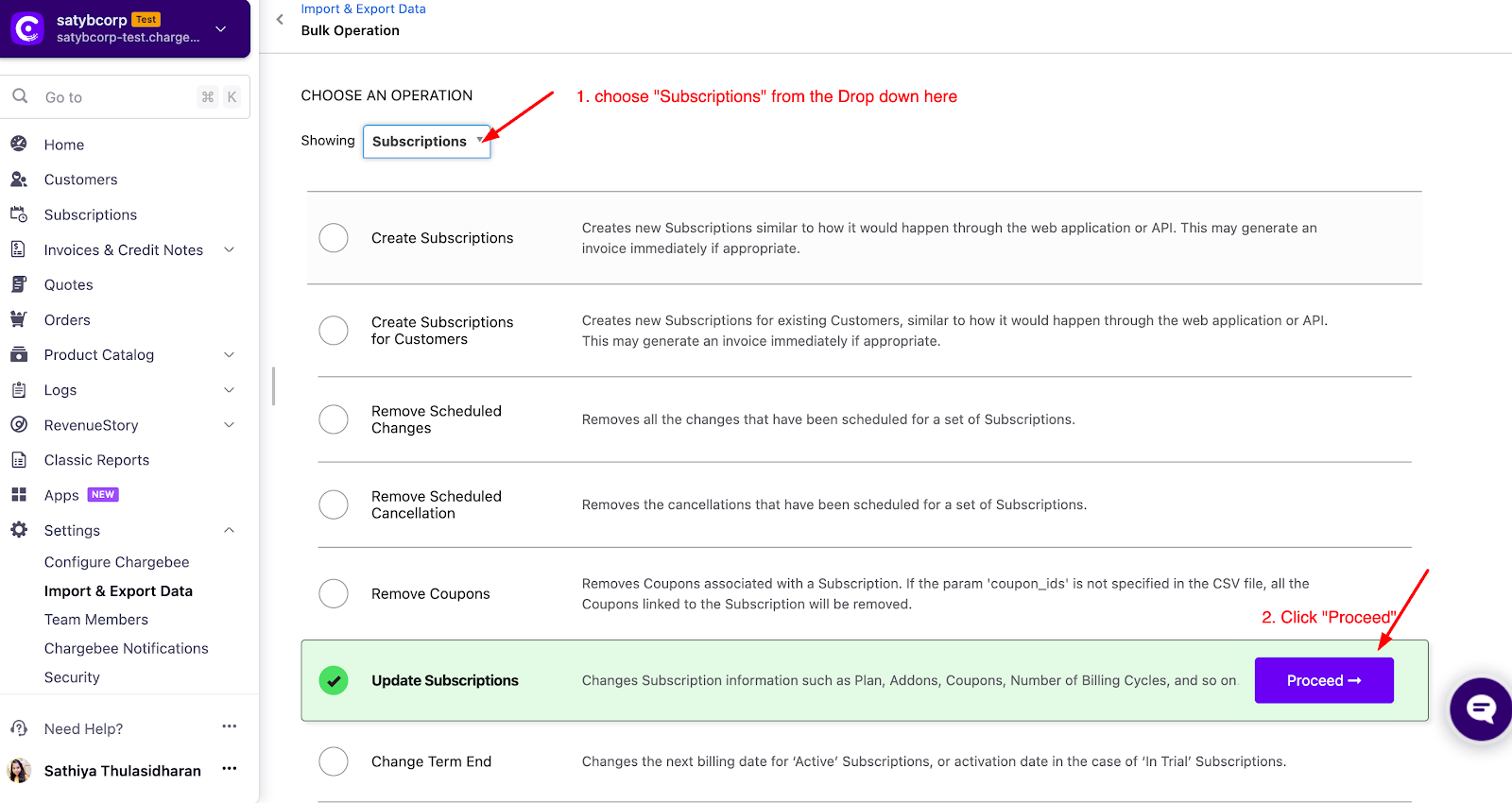
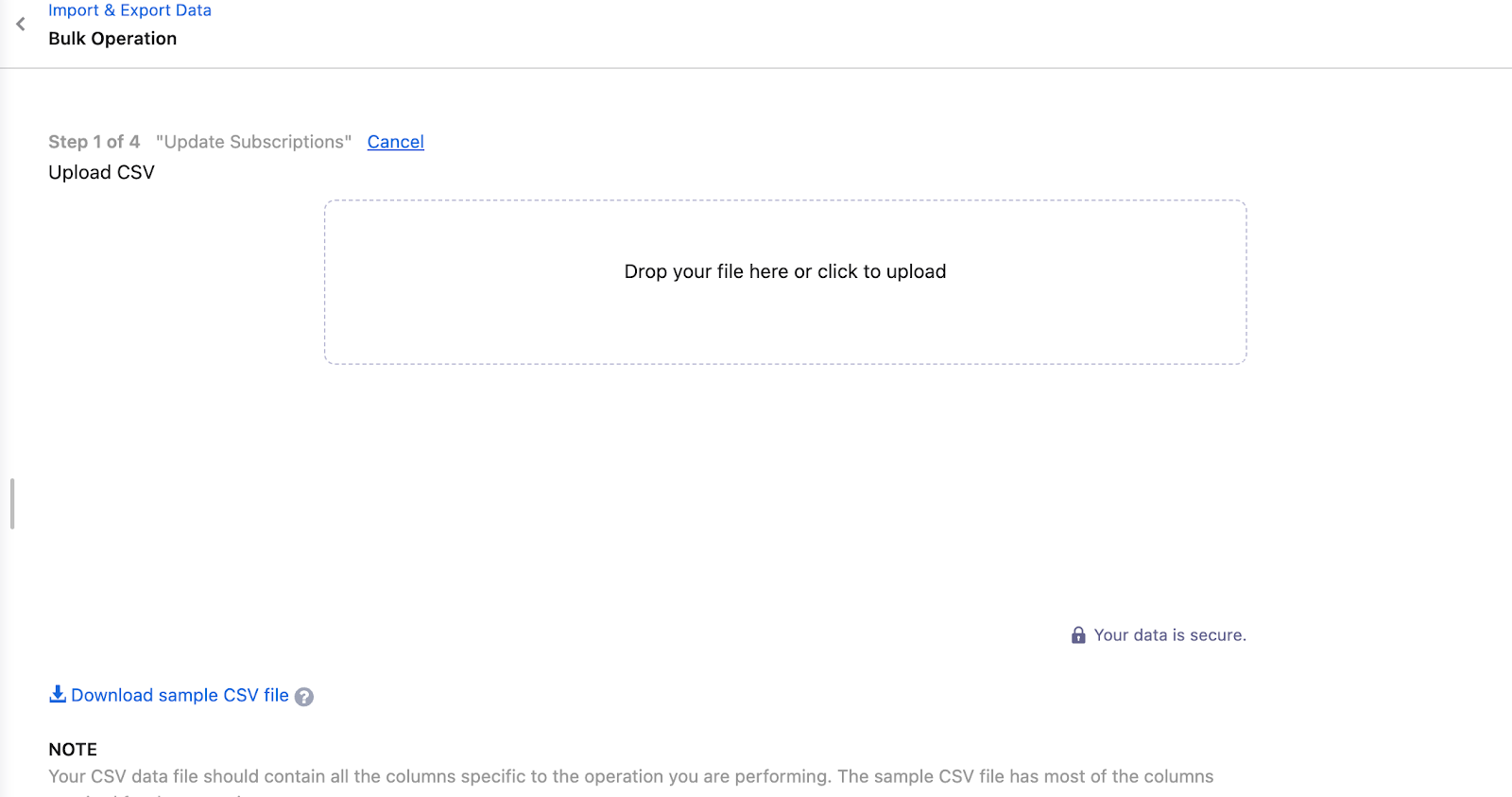
- Download the sample CSV and update:
subscription[id]– from the subscriptions.csvsubscription[auto_collection]– set toOFF
- Upload the CSV and run the bulk operation
Note
Test the bulk operation on your Test site before running it on Live.
Option 3 – Via API
Use the Override Billing Profile API to change the subscription's auto-collection status.
Related Articles
Show more
Was this article helpful?