How to export the billing periods associated to the subscriptions?
Problem Statement
You want to know how to export the billing periods associated to the subscriptions.
Solution
Scope
How to export the billing period?
Summary
You can export the billing period and other subscription-related information from the 'Export Data' option.
Solution
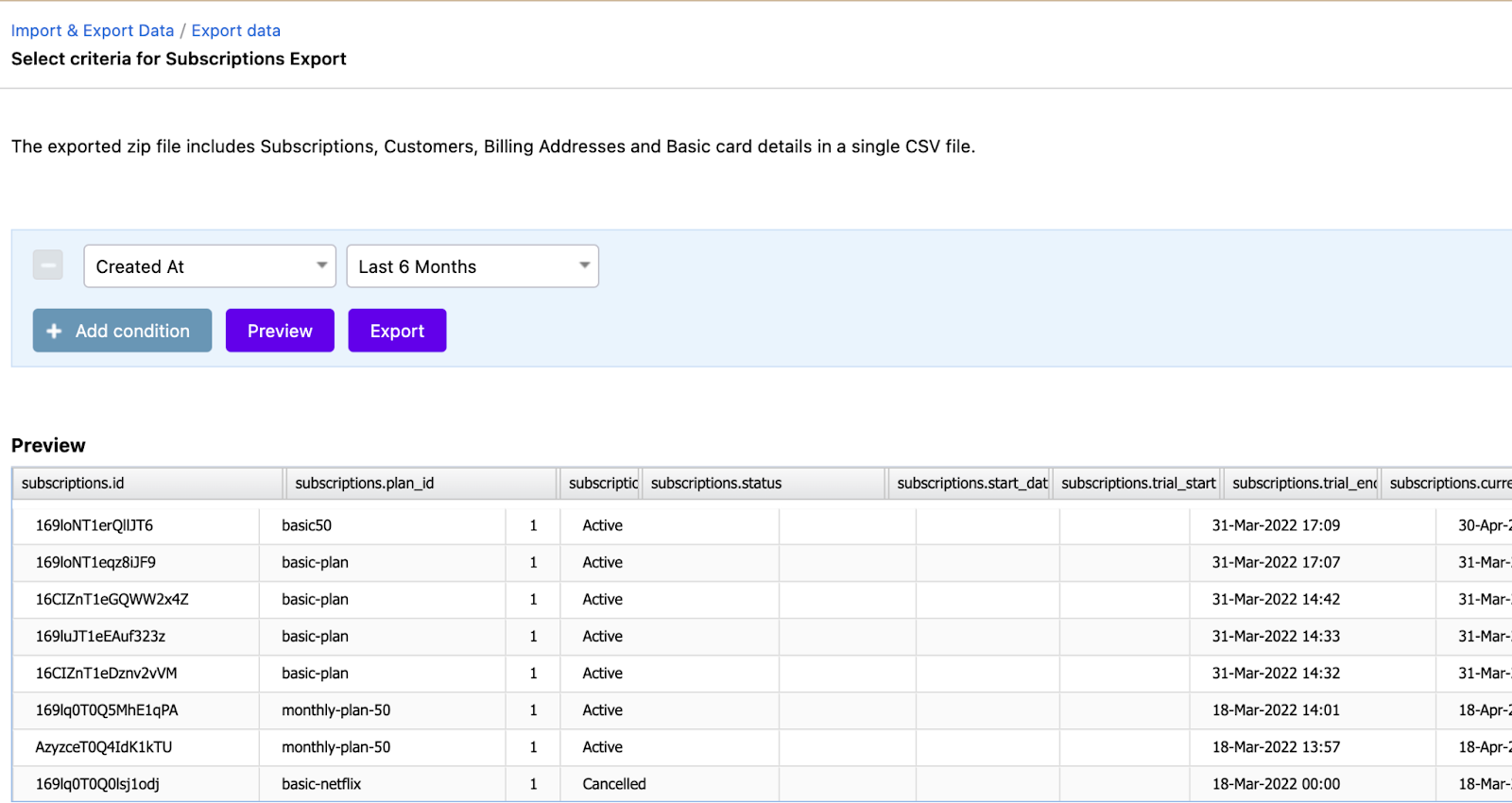
Navigate to Settings > Import & Export Data > Export Data > Subscriptions > Select criteria to export
You can set filters as per your business requirements and Export.
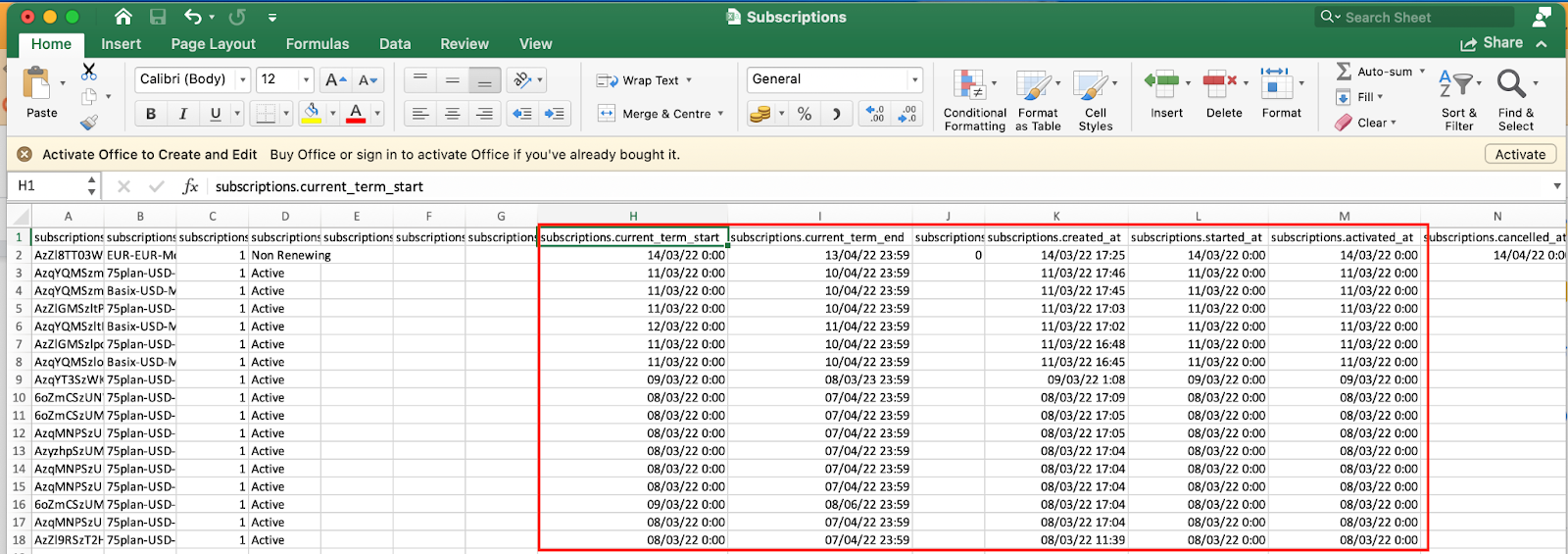
Once exported, you will see a zipped folder with the list of CSV files. Look for Subscription.csv and you can find the relevant information.
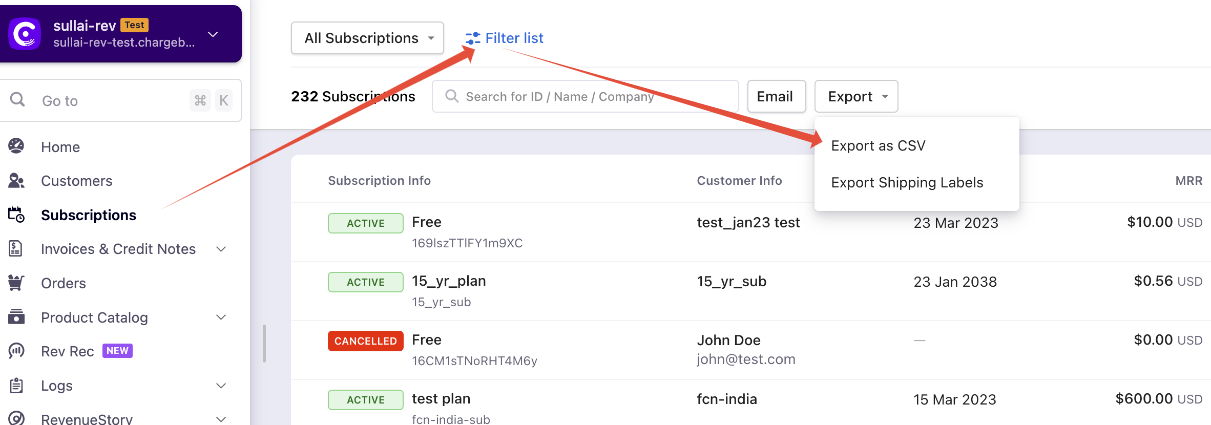
You can also import this from the Subscription section, you will also have filters for your search criteria, and a screenshot for reference.
Related Articles
Show more
Was this article helpful?