How to manually sync status for in-progress transactions?
Problem Statement
Transactions are settled at the gateway but still show "In Progress" in Chargebee. You want to sync their status manually.
Solution
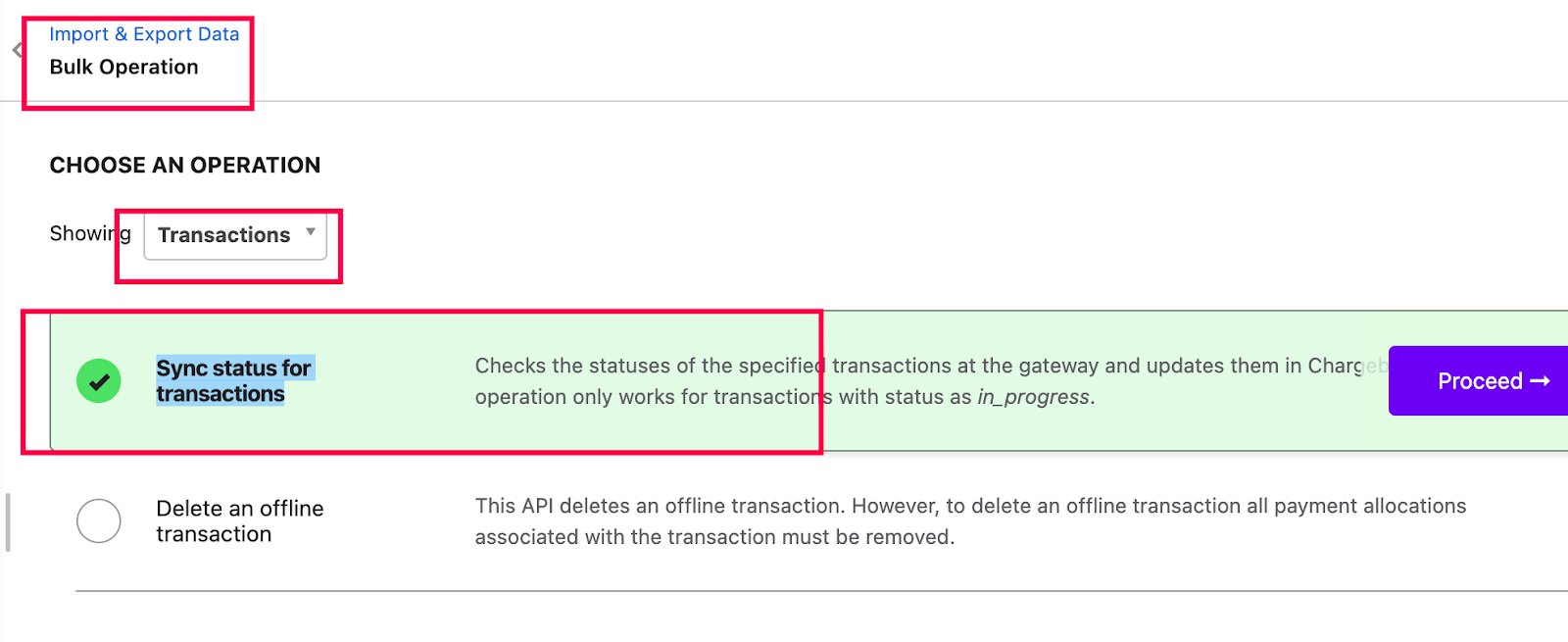
Use the Sync status for transactions bulk operation to update transaction status from the gateway. Supported for Authorize.Net ACH, Stripe ACH, and GoCardless.
Steps to Set It Up
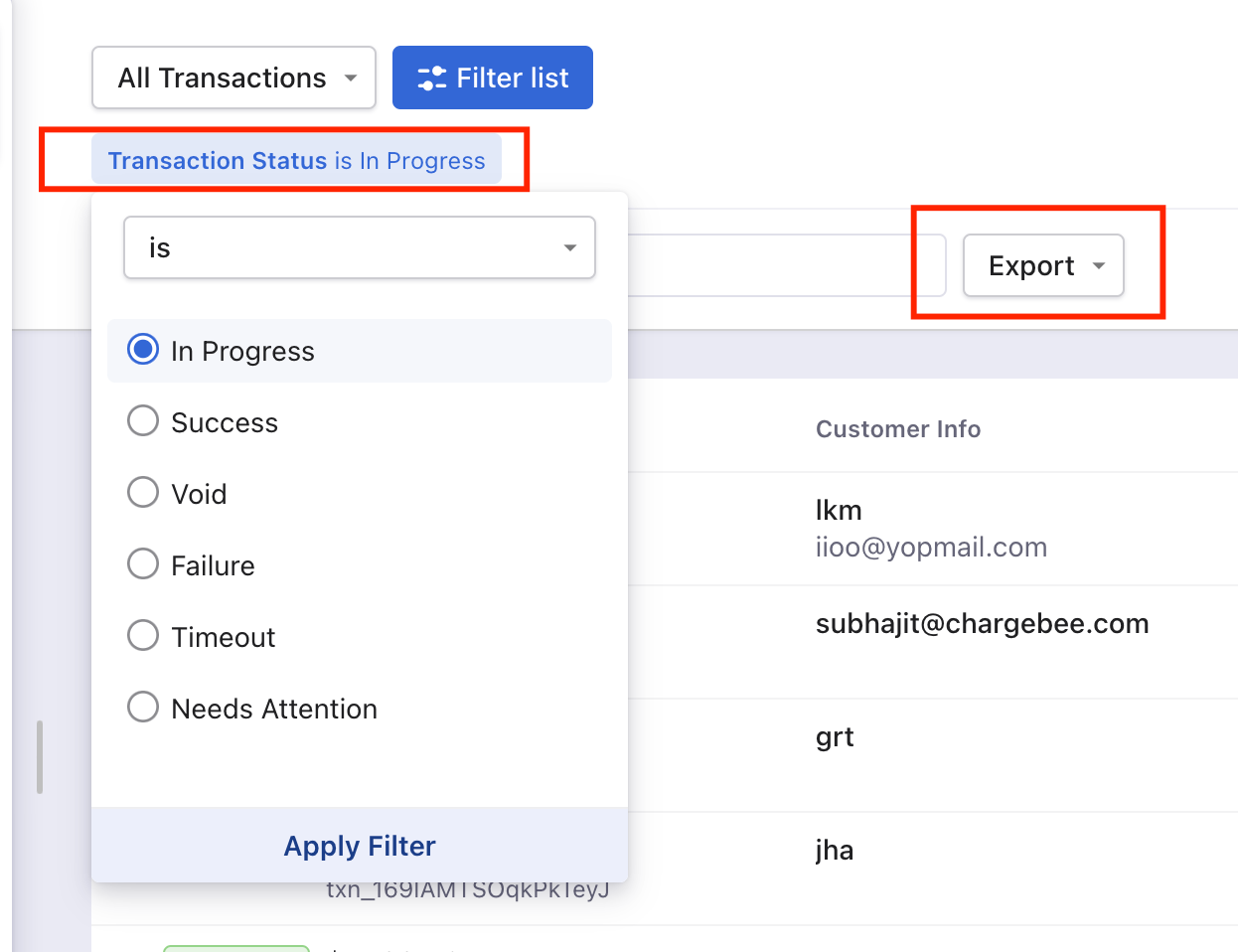
- Go to Logs > Transactions and add filter Status is In Progress.
- Export the list and filter for transactions older than 5 days.
- Go to Settings > Import & Export data > Bulk operations > Transactions > Sync status for transactions.
- Download the sample CSV, add the transaction IDs (format:
txn____) in the single column, and upload the file.
Important Notes
Note
This operation is supported only for Authorize.Net ACH, Stripe ACH, and GoCardless transactions.
Related Articles
Show more
Was this article helpful?