Is it possible to build a report to show all the customers and the total amount of usage (units)?
Problem Statement
You want to know if it is possible to to build a report to show all the customers and the total amount of usage (units).
Solution
Scope
Is it possible to build a report to show all the customers and the total amount of usage (units)?
How to download a subscription with metered usage?
We need a report of subscriptions with high usage recorded.
Summary
You can filter Subscriptions with Quantity using the condition from the Advanced Filter Option on Subscription Index Page and from Export Data using Add Filter list > Subscription > Quantity.
If you are to perform a bulk operation for existing data from Chargebee you may have to export the data from Chargebee and update those data to the import sheet from Bulk Operations. Earlier the export data format and import data format varied which involves a lot of manual intervention. With the new enhanced Export file option, you can either export a file using Download Data or use Download import-friendly file from Settings > Import & Export Data > Product Catalog. Refer to this link for more information.
Solution
Navigate to Subscription > All Subscriptions > Add Filter list > Subscription > Quantity
You can find the list of conditions below to filter usage as per your requirements:
- equals
- greater than
- greater than or equal
- less than
- less than or equal
Once you add a condition, say for example 'greater than' and mention the quantity limit as '4', then click 'Apply Filter'
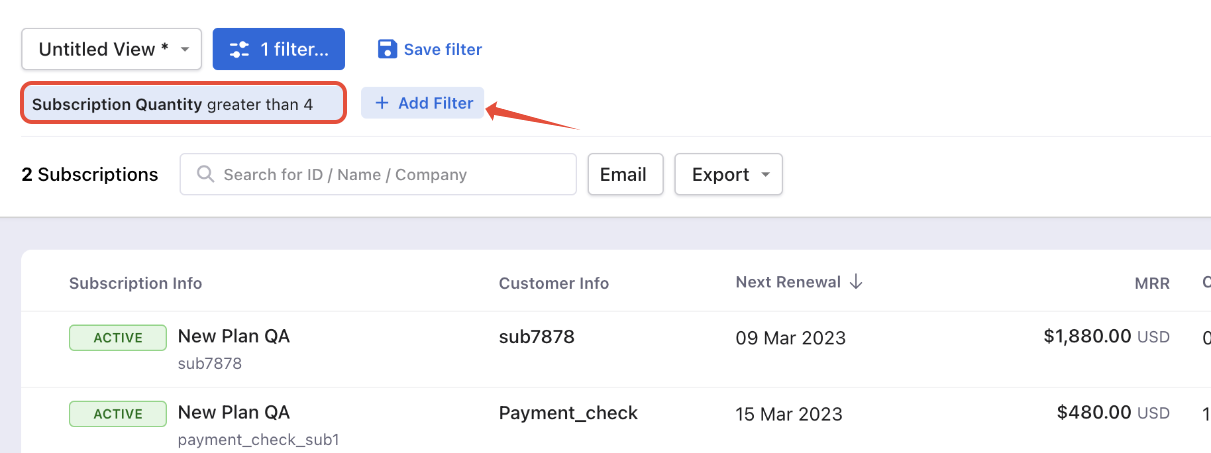
Note
On the recent UI enhancement you On the recent UI enhancement you can now scroll the index pages - Customers, Subscriptions, Invoices, and Credit Notes vertically. Earlier, the pages will be paginated which may prolong your search however with the new enhancement as you scroll down the list it will load all other data in a single page as highlighted below on the screenshot. Refer to this link for more information.
Then you can click on 'Export' and click 'Export as CSV' to export.
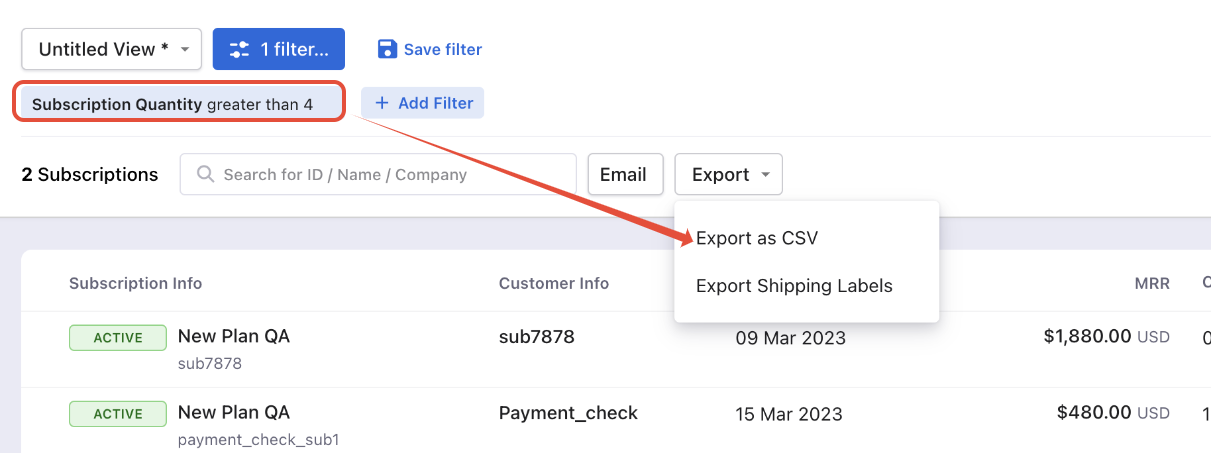
Import & Export Data:
You can also download reports from Import & Export Data by navigating to Settings > Import & Export Data > Export Data > Subscriptions > Select criteria to export
Use the same filter: Subscription > Quantity
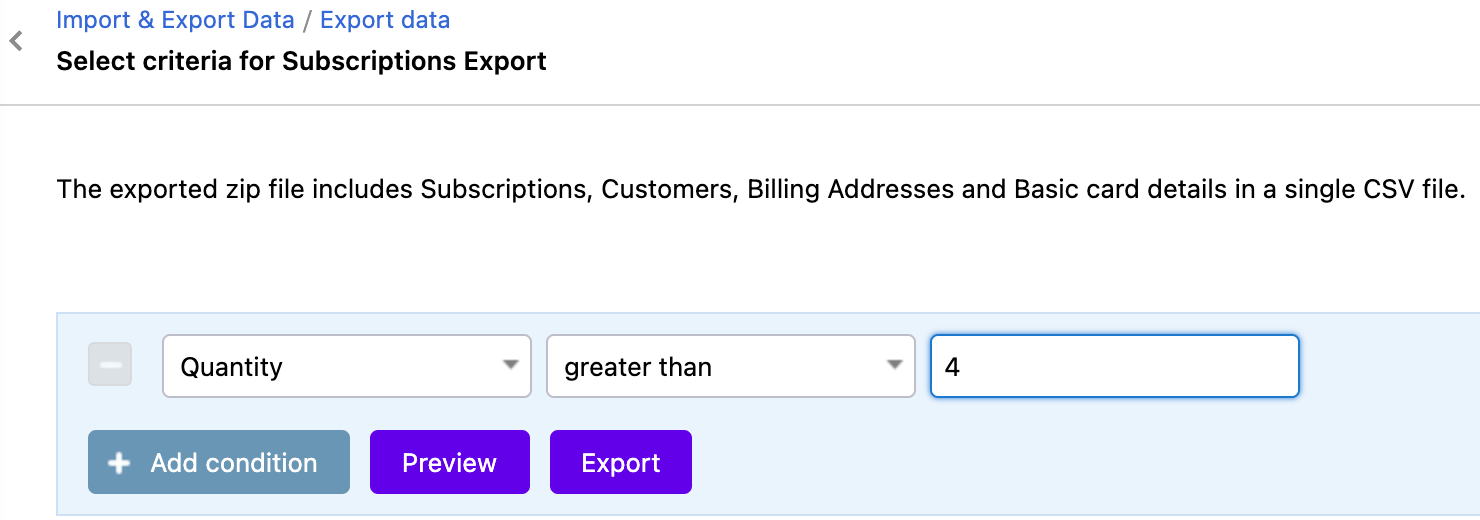
You can 'Preview' the report and download reports from here by clicking on 'Export'
You can also retrieve the list of usages using List Usages API.
Related Articles
Show more
Was this article helpful?