My customers are not able to reactivate their subscription
Problem Statement
Customers cannot find the "Reactivate Subscription" option in the portal or see an error when trying to reactivate a canceled subscription.
Solution
Reactivation can fail for two reasons:
- Plan removed or no longer exists: The plan the customer subscribed to has been removed or no longer exists.
- Plan hidden from portal: The plan is not displayed in the customer portal.
Steps to Set It Up
To enable reactivation for a plan:
- Go to Product Catalog > Plans and select the plan.
- Click Edit plan.
- Enable Display in customer portal.
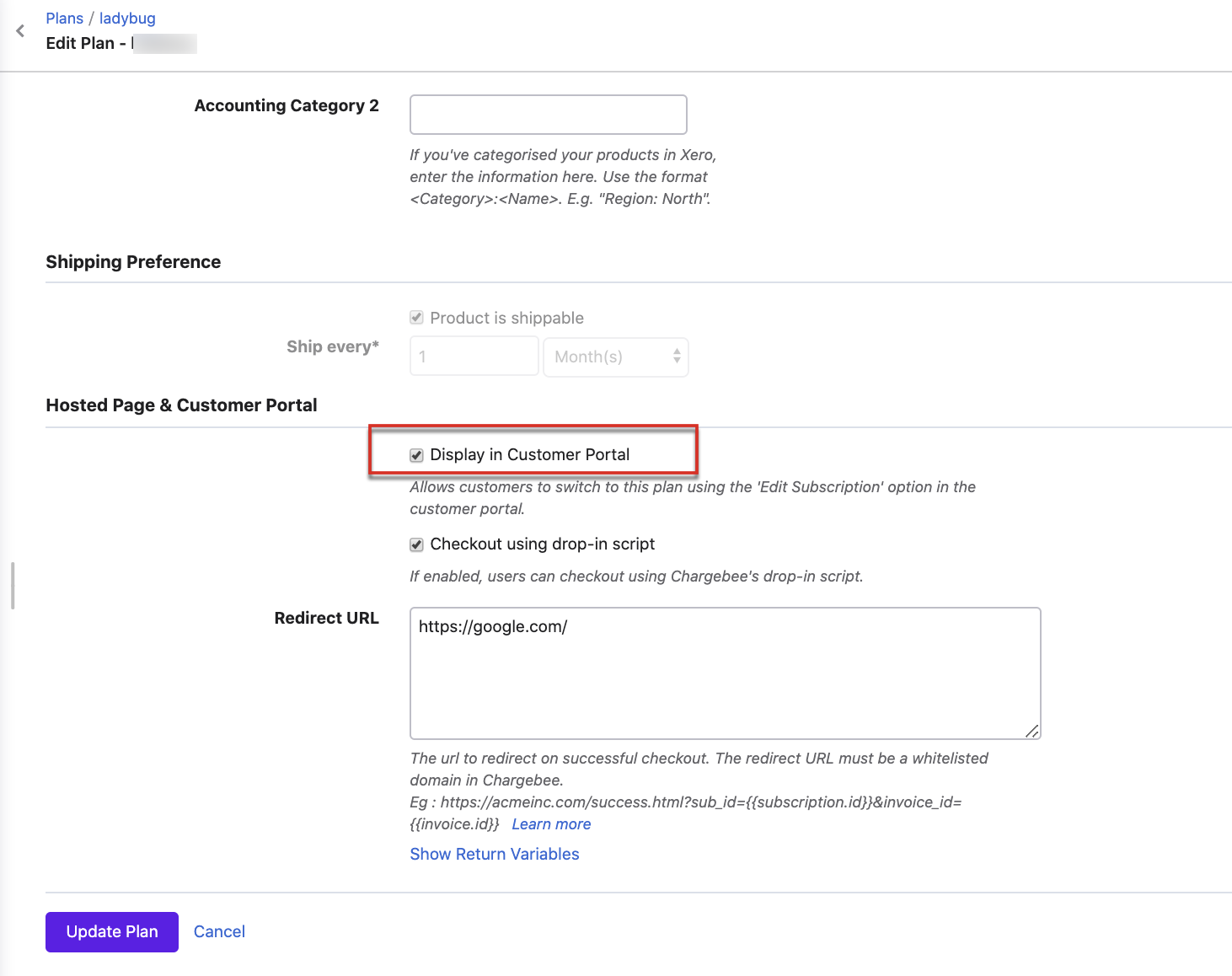
Customers will then see the plan in the portal and can reactivate their subscription to it.
Was this article helpful?