Charge /Invoice one-time fee in Chargebee
Problem Statement
This article helps you understand charge /invoice one-time fee in chargebee.
Solution
Topics covered.
How do I collect an additional fee over the subscription's charges?
Collect a charge between the subscription's billing date.
Summary
Chargebee allows you to raise an invoice for a customer/subscription for one-time or Adhoc charges that are not part of the regular subscription amount. , ie; a setup fee, one-time consultation.
You can use the Add-Charge or Add-Addon(Non-recurring) option to raise an invoice, depending on whether the Auto collection is "ON" and the card of file the payment will be processed.
Note: If Auto Collection is ON the payment method on file will be charged, if the payment fails or no payment is on file the charge invoice will not be created.
Solution:
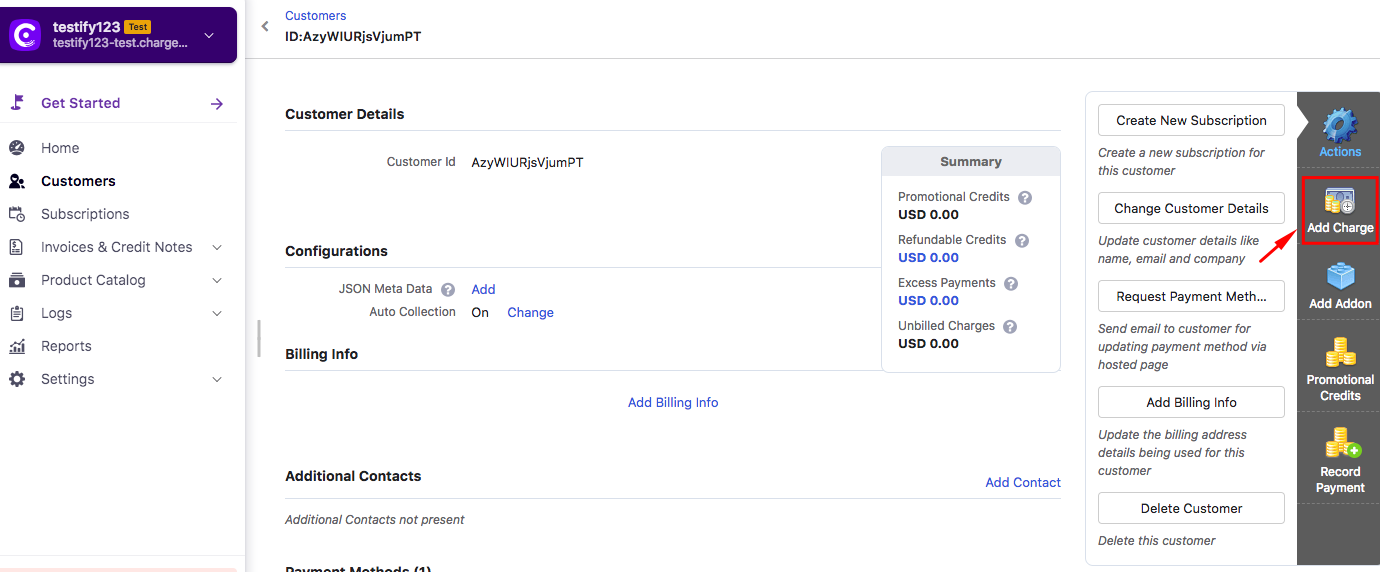
You could use the Add Charge option under the Customer or Subscription tab to charge the one-time fee from the card on file.
Kindly navigate to Customer >> Add Charge or Subscription >> Add Charge.
Please refer to the screenshot below:
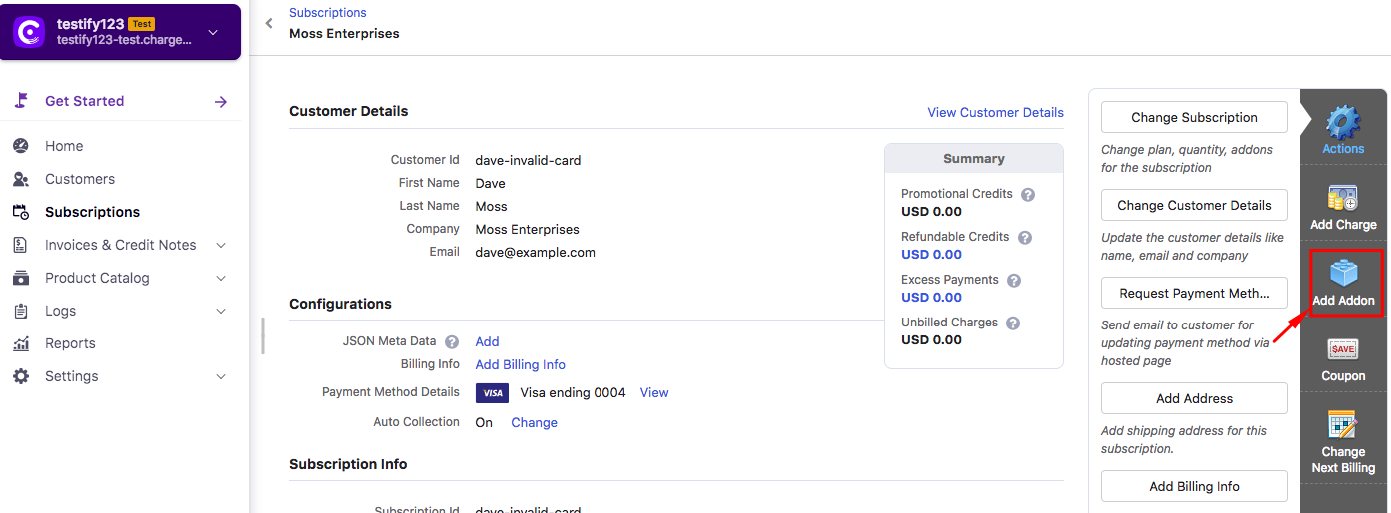
You could also configure a non-recurring addon and you could charge this addon using the Add Addon option under the Subscription/Customer tab as shown below:
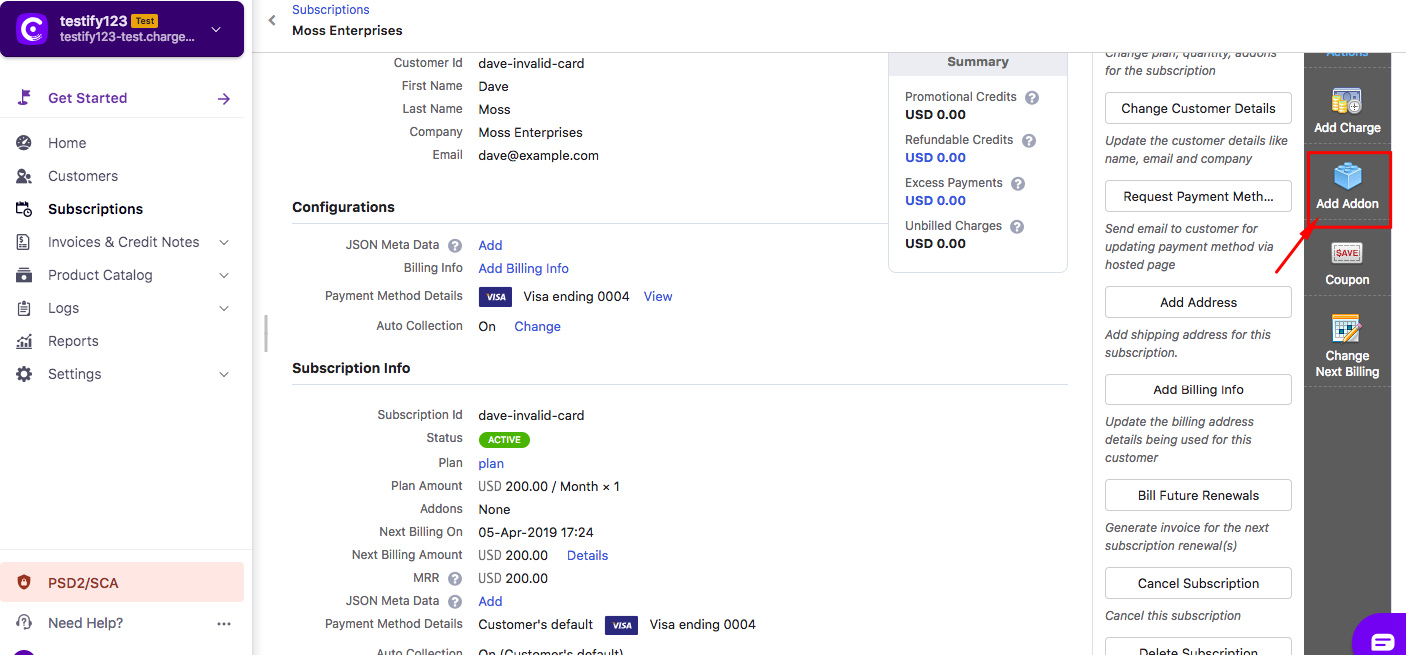
Note: one-time adhoc charges would not be included in the subscription's MRR. Refer to this link to know more about MRR calculations
Related Articles
Show more
Was this article helpful?