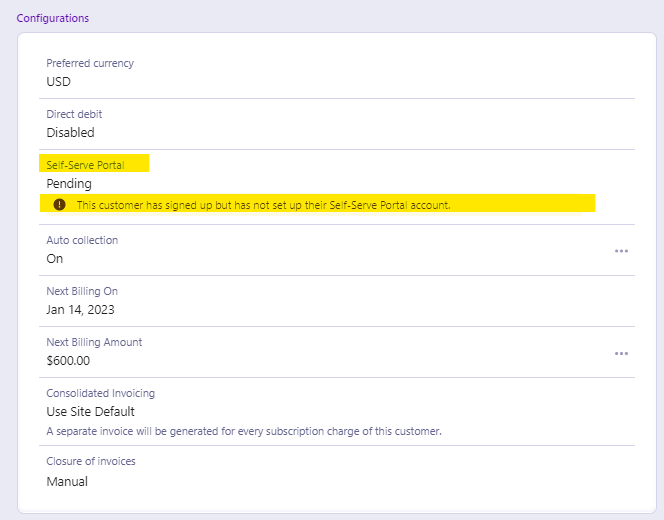
What does this statement mean: "This customer has signed up but has not set up their Self-Serve Portal account."?
Problem Statement
This article explains what the "Pending" status means for Self-Serve Portal setup and how customers can create their portal account.
Solution
Pending means the customer has signed up but has not yet created their Self-Serve Portal account.
For more on how to check customers' portal setup status, see Customer portal. For how customers access the portal, see How your customers access their portal.
How customers create their account
- Go to your portal URL (https://[site].chargebeeportal.com).
- Use the sign-up link and enter the email address they used to sign up.
- If the email is not found in Chargebee, they see an error.
- If the email is found, they receive a confirmation email with a link to create a password.
- After creating the account, they can sign in anytime with their credentials.
Related Articles
Show more
Was this article helpful?